Compare commits
| Author | SHA1 | Date | |
|---|---|---|---|
 SantaSpeen |
9f777bafbc | ||
|
SantaSpeen
|
be4a1ac807 | ||
|
SantaSpeen
|
55f2474660 | ||
|
SantaSpeen
|
c02bf755f2 | ||
|
SantaSpeen
|
c209f1effc | ||
|
SantaSpeen
|
7fd7ae6733 | ||
|
SantaSpeen
|
705762d57c | ||
|
SantaSpeen
|
86dc0e8d95 | ||
|
SantaSpeen
|
68a6801690 | ||
|
SantaSpeen
|
6873f04bfb | ||
|
SantaSpeen
|
6d8faa7d03 | ||
|
SantaSpeen
|
7371c29111 | ||
|
SantaSpeen
|
852140c3a7 | ||
|
SantaSpeen
|
6e36b6c4b7 | ||
|
SantaSpeen
|
bc9709e500 | ||
|
SantaSpeen
|
5cb1b463ea | ||
|
SantaSpeen
|
1afa755d4f | ||
|
SantaSpeen
|
c05293a948 | ||
|
SantaSpeen
|
ab7b77de39 | ||
|
SantaSpeen
|
54761e4ef2 | ||
|
SantaSpeen
|
042392f611 | ||
|
SantaSpeen
|
6aca927851 | ||
|
SantaSpeen
|
d8bdf5f390 | ||
|
SantaSpeen
|
2366035c72 | ||
|
SantaSpeen
|
9110c8a9d5 | ||
|
SantaSpeen
|
d3d164910b | ||
|
SantaSpeen
|
fa1832dfa7 | ||
|
SantaSpeen
|
b87f8cb961 | ||
|
SantaSpeen
|
a69fdf2e09 | ||
|
SantaSpeen
|
7a1d18dfc6 | ||
|
SantaSpeen
|
dd29258828 | ||
|
SantaSpeen
|
b569f68300 | ||
|
SantaSpeen
|
7fc7465f71 | ||
|
SantaSpeen
|
5dda0dc5f3 | ||
|
SantaSpeen
|
618fccd7bb | ||
|
SantaSpeen
|
a0de540dbd | ||
|
SantaSpeen
|
bd9bf33bc9 | ||
|
SantaSpeen
|
2e3b56f250 | ||
|
SantaSpeen
|
87bc33e675 | ||
 Henrique Dias |
833d908884 | ||
|
Henrique Dias
|
1cd18d7ead | ||
|
Henrique Dias
|
e8a388f840 | ||
|
Henrique Dias
|
0dfe44649c | ||
|
Henrique Dias
|
05ee853eef | ||
|
Henrique Dias
|
afeb478ee1 | ||
|
Henrique Dias
|
df2869993a | ||
 transifex-integration[bot] |
d49ab67904 | ||
 superafun |
cfff84306a | ||
|
Henrique Dias
|
72faf6dd3c | ||
|
superafun
|
a789f29cee | ||
|
Henrique Dias
|
74b13db3fa | ||
|
Henrique Dias
|
773b30102c | ||
|
Henrique Dias
|
0b925cbca9 | ||
 renovate[bot] |
9dd7c7d099 | ||
|
Henrique Dias
|
b24e43b06c | ||
|
renovate[bot]
|
91e68edb8c | ||
|
Henrique Dias
|
ac11538f08 | ||
|
Henrique Dias
|
f6fb8f6bf5 | ||
|
Henrique Dias
|
e6d70cf24c | ||
|
Henrique Dias
|
41e2b1bbba | ||
|
Henrique Dias
|
41b01a7404 | ||
|
Henrique Dias
|
0dd8905886 | ||
|
renovate[bot]
|
032271bafa | ||
|
Henrique Dias
|
50125a5d21 | ||
|
Henrique Dias
|
bc3d75a94a | ||
|
Henrique Dias
|
fb6aeba9ea | ||
|
Henrique Dias
|
67e893eee7 | ||
|
Henrique Dias
|
4a4b0f8c84 | ||
|
Henrique Dias
|
660d84661d | ||
|
Henrique Dias
|
392253c563 | ||
|
Henrique Dias
|
328f629181 | ||
|
Henrique Dias
|
4c3cb4bc9b | ||
|
Henrique Dias
|
3213b605be | ||
|
Henrique Dias
|
610e0b09e9 | ||
|
Henrique Dias
|
7453c78c98 | ||
|
Henrique Dias
|
cd5749dff8 | ||
|
Henrique Dias
|
4daddec6f2 | ||
|
Henrique Dias
|
9bd79c3aae | ||
|
Henrique Dias
|
6c69b5cd89 | ||
|
Henrique Dias
|
4b8a8d72ce | ||
|
Henrique Dias
|
8ddd3d1db9 | ||
|
Henrique Dias
|
9fffee387f | ||
|
Henrique Dias
|
5a12cad548 | ||
|
transifex-integration[bot]
|
6232686e22 | ||
|
superafun
|
b21b1245ae | ||
 Archit Goyal |
7361d91ea2 | ||
|
Henrique Dias
|
c05c668148 | ||
|
Henrique Dias
|
b7dc392838 | ||
  TowyTowyandClaude Fable 5 |
ac46cf0671 | ||
|
transifex-integration[bot]
|
f0785391bf | ||
 tianrking |
9b78324d77 | ||
|
Henrique Dias
|
fe7efb2e6a | ||
|
transifex-integration[bot]
|
2651260a1c | ||
|
Henrique Dias
|
4470288ba1 | ||
|
Henrique Dias
|
58d22578e8 | ||
 林桉 |
dfc2e887e1 | ||
 Aditya Raj Singh |
aac2516637 | ||
|
Henrique Dias
|
c05ead7e8e | ||
|
Henrique Dias
|
d76b7d1610 | ||
|
Henrique Dias
|
f30fca636c | ||
|
Henrique Dias
|
ec13054671 | ||
|
Henrique Dias
|
883a36f02f | ||
|
Henrique Dias
|
8503ba61ff | ||
|
Henrique Dias
|
1fb05d65de | ||
|
Henrique Dias
|
2472fbcd30 | ||
 JinHyuk Sung |
43a404ca69 | ||
 Rayan Salhab |
d9cf2f0100 | ||
|
transifex-integration[bot]
|
6209f8fddd | ||
|
Henrique Dias
|
bd1520fe09 | ||
|
Henrique Dias
|
8cfa6a175f | ||
|
Henrique Dias
|
a1063925e1 | ||
|
Henrique Dias
|
64511ce45e | ||
|
Henrique Dias
|
be23ab3a15 | ||
|
Henrique Dias
|
ffb486e05f | ||
 yfzhou |
403d2bbd33 | ||
|
Henrique Dias
|
dfe6e5b333 | ||
|
Henrique Dias
|
d9816b1531 | ||
|
Henrique Dias
|
7c2c0a11b3 | ||
|
Henrique Dias
|
3406d3d7f9 | ||
|
Henrique Dias
|
67ed670d92 | ||
|
Henrique Dias
|
a1a514dcbb | ||
|
Henrique Dias
|
5f7311d324 | ||
|
Henrique Dias
|
998bd95bfa | ||
 Puneet Dixit |
c1abe8f561 | ||
|
Puneet Dixit
|
0bb2768754 | ||
|
Puneet Dixit
|
7b7ff8ae8f | ||
|
Henrique Dias
|
1086903c14 | ||
|
Henrique Dias
|
3471ec2c4b | ||
|
Henrique Dias
|
69c76d11cc | ||
|
Henrique Dias
|
6b04cbf5e9 | ||
|
Henrique Dias
|
503fd6b01f | ||
|
Henrique Dias
|
35db07d015 | ||
|
Henrique Dias
|
19514367ad | ||
|
Henrique Dias
|
cdd666fc95 | ||
 mehmet turac |
103acd15fe | ||
|
Henrique Dias
|
f5e0c4e2e1 | ||
|
Henrique Dias
|
ca019ae7d9 | ||
|
Henrique Dias
|
4488f5b131 | ||
|
Henrique Dias
|
166583db63 | ||
|
Henrique Dias
|
85b7d2762d | ||
|
Henrique Dias
|
4edabb9ccc | ||
|
transifex-integration[bot]
|
103683069e | ||
 Ariel Leyva |
5328e80d2e | ||
|
Henrique DiasandClaude Opus 4.8
|
847d08bdd1 | ||
|
Henrique Dias
|
0231b7ebdf | ||
|
Henrique Dias
|
e07c59df0b | ||
|
Henrique Dias
|
0d3eb9bea9 | ||
|
Henrique Dias
|
34ae34e764 | ||
|
Henrique Dias
|
ca0108f070 | ||
|
Henrique Dias
|
a1e442ef9e | ||
 Jose Olcese |
6ad8160aa3 | ||
|
Henrique Dias
|
22b848f26e | ||
|
Henrique Dias
|
a418dd6bb3 | ||
|
transifex-integration[bot]
|
d978d1ecca | ||
|
mehmet turac
|
9cc18a81e3 | ||
|
Henrique Dias
|
e38c28273a | ||
|
transifex-integration[bot]
|
da2dff0933 | ||
|
renovate[bot]
|
261bca67bc | ||
|
Henrique Dias
|
ca5e249e3c | ||
 Anthony GeourjonandHenrique Dias |
f4e148523e | ||
|
renovate[bot]
|
1f22fe65ec | ||
|
transifex-integration[bot]
|
e2bdf6f747 | ||
|
renovate[bot]
|
d236f1c563 | ||
 hreczkosiej |
4edf425a9f | ||
|
transifex-integration[bot]
|
a1a7ac4f04 | ||
|
renovate[bot]
|
74917c8037 | ||
|
transifex-integration[bot]
|
7bd27f5e82 | ||
 Nicholas A. Thompson |
9f4288b1b4 | ||
 savef |
41b801d30c | ||
|
renovate[bot]
|
da6b7ac26b | ||
|
renovate[bot]
|
7f8b920aa4 | ||
|
Henrique Dias
|
dd53644acb | ||
|
renovate[bot]
|
9b80a9aa6c | ||
|
transifex-integration[bot]
|
0321415a15 | ||
|
Henrique Dias
|
23e84c9974 | ||
 Brumaire |
0fadf28b18 | ||
|
renovate[bot]
|
871f337892 | ||
|
Henrique Dias
|
29c73eaca6 | ||
 kodareef5andHenrique Dias |
f13c7c8cff | ||
|
kodareef5
|
1e03feadb5 | ||
|
kodareef5
|
8adf127c7d | ||
|
kodareef5
|
7dbf7a3528 | ||
|
Henrique Dias
|
65a837de49 | ||
|
Ariel Leyva
|
876cdb3426 | ||
|
Henrique Dias
|
2f805de527 | ||
|
Ariel Leyva
|
7a16129bfc | ||
|
Ariel Leyva
|
0f39bd055e | ||
|
Henrique Dias
|
860c19ddf5 | ||
|
Henrique Dias
|
a8fc1657b7 | ||
|
Henrique Dias
|
c406bda0c7 | ||
|
Henrique Dias
|
d9f9460c1e | ||
|
Henrique Dias
|
126227bb27 | ||
|
Henrique Dias
|
b6a4fb1f27 | ||
|
renovate[bot]
|
2368e468b9 | ||
|
renovate[bot]
|
8d8cd26d7f | ||
 lif |
8f81b77cf2 | ||
|
transifex-integration[bot]
|
0616f6811f | ||
 fabb |
432f3e60ff | ||
|
renovate[bot]
|
ae72f93667 | ||
 Arran |
4812536555 | ||
|
renovate[bot]
|
6d44b3ae1d | ||
|
renovate[bot]
|
811cf2dfe5 | ||
|
Henrique Dias
|
b5f970731b | ||
|
Henrique Dias
|
fc80f4f44c | ||
|
Henrique Dias
|
6aea227617 | ||
|
Henrique Dias
|
09a26166b4 | ||
|
Henrique Dias
|
a63573b67e | ||
|
Henrique Dias
|
4bd7d69c82 | ||
|
Henrique Dias
|
c21af0791a | ||
|
transifex-integration[bot]
|
858eb42651 | ||
|
Henrique Dias
|
21709428b1 | ||
|
renovate[bot]
|
846fb3333a | ||
|
Henrique Dias
|
6f772f2b10 | ||
|
renovate[bot]
|
3c5d36673f | ||
|
renovate[bot]
|
27afbb8813 | ||
|
renovate[bot]
|
79875bac7f | ||
|
Henrique Dias
|
be8ba18937 | ||
 Andrew Katsikas |
ef2e9992dc | ||
 Sergio |
0542fc0ba4 | ||
|
Ariel Leyva
|
f04af0cac6 | ||
|
Sergio
|
f5f8b60b33 | ||
|
Sergio
|
6dcef07f40 | ||
|
Henrique Dias
|
6700a981a5 | ||
|
renovate[bot]
|
490e5bbf99 | ||
|
renovate[bot]
|
df63cb595c | ||
|
renovate[bot]
|
3cb21c727d | ||
|
renovate[bot]
|
c01b6a840c | ||
|
Henrique Dias
|
cbcf708d94 | ||
|
Henrique Dias
|
4d9e6b8218 | ||
|
Henrique Dias
|
8ee55761a1 | ||
 Marcel Szalbach |
8598db2acc | ||
|
transifex-integration[bot]
|
a7dc7bf88a | ||
|
renovate[bot]
|
9f56826fb2 | ||
|
Ariel Leyva
|
d7b00ce5f6 | ||
|
Ariel Leyva
|
177c7cfcce | ||
|
Ariel Leyva
|
4af3f85e64 | ||
|
Henrique Dias
|
c950a57df8 | ||
|
Henrique Dias
|
7ed1425115 | ||
|
Henrique Dias
|
148b3c5942 | ||
|
renovate[bot]
|
a40f80672d | ||
|
transifex-integration[bot]
|
8dc618a24b | ||
|
Henrique Dias
|
31194fb57a | ||
|
Ariel Leyva
|
aa809096eb | ||
|
renovate[bot]
|
e3d00d591b | ||
|
Henrique Dias
|
7b16e2de90 | ||
|
renovate[bot]
|
2470b9eb69 | ||
|
transifex-integration[bot]
|
9940bdd663 | ||
|
Ariel Leyva
|
200d501547 | ||
|
Ariel Leyva
|
3169a14a4d | ||
|
Henrique Dias
|
7e78ad97ad | ||
 NN708 |
0467326d5c | ||
|
transifex-integration[bot]
|
63a76ef18c | ||
|
renovate[bot]
|
3cad9a2b0e | ||
 Marek Baczyński |
804b14b698 | ||
|
Henrique Dias
|
95e6ed75a7 | ||
|
Henrique Dias
|
b09960e538 | ||
|
transifex-integration[bot]
|
5e8f5be245 | ||
 Aaron Dill |
e5bc0d3cce | ||
|
Ariel Leyva
|
f67bccf8c5 | ||
|
Henrique Dias
|
88b97def9e | ||
|
Henrique Dias
|
1f7904dad2 | ||
|
renovate[bot]
|
5feaf66575 | ||
|
transifex-integration[bot]
|
c94870fcfe | ||
 Nian |
6a76dfeba9 | ||
|
Henrique Dias
|
e193d43278 | ||
|
Henrique Dias
|
489af403a1 | ||
|
Henrique Dias
|
ff2f00498c | ||
|
renovate[bot]
|
2957b4605b | ||
|
Henrique Dias
|
099dfb0ae8 | ||
|
Henrique Dias
|
a4289011ef | ||
|
Ariel Leyva
|
942d59848a | ||
|
Henrique Dias
|
854e5371b6 | ||
|
Henrique Dias
|
b9df030e6e | ||
|
renovate[bot]
|
2b82612e3f | ||
|
Arran
|
08d7a1504c | ||
|
renovate[bot]
|
b8da36e630 | ||
|
renovate[bot]
|
a8fe32f4aa | ||
|
transifex-integration[bot]
|
8fee2561af | ||
|
Ariel Leyva
|
d441b28f43 | ||
|
renovate[bot]
|
87cfead033 | ||
|
renovate[bot]
|
3a08949c7f | ||
|
Ariel Leyva
|
b594d4d4e2 | ||
|
Henrique Dias
|
1053aace8c | ||
|
Ariel Leyva
|
004488c15b | ||
|
Ariel Leyva
|
3032a1fade | ||
|
renovate[bot]
|
87f1d00fd7 | ||
|
transifex-integration[bot]
|
f0f2f1ff06 | ||
|
Henrique Dias
|
08c8ede587 | ||
|
Henrique Dias
|
1154b49974 | ||
|
Ariel Leyva
|
785b7abb7b | ||
|
renovate[bot]
|
550a73b6ba | ||
|
transifex-integration[bot]
|
e7ea1ad27d | ||
 GUCHI |
24781badd4 | ||
|
Ariel Leyva
|
4094fb359b | ||
|
Ariel Leyva
|
cfa6c5864e | ||
 Andy |
59ca0c340a | ||
|
Henrique Dias
|
037e29a708 | ||
 Beckam White |
fda8a99292 | ||
|
Ariel Leyva
|
208535a8cc | ||
|
transifex-integration[bot]
|
464b581953 | ||
|
renovate[bot]
|
20312ff18e | ||
|
Ariel Leyva
|
219582c0b0 | ||
 Jagadam Dinesh Reddy |
4fd18a382c | ||
|
Henrique Dias
|
94ec786d34 | ||
|
renovate[bot]
|
25e9b85259 | ||
|
Jagadam Dinesh Reddy
|
ffa893e9ac | ||
|
Ariel Leyva
|
b8151a038a | ||
|
Henrique Dias
|
943e5340d0 | ||
|
Henrique Dias
|
88aa56f53b | ||
|
transifex-integration[bot]
|
a12a612970 | ||
|
Ariel Leyva
|
a2d80c62c1 | ||
|
renovate[bot]
|
1faa21844f | ||
 Brendan Jackman |
7a93b2a062 | ||
|
transifex-integration[bot]
|
032d6c7520 | ||
  DominikandFadedAtlas |
9595f3939c | ||
|
Brendan JackmanandHenrique Dias
|
60b1ee8bb9 | ||
|
Brendan Jackman
|
79d1aa9229 | ||
  Ramires Vianaandmanx98 |
20bfd131c6 | ||
|
transifex-integration[bot]
|
f89975603e | ||
|
renovate[bot]
|
2d3b64ecf6 | ||
|
renovate[bot]
|
579756dbb5 | ||
|
Henrique Dias
|
c11c986b73 | ||
|
transifex-integration[bot]
|
3fdca6dfd9 | ||
|
Ariel Leyva
|
cf966578d8 | ||
|
Ariel Leyva
|
6d4c867672 | ||
|
renovate[bot]
|
169e97e6f9 | ||
|
transifex-integration[bot]
|
7fa3432f25 | ||
|
renovate[bot]
|
e9ce7fa5aa | ||
|
Henrique Dias
|
849f5ad443 | ||
|
Henrique Dias
|
c1715992bd | ||
|
Henrique Dias
|
e4f2503298 | ||
|
Ariel Leyva
|
152f8302f7 | ||
|
Henrique Dias
|
4cbb4b73af | ||
|
Henrique Dias
|
58cc874828 | ||
|
Henrique Dias
|
124def5cd7 | ||
|
transifex-integration[bot]
|
2d88c06761 | ||
|
Ariel LeyvaandHenrique Dias
|
204a3f0eea | ||
|
Henrique Dias
|
f029c3005e | ||
|
Henrique Dias
|
a6934e40ff | ||
|
renovate[bot]
|
98662ac5ec | ||
|
renovate[bot]
|
5cf8ce8db5 | ||
|
renovate[bot]
|
062dc414f8 | ||
|
Henrique Dias
|
63582b644c | ||
|
Henrique Dias
|
4302ece49b | ||
|
Henrique Dias
|
e1ee14d827 | ||
|
Henrique Dias
|
84ca722261 | ||
 jake-dogandHenrique Dias |
b9ac45d5da | ||
|
Henrique Dias
|
701522a060 | ||
|
transifex-integration[bot]
|
78e0395960 | ||
|
renovate[bot]
|
f0680cf0f5 | ||
 Krishan BhasinandHenrique Dias |
982405ec94 | ||
|
renovate[bot]
|
a78aaed214 | ||
|
renovate[bot]
|
df11a7dd0e | ||
|
renovate[bot]
|
79980bcf52 | ||
|
renovate[bot]
|
3be134f23d | ||
|
transifex-integration[bot]
|
279a5ccd1e | ||
|
renovate[bot]
|
87f73ac982 | ||
|
renovate[bot]
|
85cde140ba | ||
|
Henrique Dias
|
119609c834 | ||
 KosmosandHenrique Dias |
d48f5665d6 | ||
|
transifex-integration[bot]
|
54306bdc87 | ||
|
renovate[bot]
|
33deedf559 | ||
|
renovate[bot]
|
88d1eecc4e | ||
|
renovate[bot]
|
43db19f8c8 | ||
|
renovate[bot]
|
a360f26979 | ||
|
renovate[bot]
|
ab367a2740 | ||
|
Henrique Dias
|
5df5508a85 | ||
 Brian FrommandClaude |
6d5aa355e4 | ||
|
renovate[bot]
|
a3b5584505 | ||
|
transifex-integration[bot]andHenrique Dias
|
8db2411cd4 | ||
|
Henrique Dias
|
c284de9d2c | ||
|
Henrique Dias
|
984ea7b569 | ||
|
Henrique Dias
|
fd7b70cf38 | ||
|
renovate[bot]
|
13e3b46718 | ||
|
Henrique Dias
|
d759ab0bd8 | ||
|
Henrique Dias
|
00323a8f37 | ||
|
Henrique Dias
|
420adea7e6 | ||
|
Henrique Dias
|
f576d38a7e | ||
|
Henrique Dias
|
9bdc67c207 | ||
|
Henrique Dias
|
f41585f039 | ||
|
Henrique Dias
|
89be0b1873 | ||
|
Brian FrommandHenrique Dias
|
8c5dc7641e | ||
|
Henrique Dias
|
0a0cb8046f | ||
|
Henrique Dias
|
f89435c068 | ||
|
Henrique Dias
|
fb8d41eb9a | ||
|
Henrique Dias
|
0fadaccaa2 | ||
|
Henrique Dias
|
e24e1f1aba | ||
|
Henrique Dias
|
5de4099cba | ||
|
Henrique Dias
|
d01493106d | ||
|
Henrique Dias
|
2d9689dd6a | ||
|
Henrique Dias
|
c4c1cea230 | ||
|
Henrique Dias
|
ceb5e723f3 | ||
|
renovate[bot]
|
ebc7d2303d | ||
|
Henrique Dias
|
23c4e4565b | ||
|
Henrique Dias
|
17f1e08a58 | ||
|
Henrique Dias
|
ffc850454e | ||
|
Henrique Dias
|
13814e1119 | ||
|
Henrique Dias
|
4e9e312984 | ||
|
Henrique Dias
|
ce3b407c51 | ||
|
transifex-integration[bot]
|
fb5d099f85 | ||
 Omar HusseinandHenrique Dias |
1ace579a55 | ||
 Lucky JainandHenrique Dias |
ac7b49c148 | ||
|
Henrique Dias
|
9d44932dba | ||
 Ahmad HesamandHenrique Dias |
0d973d3aad | ||
|
Henrique Dias
|
cacc0999e9 | ||
|
Henrique Dias
|
42d1b6f3ae | ||
|
Henrique Dias
|
bb10c3dfa9 | ||
|
Henrique Dias
|
ce76aa23a6 | ||
|
Henrique Dias
|
94b635daf8 | ||
|
Henrique Dias
|
31871aaa4b | ||
|
Henrique Dias
|
9d465663db | ||
|
Henrique Dias
|
70081f2647 | ||
|
Henrique Dias
|
fa9d2f266f | ||
|
Henrique Dias
|
8fcfb502ca | ||
|
Henrique Dias
|
0bab2aba9e | ||
|
renovate[bot]andHenrique Dias
|
38951d950f | ||
|
renovate[bot]
|
dda8fdbcb2 | ||
|
Henrique Dias
|
bf3ba65782 | ||
|
Henrique Dias
|
f35b7c9d9d | ||
|
Henrique Dias
|
e9506c3eae | ||
|
Henrique Dias
|
bb4465548b | ||
|
Henrique Dias
|
cf8b5ca768 | ||
|
Henrique Dias
|
f93d760b1b | ||
|
Henrique Dias
|
1495ee8dd8 | ||
 FileBrowser Robot |
8a7279e3ee | ||
|
renovate[bot]
|
fdff7a38f4 | ||
|
renovate[bot]
|
f26a68587d | ||
|
Henrique Dias
|
1c62038344 | ||
|
Henrique Dias
|
6eb7b4b8ec | ||
|
Henrique Dias
|
f11fc37409 | ||
|
renovate[bot]
|
d12a3dc8a8 | ||
|
Henrique Dias
|
0cfab8770a | ||
|
renovate[bot]
|
3876ae8fe8 | ||
|
renovate[bot]
|
77644e4425 | ||
|
renovate[bot]
|
6592782dc0 | ||
|
renovate[bot]
|
d6dc250ed4 | ||
|
Henrique Dias
|
9579f14c34 | ||
|
Henrique Dias
|
c5acbffe3f | ||
|
Henrique Dias
|
63142042bc | ||
|
Henrique Dias
|
1ac0305ed0 | ||
|
Henrique Dias
|
7860013aa9 | ||
|
Henrique Dias
|
7a5b964611 | ||
 Jagadam Dinesh Reddyandjagadam97 |
6950c2e4d2 | ||
|
Henrique Dias
|
291223b3ce | ||
|
Henrique Dias
|
99aeb766c3 | ||
|
Henrique Dias
|
93fe31cc55 | ||
|
transifex-integration[bot]
|
b9a03fabd9 | ||
|
jagadam97
|
d00b3ea8f8 | ||
|
Henrique Dias
|
c18afcddc4 | ||
|
Henrique Dias
|
57db25d08a | ||
 dependabot[bot] |
b8f64a1c1b | ||
|
Henrique Dias
|
de35dee1c5 | ||
 MSomnium Studios |
dd883985bb | ||
 rocksload |
97b8911ba8 | ||
  RyanandRyan Miller |
a397e7305d | ||
|
Ryan
|
d0039afbb7 | ||
|
Henrique Dias
|
878cdfbc52 | ||
|
transifex-integration[bot]
|
1165f00bd4 | ||
|
Henrique Dias
|
949ddffef2 | ||
|
Henrique Dias
|
c4725428e0 | ||
|
MSomnium Studios
|
d29ad356d1 | ||
|
MSomnium StudiosandHenrique Dias
|
692ca5eaf0 | ||
 AdamandHenrique Dias |
b9787c78f3 | ||
|
transifex-integration[bot]
|
dec7a02737 | ||
|
transifex-integration[bot]
|
0eade717ce | ||
|
MSomnium Studios
|
e6c674b3c6 | ||
|
transifex-integration[bot]
|
4ff247e134 | ||
|
Henrique Dias
|
2f0c1f5fa2 | ||
|
Henrique Dias
|
07692653ff | ||
|
Henrique Dias
|
82dc57ad43 | ||
 Jorge |
84e8632b98 | ||
|
transifex-integration[bot]
|
571ce6cb0d | ||
 wuwenbin |
783503aece | ||
 cui |
b482a9bf0d | ||
|
dependabot[bot]
|
36c6cc203e | ||
|
transifex-integration[bot]
|
8950585141 | ||
|
dependabot[bot]
|
950028abeb | ||
|
dependabot[bot]
|
280fa562a6 | ||
|
transifex-integration[bot]
|
6b1fa87ad3 | ||
|
Henrique Dias
|
cacfb2bc08 | ||
|
Jagadam Dinesh Reddy
|
3107ae4147 | ||
|
Henrique Dias
|
c182114883 | ||
|
Henrique Dias
|
342b239ac6 | ||
|
Henrique Dias
|
0f41aac20b | ||
 wx-11 |
cd51a59e72 | ||
|
Henrique Dias
|
c829330b53 | ||
|
Ramires Viana
|
c14cf86f83 | ||
|
Henrique Dias
|
6d620c00a1 | ||
|
Ramires Viana
|
06e8713fa5 | ||
|
Henrique Dias
|
af9b42549f | ||
|
transifex-integration[bot]
|
75baf7ce33 | ||
|
Henrique Dias
|
4ff6347155 | ||
|
transifex-integration[bot]
|
14ee054359 | ||
|
Henrique Dias
|
7f559ffd07 | ||
|
Henrique Dias
|
619f6837b0 | ||
|
Henrique Dias
|
d778c192ae | ||
|
Henrique Dias
|
a290c6d7db | ||
|
Henrique Dias
|
c1b0207800 | ||
 Christopher Campo |
c7a5c7efee | ||
|
Ramires Viana
|
cbeec6d225 | ||
|
Henrique Dias
|
25e47c3ce8 | ||
|
transifex-integration[bot]
|
5eb3bf4058 | ||
|
transifex-integration[bot]
|
07dfdce8e4 | ||
|
Henrique Dias
|
e5e1b6dee4 | ||
|
Jagadam Dinesh Reddy
|
1582b8b2cd | ||
 Vincent Lee |
21ad653b7e | ||
|
Henrique Dias
|
5b7ea9f95a | ||
|
Henrique Dias
|
607f5708a2 | ||
|
dependabot[bot]
|
d61110e4d7 | ||
|
Henrique Dias
|
7e758357d1 | ||
|
Henrique Dias
|
3faec03ed7 | ||
|
Henrique Dias
|
a7a68f74ae | ||
|
Henrique Dias
|
6425cc58b4 | ||
|
Henrique Dias
|
88f1442932 | ||
|
Henrique Dias
|
545c972214 | ||
|
Henrique Dias
|
124abc7643 | ||
|
jagadam97
|
b8454bb2e4 | ||
 outlook84 |
035084d8e8 | ||
|
Ramires Viana
|
9072cbce34 | ||
|
Henrique Dias
|
e6ffb65374 | ||
|
outlook84
|
5c5942d995 | ||
|
Henrique Dias
|
1a5c83bcfe | ||
|
Henrique Dias
|
5a8e7171b1 | ||
|
Ramires Viana
|
0f27c91eca | ||
|
Jagadam Dinesh Reddy
|
7c716862c1 | ||
|
outlook84
|
01c814cf98 | ||
|
jagadam97
|
35ca24adb8 | ||
|
Henrique Dias
|
14b0dfec34 | ||
 
|
528ce92fad | ||
|
Ryan
|
fbe169b84f | ||
|
transifex-integration[bot]
|
b4eddf45e4 | ||
|
Henrique Dias
|
0614dcd89b | ||
|
Henrique Dias
|
fcb248a5fe | ||
|
Henrique Dias
|
bf73e4dea3 | ||
|
transifex-integration[bot]
|
b28952cb25 | ||
|
transifex-integration[bot]
|
1e96fd9035 | ||
|
jagadam97
|
e423395ef0 | ||
|
transifex-integration[bot]
|
65bbf44e3c | ||
|
Henrique Dias
|
200b9a6c26 | ||
|
Henrique Dias
|
3645b578cd | ||
|
Henrique Dias
|
cc6db83988 | ||
|
Ryan
|
046d6193c5 | ||
|
Henrique Dias
|
244fda2f2c | ||
|
Henrique Dias
|
e36a9b40a0 | ||
|
Henrique Dias
|
a756e02142 | ||
|
Henrique Dias
|
b6394745a3 | ||
 Stavros Tsioulis |
e99e0b3028 | ||
|
Henrique Dias
|
47b3e218ad | ||
|
Henrique Dias
|
0c34b79a99 | ||
|
Henrique Dias
|
04166e81e5 | ||
|
Henrique Dias
|
fae410ce6e | ||
|
Henrique Dias
|
9da01be7fc | ||
|
Henrique Dias
|
e9e7c68557 | ||
|
Henrique Dias
|
8ef8f2c098 | ||
|
Henrique Dias
|
3b3df83d64 | ||
|
Henrique Dias
|
38d0366acf | ||
|
Henrique Dias
|
4403cd3572 | ||
 Foxy Hunter |
8d7522049c | ||
|
Henrique Dias
|
7b43cfb1dc | ||
|
Henrique Dias
|
d644744417 | ||
|
Henrique Dias
|
d1a73a8b18 | ||
|
Henrique Dias
|
2b5d6cbb99 | ||
|
Henrique Dias
|
364f391017 | ||
|
Henrique Dias
|
c13861e13c | ||
|
Henrique Dias
|
e6b750add5 | ||
|
Henrique Dias
|
70d59ec03e | ||
|
Henrique Dias
|
bf37f88c32 | ||
|
Foxy Hunter
|
7354eb6cf9 | ||
|
Henrique Dias
|
10684e5390 | ||
|
Henrique Dias
|
58fe817349 | ||
|
Henrique Dias
|
d8472e767b | ||
|
Henrique Dias
|
8700cb30ff | ||
 manx98 |
93c4b2e03c | ||
|
Henrique Dias
|
2d1a82b73f | ||
|
dependabot[bot]
|
5a07291306 | ||
|
transifex-integration[bot]
|
09f679fae4 | ||
|
Oleg Lobanov
|
9e273cd947 | ||
|
Oleg Lobanov
|
77d266bc00 | ||
|
Oleg Lobanov
|
8861933cf8 | ||
|
transifex-integration[bot]
|
a5ea2a266b | ||
|
Oleg Lobanov
|
f5e531c8ae | ||
|
Oleg Lobanov
|
6072540c3e | ||
|
Henrique Dias
|
464b644adf | ||
|
Henrique Dias
|
089255997a | ||
|
dependabot[bot]
|
5331969163 | ||
|
dependabot[bot]
|
f32f27383d | ||
|
Henrique Dias
|
0acd69c537 | ||
|
Henrique Dias
|
ae4fb0ea25 | ||
 Adrien Kohlbecker |
8230eb7ab5 | ||
|
Henrique Dias
|
8b8fb3343f | ||
 Oleksandr Redko |
1d494ff315 | ||
|
Henrique Dias
|
da03728cd7 | ||
|
Henrique Dias
|
e735491c57 | ||
|
Henrique Dias
|
4d830f707f | ||
|
Henrique Dias
|
f84a6db680 | ||
|
Henrique Dias
|
a430eb2e60 | ||
|
Henrique Dias
|
c232d41f90 | ||
|
Henrique Dias
|
c1e4fd648b | ||
|
Henrique Dias
|
d5b39a14fd | ||
|
Henrique Dias
|
e2e1e49130 | ||
|
Henrique Dias
|
b0f92dd2d7 | ||
|
Henrique Dias
|
21b0827808 | ||
|
Henrique Dias
|
d6d84e2b48 | ||
|
Henrique Dias
|
ca86f91621 | ||
|
Henrique Dias
|
4bfbf33249 | ||
|
Henrique Dias
|
f19943a42e | ||
|
Henrique Dias
|
e74c958862 | ||
|
Henrique Dias
|
221451a517 | ||
|
Henrique Dias
|
f46641b038 | ||
|
Henrique Dias
|
23bd8f6715 | ||
|
Henrique Dias
|
506fc08577 | ||
|
transifex-integration[bot]
|
f33076462a | ||
|
Henrique Dias
|
6c29fabdc8 | ||
 Adam |
0268506f80 | ||
|
Henrique Dias
|
ad864a97e9 | ||
|
transifex-integration[bot]
|
f714e71a35 | ||
|
Henrique Dias
|
dbdbbab4d7 | ||
|
Henrique Dias
|
7c0c7820ef | ||
 Arion2000 |
2741616473 | ||
|
Henrique Dias
|
ffb858e4ef | ||
|
Henrique Dias
|
0ca8059d8d | ||
|
Henrique Dias
|
8ca080422f | ||
|
Henrique Dias
|
cbb712484d | ||
 Patrick Wang |
8a14018861 | ||
|
Henrique Dias
|
a493ec90ff | ||
|
Henrique Dias
|
33113036cd | ||
 contributor |
a02b2972eb | ||
|
Henrique Dias
|
e9bb3dc243 | ||
|
Henrique Dias
|
2e26393a02 | ||
|
Henrique Dias
|
04a13f086f | ||
|
Henrique Dias
|
1cc539eb8a | ||
|
Henrique Dias
|
6ebfdcceaa | ||
|
Henrique Dias
|
db671c227b | ||
|
Henrique Dias
|
4aee14de44 | ||
|
Henrique Dias
|
0cca7d8dc0 | ||
|
transifex-integration[bot]
|
c34c0afecf | ||
|
Henrique Dias
|
56a0f9244b | ||
 michioxd |
56b80b6d9b | ||
 Dev_Nergis |
d9ebd65ffc | ||
 SOMA |
a882fb6c85 | ||
|
Henrique Dias
|
5daae69a6d | ||
|
Henrique Dias
|
54a1ae0fa0 | ||
|
Henrique Dias
|
b6b4fb5da7 | ||
|
Henrique Dias
|
6d82a27f9a | ||
|
Henrique Dias
|
31a326606d | ||
|
Henrique Dias
|
abbf203bdd | ||
|
Henrique Dias
|
e82e2392a4 | ||
|
Henrique Dias
|
f4a8420bf3 | ||
 SimonandOleg Lobanov |
71a8f5662c | ||
|
Henrique Dias
|
48f894740f | ||
|
Henrique Dias
|
b883e287a0 | ||
|
Henrique Dias
|
5d9f0977d6 | ||
 bo0tzz |
c606a01a2d | ||
|
bo0tzz
|
54b91b8ff0 | ||
|
bo0tzz
|
a46acba5f9 | ||
|
Henrique Dias
|
1d14798653 | ||
 Matthaiks |
6d55cc59f7 | ||
|
Matthaiks
|
495e731ee7 | ||
|
Henrique Dias
|
ff1579b950 | ||
 Kcchouette |
7a48fd0c3e | ||
|
dependabot[bot]
|
cfea84fd5e | ||
|
dependabot[bot]
|
0ba9505a19 | ||
|
dependabot[bot]
|
5355629fd1 | ||
|
Kcchouette
|
f8a16a6aca | ||
|
dependabot[bot]
|
35d1c09243 | ||
|
Kcchouette
|
99c64c12ed | ||
|
Oleg Lobanov
|
3d6c5152fe | ||
|
Oleg Lobanov
|
ba797cda31 | ||
 Arran Hobson SayersandOleg Lobanov |
5300d00d2e | ||
 elmodorandOleg Lobanov |
bbdd313705 | ||
 Eden YeminiandOleg Lobanov |
045064f8b8 | ||
 정성민 |
252f0a7533 | ||
|
dependabot[bot]
|
1194cfe009 | ||
 kloon15andOleg Lobanov |
0201f9c5c4 | ||
 Juan Bernárdez |
cc331383fb | ||
|
|
d1c84a8412 | ||
|
dependabot[bot]
|
e92dbb4bb8 | ||
|
Arran Hobson SayersandOleg Lobanov
|
209acf2429 | ||
|
dependabot[bot]
|
25372edb5c | ||
|
kloon15
|
d51a343820 | ||
|
dependabot[bot]
|
065959451d | ||
|
dependabot[bot]
|
2fdea73430 | ||
|
Oleg Lobanov
|
129a4fd39d | ||
 Elisabeth Ryder |
64400ffda8 | ||
|
dependabot[bot]
|
03d74ee758 | ||
 Angelfisch |
2b37e696c9 | ||
 Andreas Deininger |
21d5ee1b97 | ||
|
dependabot[bot]
|
ec7b643e8e | ||
|
Andreas Deininger
|
d729701bd4 | ||
  Marek Ištokandniraami |
406d4f7884 | ||
 knrdl |
1e7c41505f | ||
|
Oleg Lobanov
|
bb5d192095 | ||
 n-i-x |
121d9abecd | ||
 Oleg LobanovandRyan Winter |
7de6bc4a91 | ||
|
Oleg Lobanov
|
2369e5c0ed | ||
|
Oleg Lobanov
|
056cfa8fac | ||
|
Oleg Lobanov
|
e7d77106ab | ||
|
Oleg Lobanov
|
a6347c8858 | ||
|
Oleg Lobanov
|
b596567c61 | ||
|
Oleg Lobanov
|
364fdaaf0c | ||
|
Oleg Lobanov
|
8b75aefb1c | ||
 ultwczandOleg Lobanov |
b0f4604f44 | ||
 Enzo Hamelin |
f6f7e5fea3 | ||
 quandaledingle44 |
043cdbf402 | ||
|
Adam
|
8e67a12f26 | ||
|
Oleg Lobanov
|
83898d616f | ||
|
Oleg Lobanov
|
090272e3b7 | ||
 Mercury233 |
10bf3cffbf | ||
 Dmitriy |
99a6382b32 | ||
 rogodra |
a53aac1c30 | ||
 DanielandOleg Lobanov |
21783ed91a | ||
 Alex Yong |
7be5644952 | ||
|
dependabot[bot]
|
30a8ddf113 | ||
|
dependabot[bot]
|
c3465f9913 | ||
|
dependabot[bot]
|
e8589be640 | ||
|
Oleg Lobanov
|
eb3978ea55 | ||
 Beeant |
d6cdf0e435 | ||
|
kloon15
|
1fccc5d649 | ||
 Andrés Bono |
a8388689f3 | ||
|
Andrés Bono
|
2a90cdfdaf | ||
|
Oleg Lobanov
|
6ca3d5a573 | ||
|
kloon15
|
3b48f75301 | ||
 古大羊 |
4c5b612cb2 | ||
|
古大羊
|
e336a25ad2 | ||
|
古大羊
|
c9e05f98c4 | ||
|
古大羊
|
be62f56782 | ||
|
Andrés Bono
|
2e47a038d6 | ||
|
古大羊
|
a9c327cc06 | ||
|
古大羊
|
782375b1cb | ||
|
古大羊
|
5d5e8ed422 | ||
|
Oleg Lobanov
|
5f57cf9e41 | ||
|
古大羊
|
4786187852 | ||
|
Alex Yong
|
236ca637f9 | ||
  Piotr MarkiewiczandPiotr Markiewicz |
e2d72706cc | ||
|
Piotr MarkiewiczandPiotr Markiewicz
|
da5a6e051f | ||
|
古大羊
|
bee71d93fe | ||
|
kloon15
|
821f51ea5a | ||
|
Alex YongandOleg Lobanov
|
434e49bf59 | ||
 loselarry |
61f25086c3 | ||
 Andrew Kennedy |
18f04a7d26 | ||
 trmdi |
22a05e1f02 | ||
|
Oleg Lobanov
|
b4b4b0efc9 | ||
|
Oleg Lobanov
|
8fd6c55a0e | ||
|
Oleg Lobanov
|
a9da7fd56c | ||
|
dependabot[bot]
|
6b77b8d683 | ||
|
Oleg Lobanov
|
e39ea73095 | ||
 Sergey Ponomarev |
0e0b0c8095 | ||
|
Oleg Lobanov
|
ae0af1f996 | ||
|
Oleg Lobanov
|
d194d71293 | ||
|
Oleg Lobanov
|
bbd0abbdfd | ||

|
5100e587d7 | ||
|
Oleg Lobanov
|
0e3b35b30e | ||
|
dependabot[bot]
|
05bfae264a | ||
 niubility000 |
4c233c3db3 | ||
|
dependabot[bot]
|
7797a4ef18 | ||
|
niubility000
|
d70650689c | ||
|
niubility000
|
8dddc8a450 | ||
|
niubility000
|
cdf8def330 | ||
|
niubility000
|
e167c3e1ef | ||
 ねらひかだ |
fe5ca74aa1 | ||
|
ねらひかだ
|
dfad87386f | ||
 Shlomo |
6d7ba65faf | ||
 Feriman |
d5487ba6fa | ||
 zoui |
34a08170c8 | ||
|
Shlomo
|
d49c3dfacf | ||
|
Shlomo
|
2cfee2183c | ||
|
ShlomoandOleg Lobanov
|
fb1a09c7c1 | ||
|
Shlomo
|
b19710efca | ||
|
Shlomo
|
ff9502ff34 | ||
|
Shlomo
|
62f0dfb302 | ||
 Quentin McGaw |
81cd8fc6d3 | ||
|
Shlomo
|
70c826133b | ||
|
Shlomo
|
2f6c473977 | ||
|
dependabot[bot]
|
bf36cc00f1 | ||
|
Shlomo
|
883383a571 | ||
|
ねらひかだ
|
0a05f8c01f | ||
|
ねらひかだ
|
a4b089a6db | ||
|
ねらひかだ
|
5c5ab6b875 | ||
|
Oleg Lobanov
|
04e03a83b4 | ||
 Yogesh |
c4e955acf4 | ||
 People-11 |
fc04578e28 | ||
|
Shlomo
|
3264cea830 | ||
 Yarden Shoham |
748af7172c | ||
|
Shlomo
|
da595326ee | ||
|
dependabot[bot]
|
821fba41a2 | ||
|
Omar Hussein
|
cfafefa35a | ||
 Fritz Lin |
391a078cd4 | ||
|
dependabot[bot]
|
fc2ee37353 | ||
  M A E R Y OandMAERYO |
a09dfa8d9f | ||
|
ねらひかだ
|
4dbc802972 | ||
 Emmanuel Frecon |
d59ad594b8 | ||
|
Oleg Lobanov
|
a4cb813ddf | ||
|
Oleg Lobanov
|
4d0a68e787 | ||
|
dependabot[bot]
|
a744bd224f | ||
|
Oleg Lobanov
|
da1fe7c9d7 | ||
 DardanandOleg Lobanov |
7fabadc871 | ||
 Isaak TsalicoglouandOleg Lobanov |
c3079d30e2 | ||
 shonge |
6a31af6c0a | ||
|
dependabot[bot]
|
21d361ad30 | ||
|
dependabot[bot]
|
d574fb6d1a | ||
|
dependabot[bot]
|
bb4bb508a9 | ||
 bufubaoni |
edd808f124 | ||
|
kloon15
|
cdcd9a313a | ||
|
Isaak Tsalicoglou
|
d0c3aeace1 | ||
|
Isaak Tsalicoglou
|
9484454584 | ||
|
kloon15
|
bd3c1941ff | ||
|
Oleg Lobanov
|
01f7842a18 | ||
|
Oleg Lobanov
|
38f7788255 | ||
|
Oleg Lobanov
|
c1fb4004f7 | ||
 Cameron |
584b706b1e | ||
|
M A E R Y O
|
ecdd684bf1 | ||
|
Oleg Lobanov
|
36af01daa6 | ||
 Thomas |
d0c3b8033d | ||
|
kloon15
|
aa00c1c89c | ||
|
M A E R Y O
|
a404fb043d | ||
|
M A E R Y OandMAERYO
|
95fec7f694 | ||
 ArthurMousatovandOleg Lobanov |
5994224468 | ||
|
古大羊
|
374bbd3ec1 | ||
|
Oleg Lobanov
|
2c97573301 | ||
|
Oleg Lobanov
|
70eba7ecc9 | ||
|
Oleg Lobanov
|
7a4d0c0c08 | ||
|
kloon15andOleg Lobanov
|
8838a09cf5 | ||
|
Oleg Lobanov
|
184b7c14f2 | ||
 M A E R Y Oand김종성 |
289c8e6f32 | ||
 putty182 |
ff1e0b8185 | ||
 MichaIng |
0ac39684f1 | ||
|
Oleg Lobanov
|
fa390c498d | ||

|
4b72bbfc7f | ||
|
M A E R Y Oand이광오
|
2a4a46c61a | ||
|
Oleg Lobanov
|
efd41cc4c1 | ||
|
M A E R Y O
|
912f27a9e3 | ||
|
M A E R Y Oand이광오
|
4e28cc13c9 | ||
|
Oleg Lobanov
|
f37513c45e | ||
|
Oleg Lobanov
|
4d77ce0955 | ||
|
Oleg Lobanov
|
66dfbb303c | ||
|
Oleg Lobanov
|
9bf6b856e5 | ||
|
Oleg Lobanov
|
051104bfa0 | ||
 Vinicius Almendra |
b8ee3404ee | ||
 slhmy |
853ec906ef | ||
 Tobias Goerke |
7b35815754 | ||
|
ArthurMousatov
|
2744f7d5b9 | ||
 Anchit Bajaj |
b508ac3d4f | ||
|
Andrew Kennedy
|
ff4375cf6c | ||
|
dependabot[bot]
|
a664ba1f9d | ||
|
dependabot[bot]
|
bb3486286c | ||
 ChengDaqi2023 |
ecfcbfd216 | ||
 Daniel LiandOleg Lobanov |
9bcfa900f9 | ||
|
dependabot[bot]
|
c2f1423c02 | ||
 ULiiAn |
6744cd47ce | ||
 Yeicor |
a4ef02a47b | ||
|
Oleg Lobanov
|
1a5b999545 | ||
|
Oleg Lobanov
|
10d628aecc | ||
|
Oleg Lobanov
|
fa95299df4 | ||
|
Oleg Lobanov
|
fd22e0b163 | ||
 Gabriel Alencar |
428c1c606d | ||
 Yonas Yanfa |
60d1e2d291 | ||
 Gyuris Gellért |
11e9202160 | ||
 Davide Quaranta |
59619ba34f | ||
 brlarini |
73dd066670 | ||
 Yasin Silavi |
2b2c1085fb | ||
|
Oleg Lobanov
|
02db83c72e | ||
|
dependabot[bot]
|
3a0dace9a9 | ||
 thewh1teagle |
a5757b94e8 | ||
 leplan73 |
1ebfc64ea1 | ||
|
thewh1teagle
|
2c14146a31 | ||
|
thewh1teagle
|
a49105db1d | ||
 Ltzhu76 |
0401adf7f4 | ||
|
Oleg Lobanov
|
c1e6d5869a | ||
|
Oleg Lobanov
|
db0a23aec0 | ||
|
Oleg Lobanov
|
350c73d78e | ||
|
Oleg Lobanov
|
daf36b28fd | ||
 Marcelina Hołub |
57c99e0e26 | ||
|
dependabot[bot]
|
aaed985699 | ||
|
Oleg Lobanov
|
0ed32c6af8 | ||
|
Ramires Viana
|
dda9a389f3 | ||
 Ángel Fernández Sánchez |
f80b016ef0 | ||
|
Oleg Lobanov
|
ceec4dcfe6 | ||
|
Oleg Lobanov
|
7177184678 | ||
|
Oleg Lobanov
|
0523b31b96 | ||
|
Oleg Lobanov
|
80030dee32 | ||
|
dependabot[bot]
|
cb43770025 | ||
|
dependabot[bot]
|
eaba7e5255 | ||
|
Oleg Lobanov
|
49dbacdccd | ||
|
Oleg Lobanov
|
d94acdd89a | ||
 源文雨 |
06d9c03e92 | ||
|
Oleg Lobanov
|
9d54046140 | ||
|
Oleg Lobanov
|
dec3d629d4 | ||
|
Oleg Lobanov
|
8118afd0ac | ||

|
577c0efa9c | ||
 Po Chen |
dcf0bc65bf | ||
|
Oleg Lobanov
|
c211b96719 | ||
 Jeffrey Schiller |
1e7d3b25c2 | ||
|
Oleg Lobanov
|
b16982df0f | ||
|
Oleg Lobanov
|
540ddf47a7 | ||
|
Oleg Lobanov
|
02730bb9bf | ||
|
Oleg Lobanov
|
d1d8e3e340 | ||
|
Oleg Lobanov
|
42a39b3f1d | ||
|
dependabot[bot]
|
dd503695a1 | ||
|
Oleg Lobanov
|
1d66bbe40a | ||
|
Ramires Viana
|
5da9d74da6 | ||
|
Ramires Viana
|
b14b9114f8 | ||
|
Ramires Viana
|
8a43413f88 | ||
|
Ramires Viana
|
c3bd1188aa | ||
|
Ramires Viana
|
fc209f64de | ||
|
Ramires Viana
|
96afaca0ad | ||
|
Oleg Lobanov
|
f663237a16 | ||
|
Oleg Lobanov
|
ac3ead8dce | ||
|
Oleg Lobanov
|
7c9a75e725 | ||
|
Oleg Lobanov
|
596c73288f | ||
|
Ramires Viana
|
d1d7b23da6 | ||
|
Ramires Viana
|
e677c78471 | ||
|
Ramires Viana
|
9734f707f0 | ||
|
dependabot[bot]
|
e5fa96b666 | ||
|
Oleg Lobanov
|
bcef7d3f73 | ||
|
Oleg Lobanov
|
aed3af5838 | ||
|
Oleg Lobanov
|
6bd34c7632 | ||
|
dependabot[bot]
|
040584c865 | ||
 Jonathan Zernik |
ecb2d1d81b | ||
|
dependabot[bot]
|
a74c72db45 | ||
|
dependabot[bot]
|
f5b1e10618 | ||
 Jan Lucansky |
e7fed5a45b | ||
 Felix Nüsse |
f8dfbf7eee | ||
 Sinux |
fca5fc5b87 | ||
 Daniel |
4ee19be63d | ||
|
dependabot[bot]
|
b2ad3f7368 | ||
|
Oleg Lobanov
|
b73d278ded | ||
|
Oleg Lobanov
|
6366cf0b18 | ||
|
Oleg Lobanov
|
f73518029c | ||
|
Oleg Lobanov
|
c782f21b0f | ||
|
Oleg Lobanov
|
0942fc7042 | ||
|
Oleg Lobanov
|
c1987237d0 | ||
 Filippo Finke |
cf85404dd2 | ||
|
Oleg Lobanov
|
6f226fa549 | ||
|
dependabot[bot]
|
228ebea66c | ||
|
Oleg Lobanov
|
bb19834042 | ||
 Adrian |
7870e89bc0 | ||
|
Adrian
|
8888b9f446 | ||
|
Oleg Lobanov
|
f6e5c6f0de | ||
|
dependabot[bot]
|
e7659ea36b | ||
|
Oleg Lobanov
|
7730ccd611 | ||
|
dependabot[bot]
|
80890075e8 | ||
|
Oleg Lobanov
|
9b04004120 | ||
|
dependabot[bot]
|
a73d7f14b7 | ||
|
Oleg Lobanov
|
ffe960a8c2 | ||
|
dependabot[bot]
|
73c80732d9 | ||
|
Oleg Lobanov
|
8e2663bf7b | ||
|
Oleg Lobanov
|
e697e58164 | ||
|
dependabot[bot]
|
c01496624a | ||
|
dependabot[bot]
|
8906408a8f | ||
|
Oleg Lobanov
|
3ec7951380 | ||
|
Oleg Lobanov
|
b30aefa522 | ||
|
Oleg Lobanov
|
bc8a750dfe | ||
|
dependabot[bot]
|
f1f7f17ade | ||
|
dependabot[bot]
|
9182d33e1c | ||
|
Oleg Lobanov
|
7d836a3728 | ||
|
dependabot[bot]
|
010d16fc1d | ||
|
Oleg Lobanov
|
fa89ba4665 | ||
|
Oleg Lobanov
|
a0752904c1 | ||
|
dependabot[bot]
|
371718634b | ||
|
Oleg Lobanov
|
0f4f8751f2 | ||
 sejinP |
ec45ee471f | ||
 Jonathan Seth Mainguy |
6fffcbac4e | ||
|
Adrian
|
2948589fcd | ||
|
Adrian
|
ecd0b2ee0d | ||
 on4r |
205f11d677 | ||
|
niubility000
|
949f0f277f | ||
 Anton Grouchtchak |
665e45889c | ||
|
Oleg Lobanov
|
8d87e0d5f9 | ||
|
Oleg Lobanov
|
46d80464d2 | ||
|
Oleg Lobanov
|
829ed9fb6d | ||
|
Oleg Lobanov
|
988d3e5bdd | ||
|
Oleg Lobanov
|
6eb3ab0635 | ||
 Mazen Besher |
c2e03bbfab | ||
|
Oleg Lobanov
|
608a0015ee | ||
|
Oleg Lobanov
|
f81857acce | ||
|
Oleg Lobanov
|
b1e0d5b39f | ||
|
Oleg Lobanov
|
68cf7a2173 | ||
|
Oleg Lobanov
|
89d1c06441 | ||
|
Oleg Lobanov
|
2bebb5f0f8 | ||
|
Oleg Lobanov
|
683b11d265 | ||
|
Oleg Lobanov
|
4d1b9dd211 | ||
|
Oleg Lobanov
|
b8f35ce932 | ||
|
Oleg Lobanov
|
a078f0b787 | ||
|
niubility000
|
7401d16e45 | ||
|
Oleg Lobanov
|
958a44f95e | ||
|
Ramires Viana
|
e08239781f | ||
|
Ramires Viana
|
c29698dffa | ||
 coxde |
81de95632a |
No files matched your search
+7
-3
@@ -1,3 +1,7 @@
|
||||
*
|
||||
!.docker.json
|
||||
!filebrowser
|
||||
.venv
|
||||
dist
|
||||
.idea
|
||||
frontend/node_modules
|
||||
frontend/dist
|
||||
filebrowser.db
|
||||
docs/index.md
|
||||
@@ -0,0 +1,12 @@
|
||||
*.go text eol=lf
|
||||
*.sh text eol=lf
|
||||
*.ps1 text eol=lf
|
||||
*.service text eol=lf
|
||||
|
||||
# Keep frontend checkout consistent with Prettier on Windows.
|
||||
*.vue text eol=lf
|
||||
*.ts text eol=lf
|
||||
*.js text eol=lf
|
||||
*.cjs text eol=lf
|
||||
*.css text eol=lf
|
||||
*.json text eol=lf
|
||||
@@ -1,5 +0,0 @@
|
||||
# These owners will be the default owners for everything in the repo.
|
||||
# Unless a later match takes precedence, @o1egl will be requested for
|
||||
# review when someone opens a pull request.
|
||||
|
||||
* @o1egl
|
||||
@@ -1,22 +0,0 @@
|
||||
---
|
||||
name: Bug report
|
||||
about: Create a report to help us improve
|
||||
---
|
||||
|
||||
**Description**
|
||||
<!-- A clear and concise description of what the issue is about. What are you trying to do? -->
|
||||
|
||||
**Expected behaviour**
|
||||
<!-- What did you expect to happen? -->
|
||||
|
||||
**What is happening instead?**
|
||||
<!-- Please, give full error messages and/or log. -->
|
||||
|
||||
**Additional context**
|
||||
<!-- Add any other context about the problem here. If applicable, add screenshots to help explain your problem. -->
|
||||
|
||||
**How to reproduce?**
|
||||
<!-- Tell us how to reproduce this issue. How can someone who is starting from scratch reproduce this behaviour as minimally as possible? -->
|
||||
|
||||
**Files**
|
||||
<!-- A list of relevant files for this issue. Large files can be uploaded one-by-one or in a tarball/zipfile. -->
|
||||
@@ -0,0 +1,53 @@
|
||||
name: Bug Report
|
||||
description: Report a bug in FileBrowser.
|
||||
labels: [bug, 'waiting: triage']
|
||||
body:
|
||||
- type: checkboxes
|
||||
attributes:
|
||||
label: Checklist
|
||||
description: Please verify that you've followed these steps
|
||||
options:
|
||||
- label: This is a bug report, not a question.
|
||||
required: true
|
||||
- label: I have searched on the [issue tracker](https://github.com/filebrowser/filebrowser/issues?q=is%3Aissue) for my bug.
|
||||
required: true
|
||||
- label: I am running the latest [FileBrowser version](https://github.com/filebrowser/filebrowser/releases) or have an issue updating.
|
||||
required: true
|
||||
- type: textarea
|
||||
id: version
|
||||
attributes:
|
||||
label: Version
|
||||
render: Text
|
||||
description: |
|
||||
Enter the version of FileBrowser you are using.
|
||||
validations:
|
||||
required: true
|
||||
- type: textarea
|
||||
attributes:
|
||||
label: Description
|
||||
description: |
|
||||
A clear and concise description of what the issue is about. What are you trying to do?
|
||||
validations:
|
||||
required: true
|
||||
- type: textarea
|
||||
attributes:
|
||||
label: What did you expect to happen?
|
||||
validations:
|
||||
required: true
|
||||
- type: textarea
|
||||
attributes:
|
||||
label: What actually happened?
|
||||
validations:
|
||||
required: true
|
||||
- type: textarea
|
||||
attributes:
|
||||
label: Reproduction Steps
|
||||
description: |
|
||||
Tell us how to reproduce this issue. How can someone who is starting from scratch reproduce this behavior as minimally as possible?
|
||||
validations:
|
||||
required: true
|
||||
- type: textarea
|
||||
attributes:
|
||||
label: Files
|
||||
description: |
|
||||
A list of relevant files for this issue. Large files can be uploaded one-by-one or in a tarball/zipfile.
|
||||
@@ -0,0 +1,5 @@
|
||||
blank_issues_enabled: false
|
||||
contact_links:
|
||||
- name: GitHub Discussions
|
||||
url: https://github.com/filebrowser/filebrowser/discussions
|
||||
about: Please ask questions and discuss features here.
|
||||
@@ -1,16 +0,0 @@
|
||||
---
|
||||
name: Feature request
|
||||
about: Suggest an idea for this project
|
||||
---
|
||||
|
||||
**Is your feature request related to a problem? Please describe.**
|
||||
<!-- Add a clear and concise description of what the problem is. E.g. *I'm always frustrated when [...]* -->
|
||||
|
||||
**Describe the solution you'd like**
|
||||
<!-- Add a clear and concise description of what you want to happen. -->
|
||||
|
||||
**Describe alternatives you've considered**
|
||||
<!-- Add a clear and concise description of any alternative solutions or features you've considered. -->
|
||||
|
||||
**Additional context**
|
||||
<!-- Add any other context or screenshots about the feature request here. -->
|
||||
@@ -1,20 +1,16 @@
|
||||
**Description**
|
||||
<!--
|
||||
Please explain the changes you made here.
|
||||
If the feature changes current behaviour, explain why your solution is better.
|
||||
-->
|
||||
## Description
|
||||
|
||||
:rotating_light: Before submitting your PR, please read [community](https://github.com/filebrowser/community), and indicate which issues (in any of the repos) are either fixed or closed by this PR. See [GitHub Help: Closing issues using keywords](https://help.github.com/articles/closing-issues-via-commit-messages/).
|
||||
<!-- Please explain the changes you made here. -->
|
||||
|
||||
- [ ] DO make sure you are requesting to **pull a topic/feature/bugfix branch** (right side). Don't request your master!
|
||||
- [ ] DO make sure you are making a pull request against the **master branch** (left side). Also you should start *your branch* off *our master*.
|
||||
- [ ] DO make sure that File Browser can be successfully built. See [builds](https://github.com/filebrowser/community/blob/master/builds.md) and [development](https://github.com/filebrowser/community/blob/master/development.md).
|
||||
- [ ] DO make sure that related issues are opened in other repositories. I.e., the frontend, caddy plugins or the web page need to be updated accordingly.
|
||||
- [ ] AVOID breaking the continuous integration build.
|
||||
## Additional Information
|
||||
|
||||
**Further comments**
|
||||
<!--
|
||||
If this is a relatively large or complex change, kick off the discussion by explaining why you chose the solution you did, what alternatives you considered, etc.
|
||||
<!-- If it is a relatively large or complex change, please add more information to explain what you did, how you did it, if you considered any alternatives, etc. -->
|
||||
|
||||
:heart: Thank you!
|
||||
-->
|
||||
## Checklist
|
||||
|
||||
Before submitting your PR, please indicate which issues are either fixed or closed by this PR. See [GitHub Help: Closing issues using keywords](https://help.github.com/articles/closing-issues-via-commit-messages/).
|
||||
|
||||
- [ ] I am aware this project is being **archived on 2026-09-01** and that no further changes will be merged, including bug fixes. See [README](https://github.com/filebrowser/filebrowser/blob/master/README.md)
|
||||
- [ ] I am aware that translations MUST be made through [Transifex](https://app.transifex.com/file-browser/file-browser/) and that this PR is NOT a translation update
|
||||
- [ ] I am making a PR against the `master` branch.
|
||||
- [ ] I am sure File Browser can be successfully built. See [CONTRIBUTING.md](https://github.com/filebrowser/filebrowser/blob/master/CONTRIBUTING.md).
|
||||
@@ -0,0 +1,133 @@
|
||||
name: Continuous Integration
|
||||
|
||||
on:
|
||||
push:
|
||||
branches:
|
||||
- "master"
|
||||
tags:
|
||||
- "v*"
|
||||
pull_request:
|
||||
|
||||
jobs:
|
||||
lint-frontend:
|
||||
name: Lint Frontend
|
||||
runs-on: ubuntu-latest
|
||||
steps:
|
||||
- uses: actions/checkout@v6
|
||||
- uses: pnpm/action-setup@v6
|
||||
with:
|
||||
package_json_file: "frontend/package.json"
|
||||
- uses: actions/setup-node@v6
|
||||
with:
|
||||
node-version: "24.x"
|
||||
cache: "pnpm"
|
||||
cache-dependency-path: "frontend/pnpm-lock.yaml"
|
||||
- working-directory: frontend
|
||||
run: |
|
||||
pnpm install --frozen-lockfile
|
||||
pnpm run lint
|
||||
|
||||
test-frontend:
|
||||
name: Test Frontend
|
||||
runs-on: ubuntu-latest
|
||||
steps:
|
||||
- uses: actions/checkout@v6
|
||||
- uses: pnpm/action-setup@v6
|
||||
with:
|
||||
package_json_file: "frontend/package.json"
|
||||
- uses: actions/setup-node@v6
|
||||
with:
|
||||
node-version: "24.x"
|
||||
cache: "pnpm"
|
||||
cache-dependency-path: "frontend/pnpm-lock.yaml"
|
||||
- working-directory: frontend
|
||||
run: |
|
||||
pnpm install --frozen-lockfile
|
||||
pnpm run test
|
||||
|
||||
lint-backend:
|
||||
name: Lint Backend
|
||||
runs-on: ubuntu-latest
|
||||
steps:
|
||||
- uses: actions/checkout@v6
|
||||
- uses: actions/setup-go@v6
|
||||
with:
|
||||
go-version: "1.26.x"
|
||||
- uses: golangci/golangci-lint-action@v9
|
||||
with:
|
||||
version: "latest"
|
||||
|
||||
test:
|
||||
name: Test
|
||||
runs-on: ubuntu-latest
|
||||
steps:
|
||||
- uses: actions/checkout@v6
|
||||
- uses: actions/setup-go@v6
|
||||
with:
|
||||
go-version: "1.26.x"
|
||||
- run: go test --race ./...
|
||||
|
||||
build:
|
||||
name: Build
|
||||
runs-on: ubuntu-latest
|
||||
steps:
|
||||
- uses: actions/checkout@v6
|
||||
with:
|
||||
fetch-depth: 0
|
||||
- uses: actions/setup-go@v6
|
||||
with:
|
||||
go-version: '1.26'
|
||||
- uses: pnpm/action-setup@v6
|
||||
with:
|
||||
package_json_file: "frontend/package.json"
|
||||
- uses: actions/setup-node@v6
|
||||
with:
|
||||
node-version: "24.x"
|
||||
cache: "pnpm"
|
||||
cache-dependency-path: "frontend/pnpm-lock.yaml"
|
||||
- name: Install Task
|
||||
uses: go-task/setup-task@v2
|
||||
- run: task build
|
||||
|
||||
release:
|
||||
name: Release
|
||||
needs: ["lint-frontend", "lint-backend", "test", "build"]
|
||||
if: github.event_name == 'push' && startsWith(github.ref, 'refs/tags/v')
|
||||
runs-on: ubuntu-latest
|
||||
steps:
|
||||
- uses: actions/checkout@v6
|
||||
with:
|
||||
fetch-depth: 0
|
||||
- uses: actions/setup-go@v6
|
||||
with:
|
||||
go-version: '1.26'
|
||||
- uses: pnpm/action-setup@v6
|
||||
with:
|
||||
package_json_file: "frontend/package.json"
|
||||
- uses: actions/setup-node@v6
|
||||
with:
|
||||
node-version: "24.x"
|
||||
cache: "pnpm"
|
||||
cache-dependency-path: "frontend/pnpm-lock.yaml"
|
||||
- name: Set up QEMU
|
||||
uses: docker/setup-qemu-action@v4
|
||||
- name: Set up Docker Buildx
|
||||
uses: docker/setup-buildx-action@v4
|
||||
- name: Install Task
|
||||
uses: go-task/setup-task@v2
|
||||
- run: task build:frontend
|
||||
- name: Login to Docker Hub
|
||||
uses: docker/login-action@v4
|
||||
with:
|
||||
username: ${{ secrets.DOCKERHUB_USERNAME }}
|
||||
password: ${{ secrets.DOCKERHUB_TOKEN }}
|
||||
- name: Run GoReleaser
|
||||
uses: goreleaser/goreleaser-action@v7
|
||||
with:
|
||||
version: latest
|
||||
args: release --clean
|
||||
env:
|
||||
GITHUB_TOKEN: ${{ secrets.GH_PAT }}
|
||||
|
||||
|
||||
|
||||
@@ -0,0 +1,46 @@
|
||||
name: "Lint PR"
|
||||
|
||||
on:
|
||||
pull_request_target:
|
||||
types:
|
||||
- opened
|
||||
- reopened
|
||||
- edited
|
||||
- synchronize
|
||||
|
||||
permissions:
|
||||
pull-requests: write
|
||||
|
||||
jobs:
|
||||
main:
|
||||
name: Validate Title
|
||||
runs-on: ubuntu-latest
|
||||
steps:
|
||||
- uses: amannn/action-semantic-pull-request@v6
|
||||
id: lint_pr_title
|
||||
env:
|
||||
GITHUB_TOKEN: ${{ secrets.GITHUB_TOKEN }}
|
||||
|
||||
- uses: marocchino/sticky-pull-request-comment@v3
|
||||
# When the previous steps fails, the workflow would stop. By adding this
|
||||
# condition you can continue the execution with the populated error message.
|
||||
if: always() && (steps.lint_pr_title.outputs.error_message != null)
|
||||
with:
|
||||
header: pr-title-lint-error
|
||||
message: |
|
||||
Hey there and thank you for opening this pull request! 👋🏼
|
||||
|
||||
We require pull request titles to follow the [Conventional Commits specification](https://www.conventionalcommits.org/en/v1.0.0/) and it looks like your proposed title needs to be adjusted.
|
||||
|
||||
Details:
|
||||
|
||||
```
|
||||
${{ steps.lint_pr_title.outputs.error_message }}
|
||||
```
|
||||
|
||||
# Delete a previous comment when the issue has been resolved
|
||||
- if: ${{ steps.lint_pr_title.outputs.error_message == null }}
|
||||
uses: marocchino/sticky-pull-request-comment@v3
|
||||
with:
|
||||
header: pr-title-lint-error
|
||||
delete: true
|
||||
@@ -1,66 +0,0 @@
|
||||
name: main
|
||||
|
||||
on:
|
||||
push:
|
||||
branches:
|
||||
- 'master'
|
||||
tags:
|
||||
- 'v*'
|
||||
pull_request:
|
||||
|
||||
jobs:
|
||||
lint:
|
||||
runs-on: ubuntu-latest
|
||||
steps:
|
||||
- uses: actions/checkout@v2
|
||||
- uses: actions/setup-go@v2
|
||||
with:
|
||||
go-version: 1.16
|
||||
- uses: actions/setup-node@v2
|
||||
with:
|
||||
node-version: '14'
|
||||
- run: npm i -g commitlint
|
||||
- run: make lint
|
||||
test:
|
||||
runs-on: ubuntu-latest
|
||||
steps:
|
||||
- uses: actions/checkout@v2
|
||||
- uses: actions/setup-go@v2
|
||||
with:
|
||||
go-version: 1.16
|
||||
- uses: actions/setup-node@v2
|
||||
with:
|
||||
node-version: '14'
|
||||
- run: make test
|
||||
release:
|
||||
runs-on: ubuntu-latest
|
||||
needs: [lint, test]
|
||||
if: startsWith(github.event.ref, 'refs/tags/v')
|
||||
steps:
|
||||
- uses: actions/checkout@v2
|
||||
with:
|
||||
fetch-depth: 0
|
||||
- uses: actions/setup-go@v2
|
||||
with:
|
||||
go-version: 1.16
|
||||
- uses: actions/setup-node@v2
|
||||
with:
|
||||
node-version: '14'
|
||||
- name: Set up QEMU
|
||||
uses: docker/setup-qemu-action@v1
|
||||
- name: Set up Docker Buildx
|
||||
uses: docker/setup-buildx-action@v1
|
||||
- name: Build fronetend
|
||||
run: make build-frontend
|
||||
- name: Login to Docker Hub
|
||||
uses: docker/login-action@v1
|
||||
with:
|
||||
username: ${{ secrets.DOCKERHUB_USERNAME }}
|
||||
password: ${{ secrets.DOCKERHUB_TOKEN }}
|
||||
- name: Run GoReleaser
|
||||
uses: goreleaser/goreleaser-action@v2
|
||||
with:
|
||||
version: latest
|
||||
args: release --rm-dist
|
||||
env:
|
||||
GITHUB_TOKEN: ${{ secrets.GH_PAT }}
|
||||
+19
-3
@@ -1,11 +1,12 @@
|
||||
*.db
|
||||
*.lock
|
||||
*.bak
|
||||
_old
|
||||
rice-box.go
|
||||
.idea/
|
||||
filebrowser
|
||||
filebrowser.exe
|
||||
/filebrowser
|
||||
/filebrowser.exe
|
||||
/dist
|
||||
.venv
|
||||
|
||||
.DS_Store
|
||||
node_modules
|
||||
@@ -29,3 +30,18 @@ yarn-error.log*
|
||||
*.sw*
|
||||
bin/
|
||||
build/
|
||||
|
||||
# Vue distributable files
|
||||
/frontend/dist/*
|
||||
!/frontend/dist/.gitkeep
|
||||
|
||||
default.nix
|
||||
Dockerfile.dev
|
||||
|
||||
# SSO secrets and local setup
|
||||
.filebrowser.json
|
||||
.filebrowser.*.json
|
||||
|
||||
# Downloaded optional editor bundles
|
||||
/addons/*
|
||||
!/addons/.gitkeep
|
||||
+9
-115
@@ -1,120 +1,14 @@
|
||||
linters-settings:
|
||||
dupl:
|
||||
threshold: 100
|
||||
exhaustive:
|
||||
default-signifies-exhaustive: false
|
||||
funlen:
|
||||
lines: 100
|
||||
statements: 50
|
||||
gci:
|
||||
local-prefixes: github.com/filebrowser/filebrowser
|
||||
goconst:
|
||||
min-len: 2
|
||||
min-occurrences: 2
|
||||
gocritic:
|
||||
enabled-tags:
|
||||
- diagnostic
|
||||
- experimental
|
||||
- opinionated
|
||||
- performance
|
||||
- style
|
||||
disabled-checks:
|
||||
- dupImport # https://github.com/go-critic/go-critic/issues/845
|
||||
- ifElseChain
|
||||
- octalLiteral
|
||||
- whyNoLint
|
||||
- wrapperFunc
|
||||
gocyclo:
|
||||
min-complexity: 15
|
||||
goimports:
|
||||
local-prefixes: github.com/filebrowser/filebrowser
|
||||
gomnd:
|
||||
settings:
|
||||
mnd:
|
||||
# don't include the "operation" and "assign"
|
||||
checks: argument,case,condition,return
|
||||
govet:
|
||||
check-shadowing: true
|
||||
lll:
|
||||
line-length: 140
|
||||
maligned:
|
||||
suggest-new: true
|
||||
misspell:
|
||||
locale: US
|
||||
nolintlint:
|
||||
allow-leading-space: true # don't require machine-readable nolint directives (i.e. with no leading space)
|
||||
allow-unused: false # report any unused nolint directives
|
||||
require-explanation: false # don't require an explanation for nolint directives
|
||||
require-specific: false # don't require nolint directives to be specific about which linter is being skipped
|
||||
version: "2"
|
||||
|
||||
linters:
|
||||
# please, do not use `enable-all`: it's deprecated and will be removed soon.
|
||||
# inverted configuration with `enable-all` and `disable` is not scalable during updates of golangci-lint
|
||||
disable-all: true
|
||||
default: standard
|
||||
enable:
|
||||
- bodyclose
|
||||
- deadcode
|
||||
- depguard
|
||||
- dogsled
|
||||
- dupl
|
||||
- errcheck
|
||||
- exportloopref
|
||||
- exhaustive
|
||||
- funlen
|
||||
- gochecknoinits
|
||||
- goconst
|
||||
- gocritic
|
||||
- gocyclo
|
||||
- goimports
|
||||
- gomnd
|
||||
- goprintffuncname
|
||||
- gosec
|
||||
- gosimple
|
||||
- govet
|
||||
- ineffassign
|
||||
- lll
|
||||
- misspell
|
||||
- nakedret
|
||||
- nolintlint
|
||||
- rowserrcheck
|
||||
- staticcheck
|
||||
- structcheck
|
||||
- stylecheck
|
||||
- typecheck
|
||||
- unconvert
|
||||
- unparam
|
||||
- unused
|
||||
- varcheck
|
||||
- whitespace
|
||||
- prealloc
|
||||
|
||||
issues:
|
||||
exclude-rules:
|
||||
- path: cmd/.*.go
|
||||
linters:
|
||||
- gochecknoinits
|
||||
- path: .*_test.go
|
||||
linters:
|
||||
- lll
|
||||
- gochecknoinits
|
||||
- gocyclo
|
||||
- funlen
|
||||
- dupl
|
||||
- scopelint
|
||||
- text: "Auther"
|
||||
linters:
|
||||
- misspell
|
||||
- text: "strconv.Parse"
|
||||
linters:
|
||||
- gomnd
|
||||
|
||||
run:
|
||||
skip-dirs:
|
||||
- frontend/
|
||||
skip-files:
|
||||
- http/rice-box.go
|
||||
|
||||
# golangci.com configuration
|
||||
# https://github.com/golangci/golangci/wiki/Configuration
|
||||
service:
|
||||
golangci-lint-version: 1.27.x # use the fixed version to not introduce new linters unexpectedly
|
||||
- revive
|
||||
exclusions:
|
||||
presets:
|
||||
- std-error-handling
|
||||
- comments
|
||||
paths:
|
||||
- frontend/
|
||||
+114
-56
@@ -1,47 +1,56 @@
|
||||
version: 2
|
||||
|
||||
project_name: filebrowser
|
||||
|
||||
env:
|
||||
- GO111MODULE=on
|
||||
|
||||
build:
|
||||
env:
|
||||
- CGO_ENABLED=0
|
||||
ldflags:
|
||||
- -s -w -X github.com/filebrowser/filebrowser/v2/version.Version={{ .Version }} -X github.com/filebrowser/filebrowser/v2/version.CommitSHA={{ .ShortCommit }}
|
||||
main: main.go
|
||||
binary: filebrowser
|
||||
goos:
|
||||
- darwin
|
||||
- linux
|
||||
- windows
|
||||
- freebsd
|
||||
goarch:
|
||||
- amd64
|
||||
- 386
|
||||
- arm
|
||||
- arm64
|
||||
goarm:
|
||||
- 5
|
||||
- 6
|
||||
- 7
|
||||
ignore:
|
||||
- goos: darwin
|
||||
goarch: 386
|
||||
- goos: freebsd
|
||||
goarch: arm
|
||||
builds:
|
||||
- env:
|
||||
- CGO_ENABLED=0
|
||||
ldflags:
|
||||
- -s -w -X github.com/filebrowser/filebrowser/v2/version.Version={{ .Version }} -X github.com/filebrowser/filebrowser/v2/version.CommitSHA={{ .ShortCommit }}
|
||||
main: main.go
|
||||
binary: filebrowser
|
||||
goos:
|
||||
- darwin
|
||||
- linux
|
||||
- windows
|
||||
- freebsd
|
||||
- openbsd
|
||||
goarch:
|
||||
- amd64
|
||||
- "386"
|
||||
- arm
|
||||
- arm64
|
||||
- riscv64
|
||||
goarm:
|
||||
- "5"
|
||||
- "6"
|
||||
- "7"
|
||||
ignore:
|
||||
- goos: darwin
|
||||
goarch: "386"
|
||||
# Experimental, may not work properly
|
||||
- goos: openbsd
|
||||
goarch: riscv64
|
||||
# Broken as of Go 1.24, deprecated as of Go 1.26
|
||||
- goos: windows
|
||||
goarch: arm
|
||||
- goos: freebsd
|
||||
goarch: arm
|
||||
|
||||
archives:
|
||||
-
|
||||
name_template: "{{.Os}}-{{.Arch}}{{if .Arm}}v{{.Arm}}{{end}}-{{ .ProjectName }}"
|
||||
format: tar.gz
|
||||
- name_template: "{{.Os}}-{{.Arch}}{{if .Arm}}v{{.Arm}}{{end}}-{{ .ProjectName }}"
|
||||
formats: ["tar.gz"]
|
||||
format_overrides:
|
||||
- goos: windows
|
||||
format: zip
|
||||
formats: ["zip"]
|
||||
|
||||
dockers:
|
||||
-
|
||||
dockerfile: Dockerfile
|
||||
use_buildx: true
|
||||
# Alpine docker images
|
||||
- dockerfile: Dockerfile
|
||||
use: buildx
|
||||
build_flag_templates:
|
||||
- "--pull"
|
||||
- "--label=org.opencontainers.image.created={{.Date}}"
|
||||
@@ -56,10 +65,9 @@ dockers:
|
||||
- "filebrowser/filebrowser:{{ .Tag }}-amd64"
|
||||
- "filebrowser/filebrowser:v{{ .Major }}-amd64"
|
||||
extra_files:
|
||||
- .docker.json
|
||||
-
|
||||
dockerfile: Dockerfile
|
||||
use_buildx: true
|
||||
- docker
|
||||
- dockerfile: Dockerfile
|
||||
use: buildx
|
||||
build_flag_templates:
|
||||
- "--pull"
|
||||
- "--label=org.opencontainers.image.created={{.Date}}"
|
||||
@@ -74,10 +82,9 @@ dockers:
|
||||
- "filebrowser/filebrowser:{{ .Tag }}-arm64"
|
||||
- "filebrowser/filebrowser:v{{ .Major }}-arm64"
|
||||
extra_files:
|
||||
- .docker.json
|
||||
-
|
||||
dockerfile: Dockerfile
|
||||
use_buildx: true
|
||||
- docker
|
||||
- dockerfile: Dockerfile
|
||||
use: buildx
|
||||
build_flag_templates:
|
||||
- "--pull"
|
||||
- "--label=org.opencontainers.image.created={{.Date}}"
|
||||
@@ -88,15 +95,14 @@ dockers:
|
||||
- "--platform=linux/arm/v6"
|
||||
goos: linux
|
||||
goarch: arm
|
||||
goarm: '6'
|
||||
goarm: "6"
|
||||
image_templates:
|
||||
- "filebrowser/filebrowser:{{ .Tag }}-armv6"
|
||||
- "filebrowser/filebrowser:v{{ .Major }}-armv6"
|
||||
extra_files:
|
||||
- .docker.json
|
||||
-
|
||||
dockerfile: Dockerfile
|
||||
use_buildx: true
|
||||
- docker
|
||||
- dockerfile: Dockerfile
|
||||
use: buildx
|
||||
build_flag_templates:
|
||||
- "--pull"
|
||||
- "--label=org.opencontainers.image.created={{.Date}}"
|
||||
@@ -107,40 +113,92 @@ dockers:
|
||||
- "--platform=linux/arm/v7"
|
||||
goos: linux
|
||||
goarch: arm
|
||||
goarm: '7'
|
||||
goarm: "7"
|
||||
image_templates:
|
||||
- "filebrowser/filebrowser:{{ .Tag }}-armv7"
|
||||
- "filebrowser/filebrowser:v{{ .Major }}-armv7"
|
||||
extra_files:
|
||||
- .docker.json
|
||||
- docker
|
||||
|
||||
## s6-overlay docker images
|
||||
- dockerfile: Dockerfile.s6
|
||||
use: buildx
|
||||
build_flag_templates:
|
||||
- "--pull"
|
||||
- "--label=org.opencontainers.image.created={{.Date}}"
|
||||
- "--label=org.opencontainers.image.name={{.ProjectName}}"
|
||||
- "--label=org.opencontainers.image.revision={{.FullCommit}}"
|
||||
- "--label=org.opencontainers.image.version={{.Version}}"
|
||||
- "--label=org.opencontainers.image.source={{.GitURL}}"
|
||||
- "--platform=linux/amd64"
|
||||
goos: linux
|
||||
goarch: amd64
|
||||
image_templates:
|
||||
- "filebrowser/filebrowser:{{ .Tag }}-amd64-s6"
|
||||
- "filebrowser/filebrowser:v{{ .Major }}-amd64-s6"
|
||||
extra_files:
|
||||
- docker
|
||||
- dockerfile: Dockerfile.s6
|
||||
use: buildx
|
||||
build_flag_templates:
|
||||
- "--pull"
|
||||
- "--label=org.opencontainers.image.created={{.Date}}"
|
||||
- "--label=org.opencontainers.image.name={{.ProjectName}}"
|
||||
- "--label=org.opencontainers.image.revision={{.FullCommit}}"
|
||||
- "--label=org.opencontainers.image.version={{.Version}}"
|
||||
- "--label=org.opencontainers.image.source={{.GitURL}}"
|
||||
- "--platform=linux/arm64"
|
||||
goos: linux
|
||||
goarch: arm64
|
||||
image_templates:
|
||||
- "filebrowser/filebrowser:{{ .Tag }}-arm64-s6"
|
||||
- "filebrowser/filebrowser:v{{ .Major }}-arm64-s6"
|
||||
extra_files:
|
||||
- docker
|
||||
|
||||
docker_manifests:
|
||||
- name_template: "filebrowser/filebrowser:latest"
|
||||
image_templates:
|
||||
- "filebrowser/filebrowser:{{ .Tag }}-amd64"
|
||||
- "filebrowser/filebrowser:{{ .Tag }}-arm64"
|
||||
- "filebrowser/filebrowser:{{ .Tag }}-armv6"
|
||||
- "filebrowser/filebrowser:{{ .Tag }}-armv7"
|
||||
- name_template: "filebrowser/filebrowser:{{ .Tag }}"
|
||||
image_templates:
|
||||
- "filebrowser/filebrowser:{{ .Tag }}-amd64"
|
||||
- "filebrowser/filebrowser:{{ .Tag }}-arm64"
|
||||
- "filebrowser/filebrowser:{{ .Tag }}-armv6"
|
||||
- "filebrowser/filebrowser:{{ .Tag }}-armv7"
|
||||
- name_template: "filebrowser/filebrowser:v{{ .Major }}"
|
||||
image_templates:
|
||||
- "filebrowser/filebrowser:v{{ .Major }}-amd64"
|
||||
- "filebrowser/filebrowser:v{{ .Major }}-arm64"
|
||||
- "filebrowser/filebrowser:v{{ .Major }}-armv6"
|
||||
- "filebrowser/filebrowser:v{{ .Major }}-armv7"
|
||||
brews:
|
||||
## s6 image manifests
|
||||
- name_template: "filebrowser/filebrowser:s6"
|
||||
image_templates:
|
||||
- "filebrowser/filebrowser:{{ .Tag }}-amd64-s6"
|
||||
- "filebrowser/filebrowser:{{ .Tag }}-arm64-s6"
|
||||
- name_template: "filebrowser/filebrowser:{{ .Tag }}-s6"
|
||||
image_templates:
|
||||
- "filebrowser/filebrowser:{{ .Tag }}-amd64-s6"
|
||||
- "filebrowser/filebrowser:{{ .Tag }}-arm64-s6"
|
||||
- name_template: "filebrowser/filebrowser:v{{ .Major }}-s6"
|
||||
image_templates:
|
||||
- "filebrowser/filebrowser:v{{ .Major }}-amd64-s6"
|
||||
- "filebrowser/filebrowser:v{{ .Major }}-arm64-s6"
|
||||
|
||||
homebrew_casks:
|
||||
- name: filebrowser
|
||||
tap:
|
||||
repository:
|
||||
owner: filebrowser
|
||||
name: homebrew-tap
|
||||
folder: Formula
|
||||
homepage: https://filebrowser.org
|
||||
commit_author:
|
||||
name: FileBrowser Robot
|
||||
email: robot@filebrowser.org
|
||||
homepage: https://github.com/filebrowser/filebrowser
|
||||
description: File Browser is a create-your-own-cloud-kind of software where you can install it on a server, direct it to a path and then access your files through a nice web interface
|
||||
license: "MIT"
|
||||
hooks:
|
||||
post:
|
||||
install: |
|
||||
if system_command("/usr/bin/xattr", args: ["-h"]).exit_status == 0
|
||||
system_command "/usr/bin/xattr", args: ["-dr", "com.apple.quarantine", "#{staged_path}/filebrowser"]
|
||||
end
|
||||
-10
@@ -1,10 +0,0 @@
|
||||
[main]
|
||||
host = https://www.transifex.com
|
||||
lang_map = pt_BR: pt-br, zh_CN: zh-cn, zh_HK: zh-hk, zh_TW: zh-tw, nl_BE: nl-be, sv_SE: sv-se
|
||||
|
||||
[file-browser.file-browser]
|
||||
file_filter = frontend/src/i18n/<lang>.json
|
||||
minimum_perc = 50
|
||||
source_file = frontend/src/i18n/en.json
|
||||
source_lang = en
|
||||
type = KEYVALUEJSON
|
||||
+1565
-1
File diff suppressed because it is too large.
Load diff
@@ -0,0 +1,46 @@
|
||||
# Code of Conduct
|
||||
|
||||
## Contributor Covenant Code of Conduct
|
||||
|
||||
### Our Pledge
|
||||
|
||||
In the interest of fostering an open and welcoming environment, we as contributors and maintainers pledge to making participation in our project and our community a harassment-free experience for everyone, regardless of age, body size, disability, ethnicity, gender identity and expression, level of experience, nationality, personal appearance, race, religion, or sexual identity and orientation.
|
||||
|
||||
### Our Standards
|
||||
|
||||
Examples of behavior that contributes to creating a positive environment include:
|
||||
|
||||
* Using welcoming and inclusive language
|
||||
* Being respectful of differing viewpoints and experiences
|
||||
* Gracefully accepting constructive criticism
|
||||
* Focusing on what is best for the community
|
||||
* Showing empathy towards other community members
|
||||
|
||||
Examples of unacceptable behavior by participants include:
|
||||
|
||||
* The use of sexualized language or imagery and unwelcome sexual attention or advances
|
||||
* Trolling, insulting/derogatory comments, and personal or political attacks
|
||||
* Public or private harassment
|
||||
* Publishing others' private information, such as a physical or electronic address, without explicit permission
|
||||
* Other conduct which could reasonably be considered inappropriate in a professional setting
|
||||
|
||||
### Our Responsibilities
|
||||
|
||||
Project maintainers are responsible for clarifying the standards of acceptable behavior and are expected to take appropriate and fair corrective action in response to any instances of unacceptable behavior.
|
||||
|
||||
Project maintainers have the right and responsibility to remove, edit, or reject comments, commits, code, wiki edits, issues, and other contributions that are not aligned to this Code of Conduct, or to ban temporarily or permanently any contributor for other behaviors that they deem inappropriate, threatening, offensive, or harmful.
|
||||
|
||||
### Scope
|
||||
|
||||
This Code of Conduct applies both within project spaces and in public spaces when an individual is representing the project or its community. Examples of representing a project or community include using an official project e-mail address, posting via an official social media account, or acting as an appointed representative at an online or offline event. Representation of a project may be further defined and clarified by project maintainers.
|
||||
|
||||
### Enforcement
|
||||
|
||||
Instances of abusive, harassing, or otherwise unacceptable behavior may be reported by contacting the project team at hacdias@gmail.com. The project team will review and investigate all complaints, and will respond in a way that it deems appropriate to the circumstances. The project team is obligated to maintain confidentiality with regard to the reporter of an incident. Further details of specific enforcement policies may be posted separately.
|
||||
|
||||
Project maintainers who do not follow or enforce the Code of Conduct in good faith may face temporary or permanent repercussions as determined by other members of the project's leadership.
|
||||
|
||||
### Attribution
|
||||
|
||||
This Code of Conduct is adapted from the [Contributor Covenant](http://contributor-covenant.org), version 1.4, available at [https://contributor-covenant.org/version/1/4](https://contributor-covenant.org/version/1/4).
|
||||
|
||||
@@ -0,0 +1,13 @@
|
||||
# Сборка и разработка
|
||||
|
||||
Go 1.26+, Node.js 24+, pnpm 10.33.4. Разработка ведётся в dev, исходная версия сохранена в master-copy.
|
||||
|
||||
Сборка интерфейса: `cd frontend && pnpm install --frozen-lockfile && pnpm run build`.
|
||||
Затем из корня: `go build -o filebrowser .` и `./filebrowser init`.
|
||||
|
||||
Проверки: `go test ./...`, `go vet ./...`, `pnpm run typecheck`, `pnpm run test`, `pnpm run lint` в frontend.
|
||||
Аудит: `govulncheck ./...`, `pnpm audit`; для Linux на другой ОС установите GOOS=linux и GOARCH=amd64 при запуске govulncheck.
|
||||
|
||||
Для интерфейса в режиме разработки выполните `pnpm run dev`; запросы API проксируются на 127.0.0.1:8080. Полный OIDC-вход проверяйте через собранный интерфейс: публичный URL и Origin должны совпадать с конфигурацией SSO.
|
||||
|
||||
Готовый Debian-архив: `sh scripts/build-release.sh` либо `./scripts/build-release.ps1`. Инструкция — [docs/deployment.md](docs/deployment.md).
|
||||
+42
-11
@@ -1,15 +1,46 @@
|
||||
FROM alpine:latest
|
||||
RUN apk --update add ca-certificates \
|
||||
mailcap \
|
||||
curl
|
||||
## Multistage build: First stage fetches dependencies
|
||||
FROM alpine:3.23 AS fetcher
|
||||
|
||||
HEALTHCHECK --start-period=2s --interval=5s --timeout=3s \
|
||||
CMD curl -f http://localhost/health || exit 1
|
||||
# install and copy ca-certificates, mailcap, and tini-static; download JSON.sh
|
||||
RUN apk update && \
|
||||
apk --no-cache add ca-certificates mailcap tini-static && \
|
||||
wget -O /JSON.sh https://raw.githubusercontent.com/dominictarr/JSON.sh/0d5e5c77365f63809bf6e77ef44a1f34b0e05840/JSON.sh
|
||||
|
||||
## Second stage: Use lightweight BusyBox image for final runtime environment
|
||||
FROM busybox:1.37.0-musl
|
||||
|
||||
# Define non-root user UID and GID
|
||||
ENV UID=1000
|
||||
ENV GID=1000
|
||||
|
||||
# Create user group and user
|
||||
RUN addgroup -g $GID user && \
|
||||
adduser -D -u $UID -G user user
|
||||
|
||||
# Copy binary, scripts, and configurations into image with proper ownership
|
||||
COPY --chown=user:user filebrowser /bin/filebrowser
|
||||
COPY --chown=user:user docker/common/ /
|
||||
COPY --chown=user:user docker/alpine/ /
|
||||
COPY --chown=user:user --from=fetcher /sbin/tini-static /bin/tini
|
||||
COPY --from=fetcher /JSON.sh /JSON.sh
|
||||
COPY --from=fetcher /etc/ca-certificates.conf /etc/ca-certificates.conf
|
||||
COPY --from=fetcher /etc/ca-certificates /etc/ca-certificates
|
||||
COPY --from=fetcher /etc/mime.types /etc/mime.types
|
||||
COPY --from=fetcher /etc/ssl /etc/ssl
|
||||
|
||||
# Create data directories, set ownership, and ensure healthcheck script is executable
|
||||
RUN mkdir -p /config /database /srv && \
|
||||
chown -R user:user /config /database /srv \
|
||||
&& chmod +x /healthcheck.sh
|
||||
|
||||
# Define healthcheck script
|
||||
HEALTHCHECK --start-period=2s --interval=5s --timeout=3s CMD /healthcheck.sh
|
||||
|
||||
# Set the user, volumes and exposed ports
|
||||
USER user
|
||||
|
||||
VOLUME /srv /config /database
|
||||
|
||||
VOLUME /srv
|
||||
EXPOSE 80
|
||||
|
||||
COPY .docker.json /.filebrowser.json
|
||||
COPY filebrowser /filebrowser
|
||||
|
||||
ENTRYPOINT [ "/filebrowser" ]
|
||||
ENTRYPOINT [ "tini", "--", "/init.sh" ]
|
||||
@@ -0,0 +1,24 @@
|
||||
FROM ghcr.io/linuxserver/baseimage-alpine:3.23
|
||||
|
||||
RUN apk update && \
|
||||
apk --no-cache add ca-certificates mailcap jq libcap
|
||||
|
||||
# Make user and create necessary directories
|
||||
RUN mkdir -p /config /database /srv && \
|
||||
chown -R abc:abc /config /database /srv
|
||||
|
||||
# Copy files and set permissions
|
||||
COPY filebrowser /bin/filebrowser
|
||||
COPY docker/common/ /
|
||||
COPY docker/s6/ /
|
||||
|
||||
RUN chown -R abc:abc /bin/filebrowser /defaults healthcheck.sh && \
|
||||
setcap 'cap_net_bind_service=+ep' /bin/filebrowser
|
||||
|
||||
# Define healthcheck script
|
||||
HEALTHCHECK --start-period=2s --interval=5s --timeout=3s CMD /healthcheck.sh
|
||||
|
||||
# Set the volumes and exposed ports
|
||||
VOLUME /srv /config /database
|
||||
|
||||
EXPOSE 80
|
||||
@@ -187,7 +187,7 @@
|
||||
same "printed page" as the copyright notice for easier
|
||||
identification within third-party archives.
|
||||
|
||||
Copyright 2018 File Browser contributors
|
||||
Copyright 2018 File Browser Contributors
|
||||
|
||||
Licensed under the Apache License, Version 2.0 (the "License");
|
||||
you may not use this file except in compliance with the License.
|
||||
|
||||
@@ -1,94 +0,0 @@
|
||||
SHELL := /bin/bash
|
||||
BASE_PATH := $(shell dirname $(realpath $(lastword $(MAKEFILE_LIST))))
|
||||
VERSION ?= $(shell git describe --tags --always --match=v* 2> /dev/null || \
|
||||
cat $(CURDIR)/.version 2> /dev/null || echo v0)
|
||||
VERSION_HASH = $(shell git rev-parse HEAD)
|
||||
|
||||
BIN = $(BASE_PATH)/bin
|
||||
PATH := $(BIN):$(PATH)
|
||||
export PATH
|
||||
|
||||
# printing
|
||||
V = 0
|
||||
Q = $(if $(filter 1,$V),,@)
|
||||
M = $(shell printf "\033[34;1m▶\033[0m")
|
||||
|
||||
GO = GOGC=off go
|
||||
# go module
|
||||
MODULE = $(shell env GO111MODULE=on $(GO) list -m)
|
||||
|
||||
DATE ?= $(shell date +%FT%T%z)
|
||||
VERSION ?= $(shell git describe --tags --always --match=v* 2> /dev/null || \
|
||||
cat $(CURDIR)/.version 2> /dev/null || echo v0)
|
||||
VERSION_HASH = $(shell git rev-parse --short HEAD)
|
||||
BRANCH = $(shell git rev-parse --abbrev-ref HEAD)
|
||||
|
||||
LDFLAGS += -X "$(MODULE)/version.Version=$(VERSION)" -X "$(MODULE)/version.CommitSHA=$(VERSION_HASH)"
|
||||
|
||||
# tools
|
||||
$(BIN):
|
||||
@mkdir -p $@
|
||||
$(BIN)/%: | $(BIN) ; $(info $(M) installing $(PACKAGE)…)
|
||||
$Q env GOBIN=$(BIN) $(GO) install $(PACKAGE)
|
||||
|
||||
GOLANGCI_LINT = $(BIN)/golangci-lint
|
||||
$(BIN)/golangci-lint: PACKAGE=github.com/golangci/golangci-lint/cmd/golangci-lint@v1.41.1
|
||||
|
||||
GOIMPORTS = $(BIN)/goimports
|
||||
$(BIN)/goimports: PACKAGE=golang.org/x/tools/cmd/goimports@v0.1.5
|
||||
|
||||
## build: Build
|
||||
.PHONY: build
|
||||
build: | build-frontend build-backend ; $(info $(M) building…)
|
||||
|
||||
## build-frontend: Build frontend
|
||||
.PHONY: build-frontend
|
||||
build-frontend: | ; $(info $(M) building frontend…)
|
||||
$Q cd frontend && npm ci && npm run build
|
||||
|
||||
## build-backend: Build backend
|
||||
.PHONY: build-backend
|
||||
build-backend: | ; $(info $(M) building backend…)
|
||||
$Q $(GO) build -ldflags '$(LDFLAGS)' -o .
|
||||
|
||||
## test: Run all tests
|
||||
.PHONY: test
|
||||
test: | test-frontend test-backend ; $(info $(M) running tests…)
|
||||
|
||||
## test-frontend: Run frontend tests
|
||||
.PHONY: test-frontend
|
||||
test-frontend: | ; $(info $(M) running frontend tests…)
|
||||
|
||||
## test-backend: Run backend tests
|
||||
.PHONY: test-backend
|
||||
test-backend: | ; $(info $(M) running backend tests…)
|
||||
$Q $(GO) test -v ./...
|
||||
|
||||
## lint: Lint
|
||||
.PHONY: lint
|
||||
lint: lint-frontend lint-backend lint-commits | ; $(info $(M) running all linters…)
|
||||
|
||||
## lint-frontend: Lint frontend
|
||||
.PHONY: lint-frontend
|
||||
lint-frontend: | ; $(info $(M) running frontend linters…)
|
||||
$Q cd frontend && npm ci && npm run lint
|
||||
|
||||
## lint-backend: Lint backend
|
||||
.PHONY: lint-backend
|
||||
lint-backend: | $(GOLANGCI_LINT) ; $(info $(M) running backend linters…)
|
||||
$Q $(GOLANGCI_LINT) run
|
||||
|
||||
## lint-commits: Lint commits
|
||||
.PHONY: lint-commits
|
||||
lint-commits: | ; $(info $(M) running commitlint…)
|
||||
$Q ./scripts/commitlint.sh
|
||||
|
||||
## bump-version: Bump app version
|
||||
.PHONY: bump-version
|
||||
bump-version: | ; $(info $(M) creating a new release…)
|
||||
$Q ./scripts/bump_version.sh
|
||||
|
||||
## help: Show this help
|
||||
.PHONY: help
|
||||
help:
|
||||
@sed -n 's/^## //p' $(MAKEFILE_LIST) | column -t -s ':' | sed -e 's/^/ /' | sort
|
||||
@@ -1,33 +1,48 @@
|
||||
<p align="center">
|
||||
<img src="https://raw.githubusercontent.com/filebrowser/logo/master/banner.png" width="550"/>
|
||||
</p>
|
||||
# File Browser
|
||||
|
||||
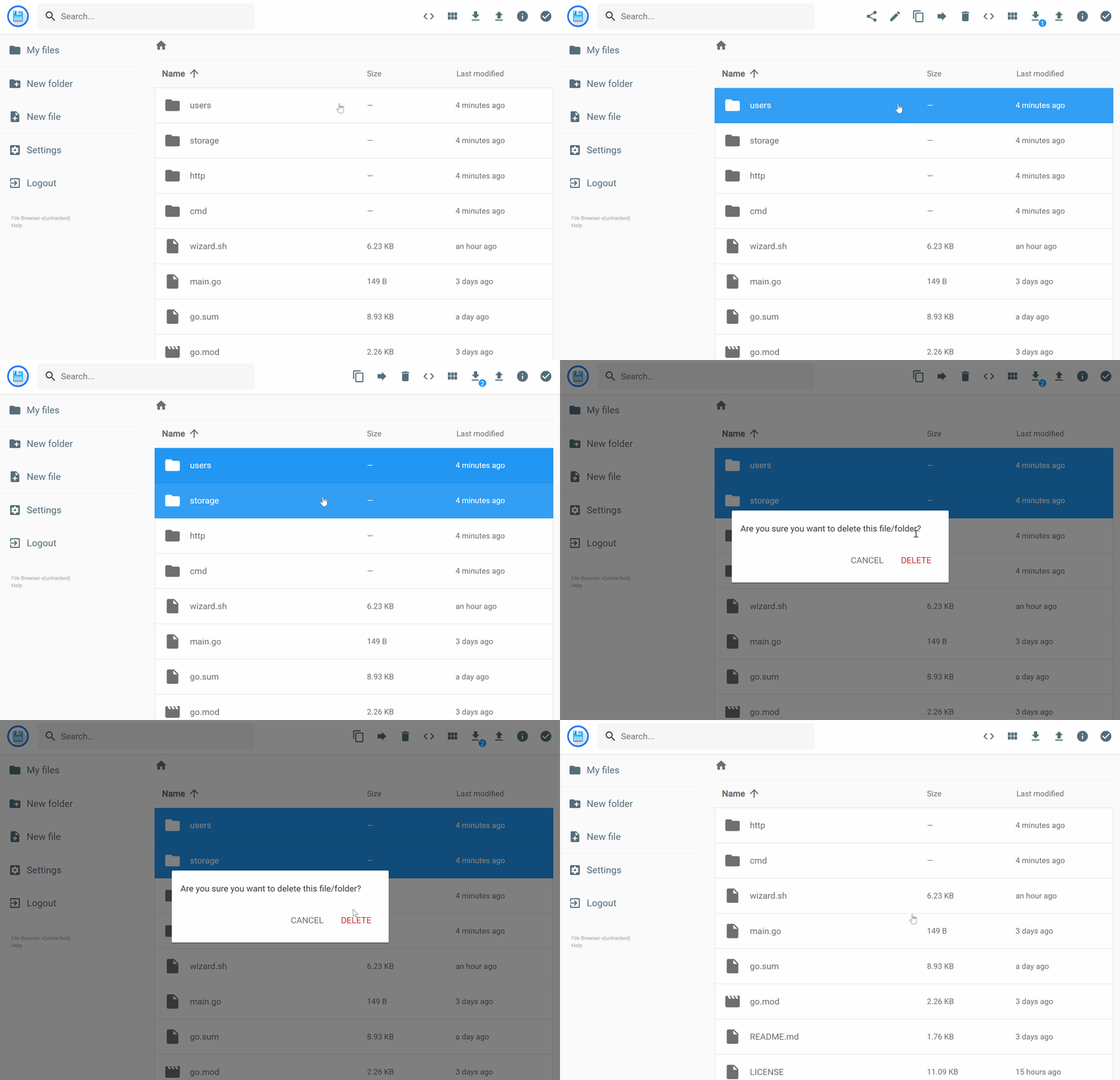
|
||||
**Ваши файлы, ссылки и браузерные инструменты — на своём сервере.**
|
||||
|
||||
[](https://github.com/filebrowser/filebrowser/actions/workflows/main.yaml)
|
||||
[](https://goreportcard.com/report/github.com/filebrowser/filebrowser)
|
||||
[](http://godoc.org/github.com/filebrowser/filebrowser)
|
||||
[](https://github.com/filebrowser/filebrowser/releases/latest)
|
||||
[](http://webchat.freenode.net/?channels=%23filebrowser)
|
||||
[Скачать](https://git.anidev.ru/SantaSpeen/filebrowser/releases) · [Установка](docs/deployment.md) · [Разработка](#сборка)
|
||||
|
||||
filebrowser provides a file managing interface within a specified directory and it can be used to upload, delete, preview, rename and edit your files. It allows the creation of multiple users and each user can have its own directory. It can be used as a standalone app or as a middleware.
|
||||

|
||||
|
||||
## Features
|
||||
[Мобильный интерфейс](docs/images/workspace-mobile.png)
|
||||
|
||||
Please refer to our docs at [https://filebrowser.org/features](https://filebrowser.org/features)
|
||||
- **Общая сессия SSO.** Текущий аккаунт и роли проверяются на сервере; переключение синхронизируется между приложениями.
|
||||
- **Удобное пространство.** Дерево папок, закладки, поиск, меню действий, светлая и тёмная темы, мобильная вёрстка.
|
||||
- **Мои ссылки.** Короткие адреса `/s/имя`, несколько ссылок на файл, необязательные пароль и срок действия.
|
||||
- **Предпросмотр.** Изображения, PDF, DICOM 2D, текст, Markdown, CSV, книги, аудио и видео. ZIP показывает дерево без распаковки.
|
||||
- **Craft-аддоны.** Установка и обновление из панели управления; совместимые редакторы открывают и сохраняют файлы на сервере.
|
||||
- **Один бинарник.** Debian amd64 и Windows amd64; отдельная СУБД и Node.js для запуска не нужны.
|
||||
|
||||
## Install
|
||||
## Запуск
|
||||
|
||||
For installation instructions please refer to our docs at [https://filebrowser.org/installation](https://filebrowser.org/installation).
|
||||
```sh
|
||||
chmod +x filebrowser
|
||||
./filebrowser init
|
||||
./filebrowser
|
||||
```
|
||||
|
||||
## Configuration
|
||||
На Windows: `filebrowser.exe init`, затем `filebrowser.exe`. Мастер настраивает хранилище и SSO без `.env`. Подробности, systemd и nginx — в [инструкции](docs/deployment.md).
|
||||
|
||||
[Authentication Method](https://filebrowser.org/configuration/authentication-method) - You can change the way the user authenticates with the filebrowser server
|
||||
Без SSO и пароля: `./filebrowser --no-sso` — все посетители получают административный доступ. [Как работает вход](docs/authentication.md).
|
||||
|
||||
[Command Runner](https://filebrowser.org/configuration/command-runner) - The command runner is a feature that enables you to execute any shell command you want before or after a certain event.
|
||||
## Сборка
|
||||
|
||||
[Custom Branding](https://filebrowser.org/configuration/custom-branding) - You can customize your File Browser installation by change its name to any other you want, by adding a global custom style sheet and by using your own logotype if you want.
|
||||
Go 1.26+, Node.js 24+, pnpm 10.33.4.
|
||||
|
||||
## Contributing
|
||||
```sh
|
||||
cd frontend
|
||||
pnpm install --frozen-lockfile
|
||||
pnpm run build
|
||||
pnpm test
|
||||
cd ..
|
||||
go test ./...
|
||||
go build -o filebrowser .
|
||||
```
|
||||
|
||||
If you're interested in contributing to this project, our docs are best places to start [https://filebrowser.org/contributing](https://filebrowser.org/contributing).
|
||||
Релиз для Debian: `sh scripts/build-release.sh` или `./scripts/build-release.ps1`. Архивы и контрольные суммы находятся в `build/`.
|
||||
|
||||
`dev` — разработка · `master` — страница проекта · `master-copy` — исходная версия upstream.
|
||||
|
||||
Независимый форк [File Browser](https://github.com/filebrowser/filebrowser). [Apache-2.0](LICENSE). [Безопасность и ограничения](docs/SECURITY-REVIEW.md).
|
||||
+5
-22
@@ -1,26 +1,9 @@
|
||||
# Security Policy
|
||||
# Безопасность
|
||||
|
||||
## Supported Versions
|
||||
Этот репозиторий — независимый форк File Browser. Политика архивированного upstream к нему не относится.
|
||||
|
||||
Use this section to tell people about which versions of your project are
|
||||
currently being supported with security updates.
|
||||
Ограничения и выполненные проверки: [обзор безопасности](docs/SECURITY-REVIEW.md).
|
||||
|
||||
| Version | Supported |
|
||||
| ------- | ------------------ |
|
||||
| 2.x | :white_check_mark: |
|
||||
| < 2.0 | :x: |
|
||||
При обнаружении уязвимости сообщите владельцу этого форка приватно. Укажите версию или коммит, шаги воспроизведения и влияние. Не публикуйте токены, пароли и реальные медицинские файлы.
|
||||
|
||||
## Reporting a Vulnerability
|
||||
|
||||
Vulnerabilities should be reported to filebrowser@googlegroups.com - which is a private, maintainer-only group. Maintainers will attempt to respond to/confirm reports within 2-3 days, but if you believe your report to be "critical" to user safety and security, please note as such in the subject. We have tens of thousands of users using our software, and take security vulnerabilities seriously.
|
||||
|
||||
When reporting an issue, where possible, please provide at least:
|
||||
|
||||
* The commit version the issue was identified at
|
||||
* A proof of concept (plaintext; no binaries)
|
||||
* Steps to reproduce
|
||||
* Your recommended remediation(s), if any.
|
||||
|
||||
The FileBrowser team is a volunteer-only effort, and may reach back out for clarification.
|
||||
|
||||
> Note: Please do not open public issues for security issues, as GitHub does not provide facility for private issues, and deleting the issue makes it hard to triage/respond back to the reporter.
|
||||
Для размещения в интернете используйте HTTPS и своевременно обновляйте сервер и аддоны. Наличие проверок не гарантирует отсутствия уязвимостей.
|
||||
@@ -0,0 +1,57 @@
|
||||
version: '3'
|
||||
|
||||
tasks:
|
||||
build:frontend:
|
||||
desc: Build frontend assets
|
||||
dir: frontend
|
||||
cmds:
|
||||
- pnpm install --frozen-lockfile
|
||||
- pnpm run build
|
||||
|
||||
build:backend:
|
||||
desc: Build backend binary
|
||||
cmds:
|
||||
- go build -ldflags='-s -w -X "github.com/filebrowser/filebrowser/v2/version.Version={{.VERSION}}" -X "github.com/filebrowser/filebrowser/v2/version.CommitSHA={{.GIT_COMMIT}}"' -o filebrowser .
|
||||
vars:
|
||||
GIT_COMMIT:
|
||||
sh: git log -n 1 --format=%h
|
||||
VERSION:
|
||||
sh: git describe --tags --abbrev=0 --match=v* | cut -c 2-
|
||||
|
||||
build:
|
||||
desc: Build both frontend and backend
|
||||
cmds:
|
||||
- task: build:frontend
|
||||
- task: build:backend
|
||||
|
||||
release:make:
|
||||
internal: true
|
||||
prompt: Do you wish to proceed?
|
||||
cmds:
|
||||
- pnpm dlx commit-and-tag-version -s
|
||||
|
||||
release:dry-run:
|
||||
internal: true
|
||||
cmds:
|
||||
- pnpm dlx commit-and-tag-version --dry-run --skip
|
||||
|
||||
release:
|
||||
desc: Create a new release
|
||||
cmds:
|
||||
- task: docs:cli:generate
|
||||
- git add docs/cli
|
||||
- |
|
||||
if [[ `git status docs/cli --porcelain` ]]; then
|
||||
git commit -m 'chore(docs): update CLI documentation'
|
||||
fi
|
||||
- task: release:dry-run
|
||||
- task: release:make
|
||||
|
||||
docs:cli:generate:
|
||||
cmds:
|
||||
- rm -rf docs/cli
|
||||
- mkdir -p docs/cli
|
||||
- go run . docs
|
||||
generates:
|
||||
- docs/cli
|
||||
|
||||
@@ -0,0 +1 @@
|
||||
|
||||
+12
-1
@@ -1,15 +1,26 @@
|
||||
package auth
|
||||
|
||||
import (
|
||||
"errors"
|
||||
"net/http"
|
||||
|
||||
"github.com/filebrowser/filebrowser/v2/settings"
|
||||
"github.com/filebrowser/filebrowser/v2/users"
|
||||
)
|
||||
|
||||
// Auther is the authentication interface.
|
||||
type Auther interface {
|
||||
// Auth is called to authenticate a request.
|
||||
Auth(r *http.Request, s users.Store, root string) (*users.User, error)
|
||||
Auth(r *http.Request, usr users.Store, stg *settings.Settings, srv *settings.Server) (*users.User, error)
|
||||
// LoginPage indicates if this auther needs a login page.
|
||||
LoginPage() bool
|
||||
}
|
||||
|
||||
const MethodSSO settings.AuthMethod = "sso"
|
||||
|
||||
type SSOAuth struct{}
|
||||
|
||||
func (SSOAuth) Auth(*http.Request, users.Store, *settings.Settings, *settings.Server) (*users.User, error) {
|
||||
return nil, errors.New("use OpenID Connect")
|
||||
}
|
||||
func (SSOAuth) LoginPage() bool { return true }
|
||||
-108
@@ -1,108 +0,0 @@
|
||||
package auth
|
||||
|
||||
import (
|
||||
"encoding/json"
|
||||
"net/http"
|
||||
"net/url"
|
||||
"os"
|
||||
"strings"
|
||||
|
||||
"github.com/filebrowser/filebrowser/v2/settings"
|
||||
"github.com/filebrowser/filebrowser/v2/users"
|
||||
)
|
||||
|
||||
// MethodJSONAuth is used to identify json auth.
|
||||
const MethodJSONAuth settings.AuthMethod = "json"
|
||||
|
||||
type jsonCred struct {
|
||||
Password string `json:"password"`
|
||||
Username string `json:"username"`
|
||||
ReCaptcha string `json:"recaptcha"`
|
||||
}
|
||||
|
||||
// JSONAuth is a json implementation of an Auther.
|
||||
type JSONAuth struct {
|
||||
ReCaptcha *ReCaptcha `json:"recaptcha" yaml:"recaptcha"`
|
||||
}
|
||||
|
||||
// Auth authenticates the user via a json in content body.
|
||||
func (a JSONAuth) Auth(r *http.Request, sto users.Store, root string) (*users.User, error) {
|
||||
var cred jsonCred
|
||||
|
||||
if r.Body == nil {
|
||||
return nil, os.ErrPermission
|
||||
}
|
||||
|
||||
err := json.NewDecoder(r.Body).Decode(&cred)
|
||||
if err != nil {
|
||||
return nil, os.ErrPermission
|
||||
}
|
||||
|
||||
// If ReCaptcha is enabled, check the code.
|
||||
if a.ReCaptcha != nil && len(a.ReCaptcha.Secret) > 0 {
|
||||
ok, err := a.ReCaptcha.Ok(cred.ReCaptcha) //nolint:govet
|
||||
|
||||
if err != nil {
|
||||
return nil, err
|
||||
}
|
||||
|
||||
if !ok {
|
||||
return nil, os.ErrPermission
|
||||
}
|
||||
}
|
||||
|
||||
u, err := sto.Get(root, cred.Username)
|
||||
if err != nil || !users.CheckPwd(cred.Password, u.Password) {
|
||||
return nil, os.ErrPermission
|
||||
}
|
||||
|
||||
return u, nil
|
||||
}
|
||||
|
||||
// LoginPage tells that json auth doesn't require a login page.
|
||||
func (a JSONAuth) LoginPage() bool {
|
||||
return true
|
||||
}
|
||||
|
||||
const reCaptchaAPI = "/recaptcha/api/siteverify"
|
||||
|
||||
// ReCaptcha identifies a recaptcha connection.
|
||||
type ReCaptcha struct {
|
||||
Host string `json:"host"`
|
||||
Key string `json:"key"`
|
||||
Secret string `json:"secret"`
|
||||
}
|
||||
|
||||
// Ok checks if a reCaptcha responde is correct.
|
||||
func (r *ReCaptcha) Ok(response string) (bool, error) {
|
||||
body := url.Values{}
|
||||
body.Set("secret", r.Secret)
|
||||
body.Add("response", response)
|
||||
|
||||
client := &http.Client{}
|
||||
|
||||
resp, err := client.Post(
|
||||
r.Host+reCaptchaAPI,
|
||||
"application/x-www-form-urlencoded",
|
||||
strings.NewReader(body.Encode()),
|
||||
)
|
||||
if err != nil {
|
||||
return false, err
|
||||
}
|
||||
defer resp.Body.Close()
|
||||
|
||||
if resp.StatusCode != http.StatusOK {
|
||||
return false, nil
|
||||
}
|
||||
|
||||
var data struct {
|
||||
Success bool `json:"success"`
|
||||
}
|
||||
|
||||
err = json.NewDecoder(resp.Body).Decode(&data)
|
||||
if err != nil {
|
||||
return false, err
|
||||
}
|
||||
|
||||
return data.Success, nil
|
||||
}
|
||||
@@ -1,24 +0,0 @@
|
||||
package auth
|
||||
|
||||
import (
|
||||
"net/http"
|
||||
|
||||
"github.com/filebrowser/filebrowser/v2/settings"
|
||||
"github.com/filebrowser/filebrowser/v2/users"
|
||||
)
|
||||
|
||||
// MethodNoAuth is used to identify no auth.
|
||||
const MethodNoAuth settings.AuthMethod = "noauth"
|
||||
|
||||
// NoAuth is no auth implementation of auther.
|
||||
type NoAuth struct{}
|
||||
|
||||
// Auth uses authenticates user 1.
|
||||
func (a NoAuth) Auth(r *http.Request, sto users.Store, root string) (*users.User, error) {
|
||||
return sto.Get(root, uint(1))
|
||||
}
|
||||
|
||||
// LoginPage tells that no auth doesn't require a login page.
|
||||
func (a NoAuth) LoginPage() bool {
|
||||
return false
|
||||
}
|
||||
@@ -1,34 +0,0 @@
|
||||
package auth
|
||||
|
||||
import (
|
||||
"net/http"
|
||||
"os"
|
||||
|
||||
"github.com/filebrowser/filebrowser/v2/errors"
|
||||
"github.com/filebrowser/filebrowser/v2/settings"
|
||||
"github.com/filebrowser/filebrowser/v2/users"
|
||||
)
|
||||
|
||||
// MethodProxyAuth is used to identify no auth.
|
||||
const MethodProxyAuth settings.AuthMethod = "proxy"
|
||||
|
||||
// ProxyAuth is a proxy implementation of an auther.
|
||||
type ProxyAuth struct {
|
||||
Header string `json:"header"`
|
||||
}
|
||||
|
||||
// Auth authenticates the user via an HTTP header.
|
||||
func (a ProxyAuth) Auth(r *http.Request, sto users.Store, root string) (*users.User, error) {
|
||||
username := r.Header.Get(a.Header)
|
||||
user, err := sto.Get(root, username)
|
||||
if err == errors.ErrNotExist {
|
||||
return nil, os.ErrPermission
|
||||
}
|
||||
|
||||
return user, err
|
||||
}
|
||||
|
||||
// LoginPage tells that proxy auth doesn't require a login page.
|
||||
func (a ProxyAuth) LoginPage() bool {
|
||||
return false
|
||||
}
|
||||

Binary file not shown.
|
After Width: | Height: | Size: 66 KiB |

@@ -0,0 +1 @@
|
||||
<svg xmlns="http://www.w3.org/2000/svg" xml:space="preserve" width="2486.48" height="516" version="1.1" id="prefix__svg3941" clip-rule="evenodd" fill-rule="evenodd" image-rendering="optimizeQuality" shape-rendering="geometricPrecision" text-rendering="geometricPrecision"><defs id="prefix__defs3896"><style type="text/css" id="style3894">@font-face{font-family:"Ubuntu";src:url(#prefix__FontID0) format(svg)}.prefix__fil2{fill:#fefefe}.prefix__fil7{fill:#006498}.prefix__fil1{fill:#2979ff}.prefix__fil6{fill:#bdeaff}</style><font id="prefix__FontID0" horiz-adv-x="720" font-variant="normal" font-weight="700" horiz-origin-x="0" horiz-origin-y="0" vert-origin-x="45" vert-origin-y="90" vert-adv-y="90"><font-face font-family="Ubuntu" id="prefix__font-face3849"/><glyph unicode="w" horiz-adv-x="783" id="prefix__glyph3857"><path d="M390.501 302.001a4595.866 4595.866 0 00-42.5-151.002A6012.57 6012.57 0 00300.498 0H184.5c-12 28-24.999 61.333-39.167 100-14 38.665-28.5 80.834-43.498 126.5-15.167 45.666-30.5 94.001-46.168 145-15.666 51-31 102.5-45.666 154.5h157.001c5.333-24 11.164-50.166 17.667-78.502A9561.304 9561.304 0 01204.667 360c7.168-30 14.5-60.167 22.166-90.499C234.502 239.165 242.5 210 250.501 182a4266.016 4266.016 0 0125.5 90.002 7544.142 7544.142 0 0124.001 90.5A17624.936 17624.936 0 01322 448.5c7 27.667 13.166 53.5 18.5 77.5h108c5.334-24 11.336-49.833 18-77.5a15180.207 15180.207 0 0121-86 7284.587 7284.587 0 0123.003-90.499A2903.614 2903.614 0 01535.502 182c7.997 28 16.167 57.166 24.165 87.502 8.002 30.332 15.499 60.5 22.667 90.5 7 29.999 13.667 59.165 20.002 87.497 6.5 28.336 12.333 54.501 17.666 78.502H775c-14.665-52-30-103.5-45.666-154.5-15.667-51-31-99.334-46.167-145-14.998-45.666-29.667-87.834-44-126.5C624.668 61.332 611.5 28 599.5 0h-116c-16.664 50.667-33 101.001-48.999 150.999a3001.458 3001.458 0 00-44 151.002z" id="prefix__path3855"/></glyph><glyph unicode="F" horiz-adv-x="573" id="prefix__glyph3861"><path d="M80 0v692.999H544v-131h-308V417.003h274.002v-131H236V.001H80z" id="prefix__path3859"/></glyph><glyph unicode="e" horiz-adv-x="583" id="prefix__glyph3865"><path d="M45.001 258.999c0 46.668 7.164 87.502 21.5 122.502 14.333 35 33.166 64.166 56.498 87.498 23.336 23.336 50.17 41.002 80.501 53.003C233.832 533.998 265.002 540 297 540c74.668 0 133.665-22.835 177-68.5 43.334-45.667 64.999-112.834 64.999-201.502 0-8.667-.333-18.163-.998-28.497-.669-10.333-1.334-19.501-2-27.503H198c3.334-30.664 17.667-54.998 43.002-72.997C266.332 123 300.335 114 343 114c27.335 0 54.169 2.5 80.502 7.5C449.835 126.5 471.336 132.668 488 140L508.002 19C500.001 15.002 489.334 11 476 7c-13.331-3.999-28.165-7.5-44.5-10.502-16.333-2.997-33.834-5.497-52.499-7.497a525.485 525.485 0 00-56-3c-47.333 0-88.499 7-123.498 21-35 14-64.002 33.164-87.001 57.498-23 24.333-40 53.167-51 86.5-11.002 33.333-16.5 69.334-16.5 108zM395 316.001c-.665 12.665-2.833 24.998-6.5 36.999-3.665 12-9.335 22.667-17 31.999-7.665 9.336-17.334 17-29.002 23C330.834 414 316.333 417 299 417c-16.669 0-31.001-2.836-43.002-8.502-11.997-5.666-21.998-13.167-30-22.499-7.997-9.335-14.164-20.166-18.499-32.5-4.331-12.332-7.5-24.834-9.5-37.5h197z" id="prefix__path3863"/></glyph><glyph unicode="s" horiz-adv-x="484" id="prefix__glyph3869"><path d="M220.998 106.999c27.335 0 46.668 2.668 58.003 8.002 11.332 5.333 16.997 15.666 16.997 31 0 11.997-7.332 22.5-21.997 31.499-14.67 9-37 19.165-67.003 30.5-23.332 8.667-44.5 17.666-63.497 26.998-19 9.336-35.168 20.503-48.503 33.501C81.668 281.502 71.334 297 64.001 315 56.665 332.998 53 354.667 53 380c0 49.336 18.335 88.334 55.002 117 36.666 28.668 87 43 150.999 43 31.998 0 62.667-2.832 92-8.498 29.335-5.67 52.667-11.836 70-18.503l-26-116c-17.333 6.003-36.166 11.336-56.5 16-20.335 4.668-43.166 7-68.502 7-46.664 0-70-12.998-70-38.999 0-5.998 1.002-11.335 3.002-15.999 1.999-4.668 6.002-9.168 12-13.5 5.998-4.334 14.168-9.002 24.498-14 10.334-5.168 23.5-10.67 39.504-16.668 32.664-12.164 59.666-24 80.998-35.833 21.333-11.668 38.166-24.498 50.499-38 12.333-13.668 21-28.834 26-45.499C441.5 184.832 444 165.667 444 143.665c0-51.833-19.501-91.164-58.5-117.834C346.501-.666 291.335-14 220.001-14c-46.668 0-85.502 3.999-116.499 12C72.502 5.997 51 12.665 39 17.998L64.002 139A488.51 488.51 0 01142 115.5c26.666-5.67 53.003-8.503 79-8.503z" id="prefix__path3867"/></glyph><glyph unicode="B" horiz-adv-x="671" id="prefix__glyph3873"><path d="M311-9C272.999-9 235.166-7.832 197.498-5.5c-37.665 2.335-76.832 7.833-117.497 16.5V683c31.999 5.998 66.999 10.498 105 13.5 38.001 3 73.333 4.499 105.998 4.499 44.003 0 84.5-3.166 121.5-9.5 37.003-6.335 68.834-17.166 95.503-32.5 26.666-15.334 47.498-35.5 62.5-60.5C585.498 573.501 593 542.665 593 505.998c0-55.33-26.666-98.998-80-130.997 44.002-16.668 74.002-39.335 90.001-68 16-28.67 24.001-61 24.001-97.002 0-72.665-26.501-127.334-79.5-164.001C494.499 9.33 415.668-9.001 311-9.001zm-79 311V123c11.332-1.33 23.665-2.333 37-2.998 13.331-.669 28-1.001 44-1.001 46.667 0 84.332 6.667 113 20.002 28.666 13.33 42.998 37.997 42.99Line truncated
|
||||
|
After Width: | Height: | Size: 10 KiB |

Binary file not shown.
|
After Width: | Height: | Size: 39 KiB |

@@ -0,0 +1 @@
|
||||
<svg xmlns="http://www.w3.org/2000/svg" width="700" height="700" shape-rendering="geometricPrecision" text-rendering="geometricPrecision" image-rendering="optimizeQuality" fill-rule="evenodd" clip-rule="evenodd"><defs><style>.prefix__fil1{fill:#fefefe}.prefix__fil6{fill:#006498}.prefix__fil5{fill:#bdeaff}</style></defs><g id="prefix__Layer_x0020_1"><path d="M80 0h540c44 0 80 36 80 80v540c0 44-36 80-80 80H80c-44 0-80-36-80-80V80C0 36 36 0 80 0z" fill="#455a64"/><path class="prefix__fil1" d="M350 71c154 0 279 125 279 279S504 629 350 629 71 504 71 350 196 71 350 71z"/><path d="M475 236l118 151c3 116-149 252-292 198l-76-99 114-156s138-95 136-94z" fill="#332c2b" fill-opacity=".149"/><path d="M231 211h208l38 24v246c0 5-3 8-8 8H231c-5 0-8-3-8-8V219c0-5 3-8 8-8z" fill="#2bbcff"/><path d="M231 211h208l38 24v2l-37-23H231c-4 0-7 3-7 7v263c-1-1-1-2-1-3V219c0-5 3-8 8-8z" fill="#53c6fc"/><path class="prefix__fil5" d="M305 212h113v98H305zM255 363h189c3 0 5 2 5 4v116H250V367c0-2 2-4 5-4z"/><path class="prefix__fil6" d="M250 470h199v13H250zM380 226h10c3 0 6 2 6 5v40c0 3-3 6-6 6h-10c-3 0-6-3-6-6v-40c0-3 3-5 6-5z"/><path class="prefix__fil1" d="M254 226c10 0 17 7 17 17 0 9-7 16-17 16-9 0-17-7-17-16 0-10 8-17 17-17z"/><path class="prefix__fil6" d="M267 448h165c2 0 3 1 3 3 0 1-1 3-3 3H267c-2 0-3-2-3-3 0-2 1-3 3-3zM267 415h165c2 0 3 1 3 3 0 1-1 2-3 2H267c-2 0-3-1-3-2 0-2 1-3 3-3zM267 381h165c2 0 3 2 3 3 0 2-1 3-3 3H267c-2 0-3-1-3-3 0-1 1-3 3-3z"/><path class="prefix__fil1" d="M236 472c3 0 5 2 5 5 0 2-2 4-5 4s-5-2-5-4c0-3 2-5 5-5zM463 472c3 0 5 2 5 5 0 2-2 4-5 4s-5-2-5-4c0-3 2-5 5-5z"/><path class="prefix__fil6" d="M305 212h-21v98h21z"/><path d="M477 479v2c0 5-3 8-8 8H231c-5 0-8-3-8-8v-2c0 4 3 8 8 8h238c5 0 8-4 8-8z" fill="#0ea5eb"/><path d="M350 70c155 0 280 125 280 280S505 630 350 630 70 505 70 350 195 70 350 70zm0 46c129 0 234 105 234 234S479 584 350 584 116 479 116 350s105-234 234-234z" fill="#2979ff"/></g></svg>
|
||||
|
After Width: | Height: | Size: 1.9 KiB |

Binary file not shown.
|
After Width: | Height: | Size: 27 KiB |

@@ -0,0 +1 @@
|
||||
<svg xmlns="http://www.w3.org/2000/svg" xml:space="preserve" width="560" height="560" version="1.1" id="prefix__svg44" clip-rule="evenodd" fill-rule="evenodd" image-rendering="optimizeQuality" shape-rendering="geometricPrecision" text-rendering="geometricPrecision"><defs id="prefix__defs4"><style type="text/css" id="style2">.prefix__fil1{fill:#fefefe}.prefix__fil6{fill:#006498}.prefix__fil5{fill:#bdeaff}</style></defs><g id="prefix__g85" transform="translate(-70 -70)"><path class="prefix__fil1" d="M350 71c154 0 279 125 279 279S504 629 350 629 71 504 71 350 196 71 350 71z" id="prefix__path9" fill="#fefefe"/><path d="M475 236l118 151c3 116-149 252-292 198l-76-99 114-156s138-95 136-94z" id="prefix__path11" fill="#332c2b" fill-opacity=".149"/><path d="M231 211h208l38 24v246c0 5-3 8-8 8H231c-5 0-8-3-8-8V219c0-5 3-8 8-8z" id="prefix__path13" fill="#2bbcff"/><path d="M231 211h208l38 24v2l-37-23H231c-4 0-7 3-7 7v263c-1-1-1-2-1-3V219c0-5 3-8 8-8z" id="prefix__path15" fill="#53c6fc"/><path class="prefix__fil5" id="prefix__polygon17" fill="#bdeaff" d="M305 212h113v98H305z"/><path class="prefix__fil5" d="M255 363h189c3 0 5 2 5 4v116H250V367c0-2 2-4 5-4z" id="prefix__path19" fill="#bdeaff"/><path class="prefix__fil6" id="prefix__polygon21" fill="#006498" d="M250 470h199v13H250z"/><path class="prefix__fil6" d="M380 226h10c3 0 6 2 6 5v40c0 3-3 6-6 6h-10c-3 0-6-3-6-6v-40c0-3 3-5 6-5z" id="prefix__path23" fill="#006498"/><path class="prefix__fil1" d="M254 226c10 0 17 7 17 17 0 9-7 16-17 16-9 0-17-7-17-16 0-10 8-17 17-17z" id="prefix__path25" fill="#fefefe"/><path class="prefix__fil6" d="M267 448h165c2 0 3 1 3 3 0 1-1 3-3 3H267c-2 0-3-2-3-3 0-2 1-3 3-3z" id="prefix__path27" fill="#006498"/><path class="prefix__fil6" d="M267 415h165c2 0 3 1 3 3 0 1-1 2-3 2H267c-2 0-3-1-3-2 0-2 1-3 3-3z" id="prefix__path29" fill="#006498"/><path class="prefix__fil6" d="M267 381h165c2 0 3 2 3 3 0 2-1 3-3 3H267c-2 0-3-1-3-3 0-1 1-3 3-3z" id="prefix__path31" fill="#006498"/><path class="prefix__fil1" d="M236 472c3 0 5 2 5 5 0 2-2 4-5 4s-5-2-5-4c0-3 2-5 5-5z" id="prefix__path33" fill="#fefefe"/><path class="prefix__fil1" d="M463 472c3 0 5 2 5 5 0 2-2 4-5 4s-5-2-5-4c0-3 2-5 5-5z" id="prefix__path35" fill="#fefefe"/><path class="prefix__fil6" id="prefix__polygon37" fill="#006498" d="M305 212h-21v98h21z"/><path d="M477 479v2c0 5-3 8-8 8H231c-5 0-8-3-8-8v-2c0 4 3 8 8 8h238c5 0 8-4 8-8z" id="prefix__path39" fill="#0ea5eb"/><path d="M350 70c155 0 280 125 280 280S505 630 350 630 70 505 70 350 195 70 350 70zm0 46c129 0 234 105 234 234S479 584 350 584 116 479 116 350s105-234 234-234z" id="prefix__path41" fill="#2979ff"/></g></svg>
|
||||
|
After Width: | Height: | Size: 2.6 KiB |
+1
-10
@@ -1,12 +1,3 @@
|
||||
package cmd
|
||||
|
||||
import (
|
||||
"log"
|
||||
)
|
||||
|
||||
// Execute executes the commands.
|
||||
func Execute() {
|
||||
if err := rootCmd.Execute(); err != nil {
|
||||
log.Fatal(err)
|
||||
}
|
||||
}
|
||||
func Execute() error { return rootCmd.Execute() }
|
||||
@@ -0,0 +1,61 @@
|
||||
package cmd
|
||||
|
||||
import (
|
||||
"testing"
|
||||
|
||||
"github.com/samber/lo"
|
||||
"github.com/spf13/cobra"
|
||||
"github.com/spf13/pflag"
|
||||
|
||||
"github.com/filebrowser/filebrowser/v2/auth"
|
||||
"github.com/filebrowser/filebrowser/v2/settings"
|
||||
)
|
||||
|
||||
// TestEnvCollisions ensures that there are no collisions in the produced environment
|
||||
// variable names for all commands and their flags.
|
||||
func TestEnvCollisions(t *testing.T) {
|
||||
testEnvCollisions(t, rootCmd)
|
||||
}
|
||||
|
||||
func testEnvCollisions(t *testing.T, cmd *cobra.Command) {
|
||||
for _, cmd := range cmd.Commands() {
|
||||
testEnvCollisions(t, cmd)
|
||||
}
|
||||
|
||||
replacements := generateEnvKeyReplacements(cmd)
|
||||
envVariables := []string{}
|
||||
|
||||
for i := range replacements {
|
||||
if i%2 != 0 {
|
||||
envVariables = append(envVariables, replacements[i])
|
||||
}
|
||||
}
|
||||
|
||||
duplicates := lo.FindDuplicates(envVariables)
|
||||
|
||||
if len(duplicates) > 0 {
|
||||
t.Errorf("Found duplicate environment variable keys for command %q: %v", cmd.Name(), duplicates)
|
||||
}
|
||||
}
|
||||
|
||||
// TestGetSettingsFollowExternalSymlinks ensures that the followExternalSymlinks
|
||||
// flag is persisted to the server config when set via "config set".
|
||||
func TestGetSettingsFollowExternalSymlinks(t *testing.T) {
|
||||
flags := pflag.NewFlagSet("test", pflag.ContinueOnError)
|
||||
addConfigFlags(flags)
|
||||
|
||||
if err := flags.Parse([]string{"--followExternalSymlinks"}); err != nil {
|
||||
t.Fatal(err)
|
||||
}
|
||||
|
||||
set := &settings.Settings{AuthMethod: auth.MethodSSO}
|
||||
ser := &settings.Server{}
|
||||
|
||||
if _, err := getSettings(flags, set, ser, &auth.SSOAuth{}, false); err != nil {
|
||||
t.Fatal(err)
|
||||
}
|
||||
|
||||
if !ser.FollowExternalSymlinks {
|
||||
t.Error("expected FollowExternalSymlinks to be persisted as true")
|
||||
}
|
||||
}
|
||||
+12
-7
@@ -14,14 +14,19 @@ var cmdsAddCmd = &cobra.Command{
|
||||
Use: "add <event> <command>",
|
||||
Short: "Add a command to run on a specific event",
|
||||
Long: `Add a command to run on a specific event.`,
|
||||
Args: cobra.MinimumNArgs(2), //nolint:gomnd
|
||||
Run: python(func(cmd *cobra.Command, args []string, d pythonData) {
|
||||
s, err := d.store.Settings.Get()
|
||||
checkErr(err)
|
||||
Args: cobra.MinimumNArgs(2),
|
||||
RunE: withStore(func(_ *cobra.Command, args []string, st *store) error {
|
||||
s, err := st.Settings.Get()
|
||||
if err != nil {
|
||||
return err
|
||||
}
|
||||
command := strings.Join(args[1:], " ")
|
||||
s.Commands[args[0]] = append(s.Commands[args[0]], command)
|
||||
err = d.store.Settings.Save(s)
|
||||
checkErr(err)
|
||||
err = st.Settings.Save(s)
|
||||
if err != nil {
|
||||
return err
|
||||
}
|
||||
printEvents(s.Commands)
|
||||
}, pythonConfig{}),
|
||||
return nil
|
||||
}, storeOptions{}),
|
||||
}
|
||||
+13
-5
@@ -14,10 +14,16 @@ var cmdsLsCmd = &cobra.Command{
|
||||
Short: "List all commands for each event",
|
||||
Long: `List all commands for each event.`,
|
||||
Args: cobra.NoArgs,
|
||||
Run: python(func(cmd *cobra.Command, args []string, d pythonData) {
|
||||
s, err := d.store.Settings.Get()
|
||||
checkErr(err)
|
||||
evt := mustGetString(cmd.Flags(), "event")
|
||||
RunE: withStore(func(cmd *cobra.Command, _ []string, st *store) error {
|
||||
s, err := st.Settings.Get()
|
||||
if err != nil {
|
||||
return err
|
||||
}
|
||||
|
||||
evt, err := cmd.Flags().GetString("event")
|
||||
if err != nil {
|
||||
return err
|
||||
}
|
||||
|
||||
if evt == "" {
|
||||
printEvents(s.Commands)
|
||||
@@ -27,5 +33,7 @@ var cmdsLsCmd = &cobra.Command{
|
||||
show["after_"+evt] = s.Commands["after_"+evt]
|
||||
printEvents(show)
|
||||
}
|
||||
}, pythonConfig{}),
|
||||
|
||||
return nil
|
||||
}, storeOptions{}),
|
||||
}
|
||||
+19
-10
@@ -23,7 +23,7 @@ You can also specify an optional parameter (index_end) so
|
||||
you can remove all commands from 'index' to 'index_end',
|
||||
including 'index_end'.`,
|
||||
Args: func(cmd *cobra.Command, args []string) error {
|
||||
if err := cobra.RangeArgs(2, 3)(cmd, args); err != nil { //nolint:gomnd
|
||||
if err := cobra.RangeArgs(2, 3)(cmd, args); err != nil {
|
||||
return err
|
||||
}
|
||||
|
||||
@@ -35,22 +35,31 @@ including 'index_end'.`,
|
||||
|
||||
return nil
|
||||
},
|
||||
Run: python(func(cmd *cobra.Command, args []string, d pythonData) {
|
||||
s, err := d.store.Settings.Get()
|
||||
checkErr(err)
|
||||
RunE: withStore(func(_ *cobra.Command, args []string, st *store) error {
|
||||
s, err := st.Settings.Get()
|
||||
if err != nil {
|
||||
return err
|
||||
}
|
||||
evt := args[0]
|
||||
|
||||
i, err := strconv.Atoi(args[1])
|
||||
checkErr(err)
|
||||
if err != nil {
|
||||
return err
|
||||
}
|
||||
f := i
|
||||
if len(args) == 3 { //nolint:gomnd
|
||||
if len(args) == 3 {
|
||||
f, err = strconv.Atoi(args[2])
|
||||
checkErr(err)
|
||||
if err != nil {
|
||||
return err
|
||||
}
|
||||
}
|
||||
|
||||
s.Commands[evt] = append(s.Commands[evt][:i], s.Commands[evt][f+1:]...)
|
||||
err = d.store.Settings.Save(s)
|
||||
checkErr(err)
|
||||
err = st.Settings.Save(s)
|
||||
if err != nil {
|
||||
return err
|
||||
}
|
||||
printEvents(s.Commands)
|
||||
}, pythonConfig{}),
|
||||
return nil
|
||||
}, storeOptions{}),
|
||||
}
|
||||
+184
-72
@@ -2,7 +2,7 @@ package cmd
|
||||
|
||||
import (
|
||||
"encoding/json"
|
||||
nerrors "errors"
|
||||
"errors"
|
||||
"fmt"
|
||||
"os"
|
||||
"strings"
|
||||
@@ -12,7 +12,6 @@ import (
|
||||
"github.com/spf13/pflag"
|
||||
|
||||
"github.com/filebrowser/filebrowser/v2/auth"
|
||||
"github.com/filebrowser/filebrowser/v2/errors"
|
||||
"github.com/filebrowser/filebrowser/v2/settings"
|
||||
)
|
||||
|
||||
@@ -30,25 +29,33 @@ var configCmd = &cobra.Command{
|
||||
func addConfigFlags(flags *pflag.FlagSet) {
|
||||
addServerFlags(flags)
|
||||
addUserFlags(flags)
|
||||
|
||||
flags.BoolP("signup", "s", false, "allow users to signup")
|
||||
flags.String("shell", "", "shell command to which other commands should be appended")
|
||||
flags.Bool("hideLoginButton", false, "hide login button from public pages")
|
||||
flags.Bool("createUserDir", false, "generate user's home directory automatically")
|
||||
flags.Uint("minimumPasswordLength", settings.DefaultMinimumPasswordLength, "minimum password length for new users")
|
||||
|
||||
flags.String("auth.method", string(auth.MethodJSONAuth), "authentication type")
|
||||
flags.String("auth.header", "", "HTTP header for auth.method=proxy")
|
||||
|
||||
flags.String("recaptcha.host", "https://www.google.com", "use another host for ReCAPTCHA. recaptcha.net might be useful in China")
|
||||
flags.String("recaptcha.key", "", "ReCaptcha site key")
|
||||
flags.String("recaptcha.secret", "", "ReCaptcha secret")
|
||||
// NB: these are string so they can be presented as octal in the help text
|
||||
// as that's the conventional representation for modes in Unix.
|
||||
flags.String("fileMode", fmt.Sprintf("%O", settings.DefaultFileMode), "mode bits that new files are created with")
|
||||
flags.String("dirMode", fmt.Sprintf("%O", settings.DefaultDirMode), "mode bits that new directories are created with")
|
||||
|
||||
flags.String("branding.name", "", "replace 'File Browser' by this name")
|
||||
flags.String("branding.theme", "", "set the theme")
|
||||
flags.String("branding.color", "", "set the theme color")
|
||||
flags.String("branding.files", "", "path to directory with images and custom styles")
|
||||
flags.Bool("branding.disableExternal", false, "disable external links such as GitHub links")
|
||||
flags.Bool("branding.disableUsedPercentage", false, "disable used disk percentage graph")
|
||||
|
||||
flags.Uint64("tus.chunkSize", settings.DefaultTusChunkSize, "the tus chunk size")
|
||||
flags.Uint16("tus.retryCount", settings.DefaultTusRetryCount, "the tus retry count")
|
||||
}
|
||||
|
||||
//nolint:gocyclo
|
||||
func getAuthentication(flags *pflag.FlagSet, defaults ...interface{}) (settings.AuthMethod, auth.Auther) {
|
||||
method := settings.AuthMethod(mustGetString(flags, "auth.method"))
|
||||
func getAuthMethod(flags *pflag.FlagSet, defaults ...interface{}) (settings.AuthMethod, map[string]interface{}, error) {
|
||||
methodStr, err := flags.GetString("auth.method")
|
||||
if err != nil {
|
||||
return "", nil, err
|
||||
}
|
||||
method := settings.AuthMethod(methodStr)
|
||||
|
||||
var defaultAuther map[string]interface{}
|
||||
if len(defaults) > 0 {
|
||||
@@ -59,80 +66,43 @@ func getAuthentication(flags *pflag.FlagSet, defaults ...interface{}) (settings.
|
||||
method = def.AuthMethod
|
||||
case auth.Auther:
|
||||
ms, err := json.Marshal(def)
|
||||
checkErr(err)
|
||||
if err != nil {
|
||||
return "", nil, err
|
||||
}
|
||||
err = json.Unmarshal(ms, &defaultAuther)
|
||||
checkErr(err)
|
||||
if err != nil {
|
||||
return "", nil, err
|
||||
}
|
||||
}
|
||||
}
|
||||
}
|
||||
}
|
||||
|
||||
var auther auth.Auther
|
||||
if method == auth.MethodProxyAuth {
|
||||
header := mustGetString(flags, "auth.header")
|
||||
|
||||
if header == "" {
|
||||
header = defaultAuther["header"].(string)
|
||||
}
|
||||
|
||||
if header == "" {
|
||||
checkErr(nerrors.New("you must set the flag 'auth.header' for method 'proxy'"))
|
||||
}
|
||||
|
||||
auther = &auth.ProxyAuth{Header: header}
|
||||
}
|
||||
|
||||
if method == auth.MethodNoAuth {
|
||||
auther = &auth.NoAuth{}
|
||||
}
|
||||
|
||||
if method == auth.MethodJSONAuth {
|
||||
jsonAuth := &auth.JSONAuth{}
|
||||
host := mustGetString(flags, "recaptcha.host")
|
||||
key := mustGetString(flags, "recaptcha.key")
|
||||
secret := mustGetString(flags, "recaptcha.secret")
|
||||
|
||||
if key == "" {
|
||||
if kmap, ok := defaultAuther["recaptcha"].(map[string]interface{}); ok {
|
||||
key = kmap["key"].(string)
|
||||
}
|
||||
}
|
||||
|
||||
if secret == "" {
|
||||
if smap, ok := defaultAuther["recaptcha"].(map[string]interface{}); ok {
|
||||
secret = smap["secret"].(string)
|
||||
}
|
||||
}
|
||||
|
||||
if key != "" && secret != "" {
|
||||
jsonAuth.ReCaptcha = &auth.ReCaptcha{
|
||||
Host: host,
|
||||
Key: key,
|
||||
Secret: secret,
|
||||
}
|
||||
}
|
||||
auther = jsonAuth
|
||||
}
|
||||
|
||||
if auther == nil {
|
||||
panic(errors.ErrInvalidAuthMethod)
|
||||
}
|
||||
|
||||
return method, auther
|
||||
return method, defaultAuther, nil
|
||||
}
|
||||
|
||||
func printSettings(ser *settings.Server, set *settings.Settings, auther auth.Auther) {
|
||||
w := tabwriter.NewWriter(os.Stdout, 0, 0, 2, ' ', 0) //nolint:gomnd
|
||||
func getAuthentication(_ *pflag.FlagSet, _ ...interface{}) (settings.AuthMethod, auth.Auther, error) {
|
||||
return auth.MethodSSO, &auth.SSOAuth{}, nil
|
||||
}
|
||||
|
||||
func printSettings(ser *settings.Server, set *settings.Settings, auther auth.Auther) error {
|
||||
w := tabwriter.NewWriter(os.Stdout, 0, 0, 2, ' ', 0)
|
||||
|
||||
fmt.Fprintf(w, "Sign up:\t%t\n", set.Signup)
|
||||
fmt.Fprintf(w, "Hide Login Button:\t%t\n", set.HideLoginButton)
|
||||
fmt.Fprintf(w, "Create User Dir:\t%t\n", set.CreateUserDir)
|
||||
fmt.Fprintf(w, "Auth method:\t%s\n", set.AuthMethod)
|
||||
fmt.Fprintf(w, "Logout Page:\t%s\n", set.LogoutPage)
|
||||
fmt.Fprintf(w, "Minimum Password Length:\t%d\n", set.MinimumPasswordLength)
|
||||
fmt.Fprintf(w, "Auth Method:\t%s\n", set.AuthMethod)
|
||||
fmt.Fprintf(w, "Shell:\t%s\t\n", strings.Join(set.Shell, " "))
|
||||
|
||||
fmt.Fprintln(w, "\nBranding:")
|
||||
fmt.Fprintf(w, "\tName:\t%s\n", set.Branding.Name)
|
||||
fmt.Fprintf(w, "\tFiles override:\t%s\n", set.Branding.Files)
|
||||
fmt.Fprintf(w, "\tDisable external links:\t%t\n", set.Branding.DisableExternal)
|
||||
fmt.Fprintf(w, "\tDisable used disk percentage graph:\t%t\n", set.Branding.DisableUsedPercentage)
|
||||
fmt.Fprintf(w, "\tColor:\t%s\n", set.Branding.Color)
|
||||
fmt.Fprintf(w, "\tTheme:\t%s\n", set.Branding.Theme)
|
||||
|
||||
fmt.Fprintln(w, "\nServer:")
|
||||
fmt.Fprintf(w, "\tLog:\t%s\n", ser.Log)
|
||||
fmt.Fprintf(w, "\tPort:\t%s\n", ser.Port)
|
||||
@@ -142,16 +112,34 @@ func printSettings(ser *settings.Server, set *settings.Settings, auther auth.Aut
|
||||
fmt.Fprintf(w, "\tAddress:\t%s\n", ser.Address)
|
||||
fmt.Fprintf(w, "\tTLS Cert:\t%s\n", ser.TLSCert)
|
||||
fmt.Fprintf(w, "\tTLS Key:\t%s\n", ser.TLSKey)
|
||||
fmt.Fprintf(w, "\tToken Expiration Time:\t%s\n", ser.TokenExpirationTime)
|
||||
fmt.Fprintf(w, "\tExec Enabled:\t%t\n", ser.EnableExec)
|
||||
fmt.Fprintf(w, "\tThumbnails Enabled:\t%t\n", ser.EnableThumbnails)
|
||||
fmt.Fprintf(w, "\tResize Preview:\t%t\n", ser.ResizePreview)
|
||||
fmt.Fprintf(w, "\tType Detection by Header:\t%t\n", ser.TypeDetectionByHeader)
|
||||
fmt.Fprintf(w, "\tFollow External Symlinks:\t%t\n", ser.FollowExternalSymlinks)
|
||||
|
||||
fmt.Fprintln(w, "\nTUS:")
|
||||
fmt.Fprintf(w, "\tChunk size:\t%d\n", set.Tus.ChunkSize)
|
||||
fmt.Fprintf(w, "\tRetry count:\t%d\n", set.Tus.RetryCount)
|
||||
|
||||
fmt.Fprintln(w, "\nDefaults:")
|
||||
fmt.Fprintf(w, "\tScope:\t%s\n", set.Defaults.Scope)
|
||||
fmt.Fprintf(w, "\tDateFormat:\t%t\n", set.Defaults.DateFormat)
|
||||
fmt.Fprintf(w, "\tHideDotfiles:\t%t\n", set.Defaults.HideDotfiles)
|
||||
fmt.Fprintf(w, "\tLocale:\t%s\n", set.Defaults.Locale)
|
||||
fmt.Fprintf(w, "\tView mode:\t%s\n", set.Defaults.ViewMode)
|
||||
fmt.Fprintf(w, "\tSingle Click:\t%t\n", set.Defaults.SingleClick)
|
||||
fmt.Fprintf(w, "\tRedirect after Copy/Move:\t%t\n", set.Defaults.RedirectAfterCopyMove)
|
||||
fmt.Fprintf(w, "\tFile Creation Mode:\t%O\n", set.FileMode)
|
||||
fmt.Fprintf(w, "\tDirectory Creation Mode:\t%O\n", set.DirMode)
|
||||
fmt.Fprintf(w, "\tCommands:\t%s\n", strings.Join(set.Defaults.Commands, " "))
|
||||
fmt.Fprintf(w, "\tAce editor syntax highlighting theme:\t%s\n", set.Defaults.AceEditorTheme)
|
||||
|
||||
fmt.Fprintf(w, "\tSorting:\n")
|
||||
fmt.Fprintf(w, "\t\tBy:\t%s\n", set.Defaults.Sorting.By)
|
||||
fmt.Fprintf(w, "\t\tAsc:\t%t\n", set.Defaults.Sorting.Asc)
|
||||
|
||||
fmt.Fprintf(w, "\tPermissions:\n")
|
||||
fmt.Fprintf(w, "\t\tAdmin:\t%t\n", set.Defaults.Perm.Admin)
|
||||
fmt.Fprintf(w, "\t\tExecute:\t%t\n", set.Defaults.Perm.Execute)
|
||||
@@ -161,9 +149,133 @@ func printSettings(ser *settings.Server, set *settings.Settings, auther auth.Aut
|
||||
fmt.Fprintf(w, "\t\tDelete:\t%t\n", set.Defaults.Perm.Delete)
|
||||
fmt.Fprintf(w, "\t\tShare:\t%t\n", set.Defaults.Perm.Share)
|
||||
fmt.Fprintf(w, "\t\tDownload:\t%t\n", set.Defaults.Perm.Download)
|
||||
|
||||
w.Flush()
|
||||
|
||||
b, err := json.MarshalIndent(auther, "", " ")
|
||||
checkErr(err)
|
||||
if err != nil {
|
||||
return err
|
||||
}
|
||||
fmt.Printf("\nAuther configuration (raw):\n\n%s\n\n", string(b))
|
||||
return nil
|
||||
}
|
||||
|
||||
func getSettings(flags *pflag.FlagSet, set *settings.Settings, ser *settings.Server, auther auth.Auther, all bool) (auth.Auther, error) {
|
||||
errs := []error{}
|
||||
hasAuth := false
|
||||
|
||||
visit := func(flag *pflag.Flag) {
|
||||
var err error
|
||||
|
||||
switch flag.Name {
|
||||
// Server flags from [addServerFlags]
|
||||
case "address":
|
||||
ser.Address, err = flags.GetString(flag.Name)
|
||||
case "log":
|
||||
ser.Log, err = flags.GetString(flag.Name)
|
||||
case "port":
|
||||
ser.Port, err = flags.GetString(flag.Name)
|
||||
case "cert":
|
||||
ser.TLSCert, err = flags.GetString(flag.Name)
|
||||
case "key":
|
||||
ser.TLSKey, err = flags.GetString(flag.Name)
|
||||
case "root":
|
||||
ser.Root, err = flags.GetString(flag.Name)
|
||||
case "socket":
|
||||
ser.Socket, err = flags.GetString(flag.Name)
|
||||
case "baseURL":
|
||||
ser.BaseURL, err = flags.GetString(flag.Name)
|
||||
case "tokenExpirationTime":
|
||||
ser.TokenExpirationTime, err = flags.GetString(flag.Name)
|
||||
case "disableThumbnails":
|
||||
ser.EnableThumbnails, err = flags.GetBool(flag.Name)
|
||||
ser.EnableThumbnails = !ser.EnableThumbnails
|
||||
case "disablePreviewResize":
|
||||
ser.ResizePreview, err = flags.GetBool(flag.Name)
|
||||
ser.ResizePreview = !ser.ResizePreview
|
||||
case "disableExec":
|
||||
ser.EnableExec, err = flags.GetBool(flag.Name)
|
||||
ser.EnableExec = !ser.EnableExec
|
||||
case "disableTypeDetectionByHeader":
|
||||
ser.TypeDetectionByHeader, err = flags.GetBool(flag.Name)
|
||||
ser.TypeDetectionByHeader = !ser.TypeDetectionByHeader
|
||||
case "disableImageResolutionCalc":
|
||||
ser.ImageResolutionCal, err = flags.GetBool(flag.Name)
|
||||
ser.ImageResolutionCal = !ser.ImageResolutionCal
|
||||
case "followExternalSymlinks":
|
||||
ser.FollowExternalSymlinks, err = flags.GetBool(flag.Name)
|
||||
|
||||
// Settings flags from [addConfigFlags]
|
||||
case "signup":
|
||||
set.Signup, err = flags.GetBool(flag.Name)
|
||||
case "hideLoginButton":
|
||||
set.HideLoginButton, err = flags.GetBool(flag.Name)
|
||||
case "createUserDir":
|
||||
set.CreateUserDir, err = flags.GetBool(flag.Name)
|
||||
case "minimumPasswordLength":
|
||||
set.MinimumPasswordLength, err = flags.GetUint(flag.Name)
|
||||
case "shell":
|
||||
var shell string
|
||||
shell, err = flags.GetString(flag.Name)
|
||||
if err == nil {
|
||||
set.Shell = convertCmdStrToCmdArray(shell)
|
||||
}
|
||||
case "fileMode":
|
||||
set.FileMode, err = getAndParseFileMode(flags, flag.Name)
|
||||
case "dirMode":
|
||||
set.DirMode, err = getAndParseFileMode(flags, flag.Name)
|
||||
case "auth.method":
|
||||
hasAuth = true
|
||||
case "auth.logoutPage":
|
||||
set.LogoutPage, err = flags.GetString(flag.Name)
|
||||
case "branding.name":
|
||||
set.Branding.Name, err = flags.GetString(flag.Name)
|
||||
case "branding.theme":
|
||||
set.Branding.Theme, err = flags.GetString(flag.Name)
|
||||
case "branding.color":
|
||||
set.Branding.Color, err = flags.GetString(flag.Name)
|
||||
case "branding.disableExternal":
|
||||
set.Branding.DisableExternal, err = flags.GetBool(flag.Name)
|
||||
case "branding.disableUsedPercentage":
|
||||
set.Branding.DisableUsedPercentage, err = flags.GetBool(flag.Name)
|
||||
case "tus.chunkSize":
|
||||
set.Tus.ChunkSize, err = flags.GetUint64(flag.Name)
|
||||
case "tus.retryCount":
|
||||
set.Tus.RetryCount, err = flags.GetUint16(flag.Name)
|
||||
}
|
||||
|
||||
if err != nil {
|
||||
errs = append(errs, err)
|
||||
}
|
||||
}
|
||||
|
||||
if all {
|
||||
flags.VisitAll(visit)
|
||||
} else {
|
||||
flags.Visit(visit)
|
||||
}
|
||||
|
||||
err := errors.Join(errs...)
|
||||
if err != nil {
|
||||
return nil, err
|
||||
}
|
||||
|
||||
err = getUserDefaults(flags, &set.Defaults, all)
|
||||
if err != nil {
|
||||
return nil, err
|
||||
}
|
||||
|
||||
if all {
|
||||
set.AuthMethod, auther, err = getAuthentication(flags)
|
||||
if err != nil {
|
||||
return nil, err
|
||||
}
|
||||
} else {
|
||||
set.AuthMethod, auther, err = getAuthentication(flags, hasAuth, set, auther)
|
||||
if err != nil {
|
||||
return nil, err
|
||||
}
|
||||
}
|
||||
|
||||
return auther, nil
|
||||
}
|
||||
+15
-9
@@ -13,13 +13,19 @@ var configCatCmd = &cobra.Command{
|
||||
Short: "Prints the configuration",
|
||||
Long: `Prints the configuration.`,
|
||||
Args: cobra.NoArgs,
|
||||
Run: python(func(cmd *cobra.Command, args []string, d pythonData) {
|
||||
set, err := d.store.Settings.Get()
|
||||
checkErr(err)
|
||||
ser, err := d.store.Settings.GetServer()
|
||||
checkErr(err)
|
||||
auther, err := d.store.Auth.Get(set.AuthMethod)
|
||||
checkErr(err)
|
||||
printSettings(ser, set, auther)
|
||||
}, pythonConfig{}),
|
||||
RunE: withStore(func(_ *cobra.Command, _ []string, st *store) error {
|
||||
set, err := st.Settings.Get()
|
||||
if err != nil {
|
||||
return err
|
||||
}
|
||||
ser, err := st.Settings.GetServer()
|
||||
if err != nil {
|
||||
return err
|
||||
}
|
||||
auther, err := st.Auth.Get(set.AuthMethod)
|
||||
if err != nil {
|
||||
return err
|
||||
}
|
||||
return printSettings(ser, set, auther)
|
||||
}, storeOptions{}),
|
||||
}
|
||||
+18
-9
@@ -15,15 +15,21 @@ var configExportCmd = &cobra.Command{
|
||||
json or yaml file. This exported configuration can be changed,
|
||||
and imported again with 'config import' command.`,
|
||||
Args: jsonYamlArg,
|
||||
Run: python(func(cmd *cobra.Command, args []string, d pythonData) {
|
||||
settings, err := d.store.Settings.Get()
|
||||
checkErr(err)
|
||||
RunE: withStore(func(_ *cobra.Command, args []string, st *store) error {
|
||||
settings, err := st.Settings.Get()
|
||||
if err != nil {
|
||||
return err
|
||||
}
|
||||
|
||||
server, err := d.store.Settings.GetServer()
|
||||
checkErr(err)
|
||||
server, err := st.Settings.GetServer()
|
||||
if err != nil {
|
||||
return err
|
||||
}
|
||||
|
||||
auther, err := d.store.Auth.Get(settings.AuthMethod)
|
||||
checkErr(err)
|
||||
auther, err := st.Auth.Get(settings.AuthMethod)
|
||||
if err != nil {
|
||||
return err
|
||||
}
|
||||
|
||||
data := &settingsFile{
|
||||
Settings: settings,
|
||||
@@ -32,6 +38,9 @@ and imported again with 'config import' command.`,
|
||||
}
|
||||
|
||||
err = marshal(args[0], data)
|
||||
checkErr(err)
|
||||
}, pythonConfig{}),
|
||||
if err != nil {
|
||||
return err
|
||||
}
|
||||
return nil
|
||||
}, storeOptions{}),
|
||||
}
|
||||
+39
-36
@@ -3,7 +3,6 @@ package cmd
|
||||
import (
|
||||
"encoding/json"
|
||||
"errors"
|
||||
"path/filepath"
|
||||
"reflect"
|
||||
|
||||
"github.com/spf13/cobra"
|
||||
@@ -34,59 +33,63 @@ database.
|
||||
|
||||
The path must be for a json or yaml file.`,
|
||||
Args: jsonYamlArg,
|
||||
Run: python(func(cmd *cobra.Command, args []string, d pythonData) {
|
||||
RunE: withStore(func(_ *cobra.Command, args []string, st *store) error {
|
||||
var key []byte
|
||||
if d.hadDB {
|
||||
settings, err := d.store.Settings.Get()
|
||||
checkErr(err)
|
||||
var err error
|
||||
if st.databaseExisted {
|
||||
settings, settingErr := st.Settings.Get()
|
||||
if settingErr != nil {
|
||||
return settingErr
|
||||
}
|
||||
key = settings.Key
|
||||
} else {
|
||||
key = generateKey()
|
||||
}
|
||||
|
||||
file := settingsFile{}
|
||||
err := unmarshal(args[0], &file)
|
||||
checkErr(err)
|
||||
err = unmarshal(args[0], &file)
|
||||
if err != nil {
|
||||
return err
|
||||
}
|
||||
|
||||
if file.Settings == nil || file.Server == nil {
|
||||
return errors.New("invalid configuration file: 'settings' or 'server' fields are missing. Please ensure you are importing a file generated by the 'config export' command")
|
||||
}
|
||||
|
||||
file.Settings.Key = key
|
||||
err = d.store.Settings.Save(file.Settings)
|
||||
checkErr(err)
|
||||
|
||||
err = d.store.Settings.SaveServer(file.Server)
|
||||
checkErr(err)
|
||||
|
||||
var rawAuther interface{}
|
||||
if filepath.Ext(args[0]) != ".json" { //nolint:goconst
|
||||
rawAuther = cleanUpInterfaceMap(file.Auther.(map[interface{}]interface{}))
|
||||
} else {
|
||||
rawAuther = file.Auther
|
||||
err = st.Settings.Save(file.Settings)
|
||||
if err != nil {
|
||||
return err
|
||||
}
|
||||
|
||||
var auther auth.Auther
|
||||
switch file.Settings.AuthMethod {
|
||||
case auth.MethodJSONAuth:
|
||||
auther = getAuther(auth.JSONAuth{}, rawAuther).(*auth.JSONAuth)
|
||||
case auth.MethodNoAuth:
|
||||
auther = getAuther(auth.NoAuth{}, rawAuther).(*auth.NoAuth)
|
||||
case auth.MethodProxyAuth:
|
||||
auther = getAuther(auth.ProxyAuth{}, rawAuther).(*auth.ProxyAuth)
|
||||
default:
|
||||
checkErr(errors.New("invalid auth method"))
|
||||
err = st.Settings.SaveServer(file.Server)
|
||||
if err != nil {
|
||||
return err
|
||||
}
|
||||
|
||||
err = d.store.Auth.Save(auther)
|
||||
checkErr(err)
|
||||
file.Settings.AuthMethod = auth.MethodSSO
|
||||
auther := &auth.SSOAuth{}
|
||||
if err = st.Settings.Save(file.Settings); err != nil {
|
||||
return err
|
||||
}
|
||||
if err = st.Auth.Save(auther); err != nil {
|
||||
return err
|
||||
}
|
||||
|
||||
printSettings(file.Server, file.Settings, auther)
|
||||
}, pythonConfig{allowNoDB: true}),
|
||||
return printSettings(file.Server, file.Settings, auther)
|
||||
}, storeOptions{allowsNoDatabase: true}),
|
||||
}
|
||||
|
||||
func getAuther(sample auth.Auther, data interface{}) interface{} {
|
||||
func getAuther(sample auth.Auther, data interface{}) (interface{}, error) {
|
||||
authType := reflect.TypeOf(sample)
|
||||
auther := reflect.New(authType).Interface()
|
||||
bytes, err := json.Marshal(data)
|
||||
checkErr(err)
|
||||
if err != nil {
|
||||
return nil, err
|
||||
}
|
||||
err = json.Unmarshal(bytes, &auther)
|
||||
checkErr(err)
|
||||
return auther
|
||||
if err != nil {
|
||||
return nil, err
|
||||
}
|
||||
return auther, nil
|
||||
}
|
||||
+24
-32
@@ -22,48 +22,40 @@ this options can be changed in the future with the command
|
||||
to the defaults when creating new users and you don't
|
||||
override the options.`,
|
||||
Args: cobra.NoArgs,
|
||||
Run: python(func(cmd *cobra.Command, args []string, d pythonData) {
|
||||
defaults := settings.UserDefaults{}
|
||||
RunE: withStore(func(cmd *cobra.Command, _ []string, st *store) error {
|
||||
flags := cmd.Flags()
|
||||
getUserDefaults(flags, &defaults, true)
|
||||
authMethod, auther := getAuthentication(flags)
|
||||
|
||||
s := &settings.Settings{
|
||||
Key: generateKey(),
|
||||
Signup: mustGetBool(flags, "signup"),
|
||||
Shell: convertCmdStrToCmdArray(mustGetString(flags, "shell")),
|
||||
AuthMethod: authMethod,
|
||||
Defaults: defaults,
|
||||
Branding: settings.Branding{
|
||||
Name: mustGetString(flags, "branding.name"),
|
||||
DisableExternal: mustGetBool(flags, "branding.disableExternal"),
|
||||
Files: mustGetString(flags, "branding.files"),
|
||||
},
|
||||
// Initialize config
|
||||
s := &settings.Settings{Key: generateKey()}
|
||||
ser := &settings.Server{}
|
||||
|
||||
// Fill config with options
|
||||
auther, err := getSettings(flags, s, ser, nil, true)
|
||||
if err != nil {
|
||||
return err
|
||||
}
|
||||
|
||||
ser := &settings.Server{
|
||||
Address: mustGetString(flags, "address"),
|
||||
Socket: mustGetString(flags, "socket"),
|
||||
Root: mustGetString(flags, "root"),
|
||||
BaseURL: mustGetString(flags, "baseurl"),
|
||||
TLSKey: mustGetString(flags, "key"),
|
||||
TLSCert: mustGetString(flags, "cert"),
|
||||
Port: mustGetString(flags, "port"),
|
||||
Log: mustGetString(flags, "log"),
|
||||
// Save updated config
|
||||
err = st.Settings.Save(s)
|
||||
if err != nil {
|
||||
return err
|
||||
}
|
||||
|
||||
err := d.store.Settings.Save(s)
|
||||
checkErr(err)
|
||||
err = d.store.Settings.SaveServer(ser)
|
||||
checkErr(err)
|
||||
err = d.store.Auth.Save(auther)
|
||||
checkErr(err)
|
||||
err = st.Settings.SaveServer(ser)
|
||||
if err != nil {
|
||||
return err
|
||||
}
|
||||
|
||||
err = st.Auth.Save(auther)
|
||||
if err != nil {
|
||||
return err
|
||||
}
|
||||
|
||||
fmt.Printf(`
|
||||
Congratulations! You've set up your database to use with File Browser.
|
||||
Now add your first user via 'filebrowser users add' and then you just
|
||||
need to call the main command to boot up the server.
|
||||
`)
|
||||
printSettings(ser, s, auther)
|
||||
}, pythonConfig{noDB: true}),
|
||||
return printSettings(ser, s, auther)
|
||||
}, storeOptions{expectsNoDatabase: true}),
|
||||
}
|
||||
+36
-55
@@ -2,7 +2,6 @@ package cmd
|
||||
|
||||
import (
|
||||
"github.com/spf13/cobra"
|
||||
"github.com/spf13/pflag"
|
||||
)
|
||||
|
||||
func init() {
|
||||
@@ -16,65 +15,47 @@ var configSetCmd = &cobra.Command{
|
||||
Long: `Updates the configuration. Set the flags for the options
|
||||
you want to change. Other options will remain unchanged.`,
|
||||
Args: cobra.NoArgs,
|
||||
Run: python(func(cmd *cobra.Command, args []string, d pythonData) {
|
||||
RunE: withStore(func(cmd *cobra.Command, _ []string, st *store) error {
|
||||
flags := cmd.Flags()
|
||||
set, err := d.store.Settings.Get()
|
||||
checkErr(err)
|
||||
|
||||
ser, err := d.store.Settings.GetServer()
|
||||
checkErr(err)
|
||||
// Read existing config
|
||||
set, err := st.Settings.Get()
|
||||
if err != nil {
|
||||
return err
|
||||
}
|
||||
|
||||
hasAuth := false
|
||||
flags.Visit(func(flag *pflag.Flag) {
|
||||
switch flag.Name {
|
||||
case "baseurl":
|
||||
ser.BaseURL = mustGetString(flags, flag.Name)
|
||||
case "root":
|
||||
ser.Root = mustGetString(flags, flag.Name)
|
||||
case "socket":
|
||||
ser.Socket = mustGetString(flags, flag.Name)
|
||||
case "cert":
|
||||
ser.TLSCert = mustGetString(flags, flag.Name)
|
||||
case "key":
|
||||
ser.TLSKey = mustGetString(flags, flag.Name)
|
||||
case "address":
|
||||
ser.Address = mustGetString(flags, flag.Name)
|
||||
case "port":
|
||||
ser.Port = mustGetString(flags, flag.Name)
|
||||
case "log":
|
||||
ser.Log = mustGetString(flags, flag.Name)
|
||||
case "signup":
|
||||
set.Signup = mustGetBool(flags, flag.Name)
|
||||
case "auth.method":
|
||||
hasAuth = true
|
||||
case "shell":
|
||||
set.Shell = convertCmdStrToCmdArray(mustGetString(flags, flag.Name))
|
||||
case "branding.name":
|
||||
set.Branding.Name = mustGetString(flags, flag.Name)
|
||||
case "branding.color":
|
||||
set.Branding.Color = mustGetString(flags, flag.Name)
|
||||
case "branding.disableExternal":
|
||||
set.Branding.DisableExternal = mustGetBool(flags, flag.Name)
|
||||
case "branding.files":
|
||||
set.Branding.Files = mustGetString(flags, flag.Name)
|
||||
}
|
||||
})
|
||||
ser, err := st.Settings.GetServer()
|
||||
if err != nil {
|
||||
return err
|
||||
}
|
||||
|
||||
getUserDefaults(flags, &set.Defaults, false)
|
||||
auther, err := st.Auth.Get(set.AuthMethod)
|
||||
if err != nil {
|
||||
return err
|
||||
}
|
||||
|
||||
// read the defaults
|
||||
auther, err := d.store.Auth.Get(set.AuthMethod)
|
||||
checkErr(err)
|
||||
// Get updated config
|
||||
auther, err = getSettings(flags, set, ser, auther, false)
|
||||
if err != nil {
|
||||
return err
|
||||
}
|
||||
|
||||
// check if there are new flags for existing auth method
|
||||
set.AuthMethod, auther = getAuthentication(flags, hasAuth, set, auther)
|
||||
// Save updated config
|
||||
err = st.Auth.Save(auther)
|
||||
if err != nil {
|
||||
return err
|
||||
}
|
||||
|
||||
err = d.store.Auth.Save(auther)
|
||||
checkErr(err)
|
||||
err = d.store.Settings.Save(set)
|
||||
checkErr(err)
|
||||
err = d.store.Settings.SaveServer(ser)
|
||||
checkErr(err)
|
||||
printSettings(ser, set, auther)
|
||||
}, pythonConfig{}),
|
||||
err = st.Settings.Save(set)
|
||||
if err != nil {
|
||||
return err
|
||||
}
|
||||
|
||||
err = st.Settings.SaveServer(ser)
|
||||
if err != nil {
|
||||
return err
|
||||
}
|
||||
|
||||
return printSettings(ser, set, auther)
|
||||
}, storeOptions{}),
|
||||
}
|
||||
+54
-111
@@ -3,137 +3,80 @@ package cmd
|
||||
import (
|
||||
"bytes"
|
||||
"fmt"
|
||||
"io"
|
||||
"os"
|
||||
"path/filepath"
|
||||
"sort"
|
||||
"path"
|
||||
"regexp"
|
||||
"strings"
|
||||
|
||||
"github.com/spf13/cobra"
|
||||
"github.com/spf13/pflag"
|
||||
"github.com/spf13/cobra/doc"
|
||||
)
|
||||
|
||||
func init() {
|
||||
rootCmd.AddCommand(docsCmd)
|
||||
docsCmd.Flags().StringP("path", "p", "./docs", "path to save the docs")
|
||||
}
|
||||
|
||||
func printToc(names []string) {
|
||||
for i, name := range names {
|
||||
name = strings.TrimSuffix(name, filepath.Ext(name))
|
||||
name = strings.Replace(name, "-", " ", -1)
|
||||
names[i] = name
|
||||
}
|
||||
|
||||
sort.Strings(names)
|
||||
|
||||
toc := ""
|
||||
for _, name := range names {
|
||||
toc += "* [" + name + "](cli/" + strings.Replace(name, " ", "-", -1) + ".md)\n"
|
||||
}
|
||||
|
||||
fmt.Println(toc)
|
||||
docsCmd.Flags().String("out", "docs/cli", "directory to write the docs to")
|
||||
}
|
||||
|
||||
var docsCmd = &cobra.Command{
|
||||
Use: "docs",
|
||||
Hidden: true,
|
||||
Args: cobra.NoArgs,
|
||||
Run: func(cmd *cobra.Command, args []string) {
|
||||
dir := mustGetString(cmd.Flags(), "path")
|
||||
generateDocs(rootCmd, dir)
|
||||
names := []string{}
|
||||
RunE: func(cmd *cobra.Command, _ []string) error {
|
||||
outputDir, err := cmd.Flags().GetString("out")
|
||||
if err != nil {
|
||||
return err
|
||||
}
|
||||
|
||||
err := filepath.Walk(dir, func(path string, info os.FileInfo, err error) error {
|
||||
if err != nil || info.IsDir() {
|
||||
tempDir, err := os.MkdirTemp(os.TempDir(), "filebrowser-docs-")
|
||||
if err != nil {
|
||||
return err
|
||||
}
|
||||
defer os.RemoveAll(tempDir)
|
||||
|
||||
rootCmd.Root().DisableAutoGenTag = true
|
||||
|
||||
err = doc.GenMarkdownTreeCustom(cmd.Root(), tempDir, func(_ string) string {
|
||||
return ""
|
||||
}, func(s string) string {
|
||||
return s
|
||||
})
|
||||
if err != nil {
|
||||
return err
|
||||
}
|
||||
|
||||
entries, err := os.ReadDir(tempDir)
|
||||
if err != nil {
|
||||
return err
|
||||
}
|
||||
|
||||
headerRegex := regexp.MustCompile(`(?m)^(##)(.*)$`)
|
||||
linkRegex := regexp.MustCompile(`\(filebrowser(.*)\.md\)`)
|
||||
|
||||
fmt.Println("Generated Documents:")
|
||||
|
||||
for _, entry := range entries {
|
||||
srcPath := path.Join(tempDir, entry.Name())
|
||||
dstPath := path.Join(outputDir, strings.ReplaceAll(entry.Name(), "_", "-"))
|
||||
|
||||
data, err := os.ReadFile(srcPath)
|
||||
if err != nil {
|
||||
return err
|
||||
}
|
||||
|
||||
if !strings.HasPrefix(info.Name(), "filebrowser") {
|
||||
return nil
|
||||
data = headerRegex.ReplaceAll(data, []byte("#$2"))
|
||||
data = linkRegex.ReplaceAllFunc(data, func(b []byte) []byte {
|
||||
return bytes.ReplaceAll(b, []byte("_"), []byte("-"))
|
||||
})
|
||||
data = bytes.ReplaceAll(data, []byte("## SEE ALSO"), []byte("## See Also"))
|
||||
|
||||
err = os.WriteFile(dstPath, data, 0666)
|
||||
if err != nil {
|
||||
return err
|
||||
}
|
||||
|
||||
names = append(names, info.Name())
|
||||
return nil
|
||||
})
|
||||
|
||||
checkErr(err)
|
||||
printToc(names)
|
||||
},
|
||||
}
|
||||
|
||||
func generateDocs(cmd *cobra.Command, dir string) {
|
||||
for _, c := range cmd.Commands() {
|
||||
if !c.IsAvailableCommand() || c.IsAdditionalHelpTopicCommand() {
|
||||
continue
|
||||
fmt.Println("- " + dstPath)
|
||||
}
|
||||
|
||||
generateDocs(c, dir)
|
||||
}
|
||||
|
||||
basename := strings.Replace(cmd.CommandPath(), " ", "-", -1) + ".md"
|
||||
filename := filepath.Join(dir, basename)
|
||||
f, err := os.Create(filename)
|
||||
checkErr(err)
|
||||
defer f.Close()
|
||||
generateMarkdown(cmd, f)
|
||||
}
|
||||
|
||||
func generateMarkdown(cmd *cobra.Command, w io.Writer) {
|
||||
cmd.InitDefaultHelpCmd()
|
||||
cmd.InitDefaultHelpFlag()
|
||||
|
||||
buf := new(bytes.Buffer)
|
||||
name := cmd.CommandPath()
|
||||
|
||||
short := cmd.Short
|
||||
long := cmd.Long
|
||||
if long == "" {
|
||||
long = short
|
||||
}
|
||||
|
||||
buf.WriteString("---\ndescription: " + short + "\n---\n\n")
|
||||
buf.WriteString("# " + name + "\n\n")
|
||||
buf.WriteString("## Synopsis\n\n")
|
||||
buf.WriteString(long + "\n\n")
|
||||
|
||||
if cmd.Runnable() {
|
||||
buf.WriteString(fmt.Sprintf("```\n%s\n```\n\n", cmd.UseLine()))
|
||||
}
|
||||
|
||||
if len(cmd.Example) > 0 {
|
||||
buf.WriteString("## Examples\n\n")
|
||||
buf.WriteString(fmt.Sprintf("```\n%s\n```\n\n", cmd.Example))
|
||||
}
|
||||
|
||||
printOptions(buf, cmd)
|
||||
_, err := buf.WriteTo(w)
|
||||
checkErr(err)
|
||||
}
|
||||
|
||||
func generateFlagsTable(fs *pflag.FlagSet, buf io.StringWriter) {
|
||||
_, _ = buf.WriteString("| Name | Shorthand | Usage |\n")
|
||||
_, _ = buf.WriteString("|------|-----------|-------|\n")
|
||||
|
||||
fs.VisitAll(func(f *pflag.Flag) {
|
||||
_, _ = buf.WriteString("|" + f.Name + "|" + f.Shorthand + "|" + f.Usage + "|\n")
|
||||
})
|
||||
}
|
||||
|
||||
func printOptions(buf *bytes.Buffer, cmd *cobra.Command) {
|
||||
flags := cmd.NonInheritedFlags()
|
||||
flags.SetOutput(buf)
|
||||
if flags.HasAvailableFlags() {
|
||||
buf.WriteString("## Options\n\n")
|
||||
generateFlagsTable(flags, buf)
|
||||
buf.WriteString("\n")
|
||||
}
|
||||
|
||||
parentFlags := cmd.InheritedFlags()
|
||||
parentFlags.SetOutput(buf)
|
||||
if parentFlags.HasAvailableFlags() {
|
||||
buf.WriteString("### Inherited\n\n")
|
||||
generateFlagsTable(parentFlags, buf)
|
||||
buf.WriteString("\n")
|
||||
}
|
||||
return nil
|
||||
},
|
||||
}
|
||||
+5
-2
@@ -17,9 +17,12 @@ var hashCmd = &cobra.Command{
|
||||
Short: "Hashes a password",
|
||||
Long: `Hashes a password using bcrypt algorithm.`,
|
||||
Args: cobra.ExactArgs(1),
|
||||
Run: func(cmd *cobra.Command, args []string) {
|
||||
RunE: func(_ *cobra.Command, args []string) error {
|
||||
pwd, err := users.HashPwd(args[0])
|
||||
checkErr(err)
|
||||
if err != nil {
|
||||
return err
|
||||
}
|
||||
fmt.Println(pwd)
|
||||
return nil
|
||||
},
|
||||
}
|
||||
+173
@@ -0,0 +1,173 @@
|
||||
package cmd
|
||||
|
||||
import (
|
||||
"bufio"
|
||||
"encoding/json"
|
||||
"errors"
|
||||
"fmt"
|
||||
"io"
|
||||
"net/url"
|
||||
"os"
|
||||
"path/filepath"
|
||||
"runtime"
|
||||
"strconv"
|
||||
"strings"
|
||||
|
||||
fbhttp "github.com/filebrowser/filebrowser/v2/http"
|
||||
"github.com/spf13/cobra"
|
||||
"github.com/spf13/viper"
|
||||
"golang.org/x/term"
|
||||
)
|
||||
|
||||
type initialConfig struct {
|
||||
CacheDir string `json:"cacheDir"`
|
||||
ImageProcessors int `json:"imageProcessors"`
|
||||
Address string `json:"address"`
|
||||
Port string `json:"port"`
|
||||
Root string `json:"root"`
|
||||
Database string `json:"database"`
|
||||
BaseURL string `json:"baseURL"`
|
||||
DisableExec bool `json:"disableExec"`
|
||||
SSO fbhttp.SSOConfig `json:"sso"`
|
||||
}
|
||||
|
||||
func init() {
|
||||
rootCmd.AddCommand(initCmd)
|
||||
initCmd.Flags().String("output", ".filebrowser.json", "configuration file to create; existing files are never overwritten")
|
||||
}
|
||||
|
||||
var initCmd = &cobra.Command{
|
||||
Use: "init", Short: "Initial setup: SSO, file directory and database", Args: cobra.NoArgs,
|
||||
RunE: func(cmd *cobra.Command, _ []string) error {
|
||||
out, _ := cmd.Flags().GetString("output")
|
||||
out, err := filepath.Abs(out)
|
||||
if err != nil {
|
||||
return err
|
||||
}
|
||||
if _, err = os.Stat(out); err == nil {
|
||||
return errors.New("configuration already exists; edit it or select another --output")
|
||||
} else if !os.IsNotExist(err) {
|
||||
return err
|
||||
}
|
||||
reader := bufio.NewReader(cmd.InOrStdin())
|
||||
ask := func(label, fallback string) (string, error) {
|
||||
fmt.Fprintf(cmd.OutOrStdout(), "%s [%s]: ", label, fallback)
|
||||
line, err := reader.ReadString('\n')
|
||||
if err != nil && !(errors.Is(err, io.EOF) && line != "") {
|
||||
return "", err
|
||||
}
|
||||
line = strings.TrimSpace(line)
|
||||
if line == "" {
|
||||
line = fallback
|
||||
}
|
||||
return line, nil
|
||||
}
|
||||
var c initialConfig
|
||||
fmt.Fprintln(cmd.OutOrStdout(), "File Browser — initial setup\nSSO roles Master Admin and FS Admin grant administrator access.")
|
||||
if c.SSO.Issuer, err = ask("SSO issuer URL", "https://sso.anidev.ru"); err != nil {
|
||||
return err
|
||||
}
|
||||
if c.SSO.ClientID, err = ask("SSO Client ID", ""); err != nil {
|
||||
return err
|
||||
}
|
||||
if term.IsTerminal(int(os.Stdin.Fd())) && cmd.InOrStdin() == os.Stdin {
|
||||
fmt.Fprint(cmd.OutOrStdout(), "SSO Client secret (hidden): ")
|
||||
var secret []byte
|
||||
secret, err = term.ReadPassword(int(os.Stdin.Fd()))
|
||||
c.SSO.ClientSecret = strings.TrimSpace(string(secret))
|
||||
fmt.Fprintln(cmd.OutOrStdout())
|
||||
} else {
|
||||
c.SSO.ClientSecret, err = ask("SSO Client secret", "")
|
||||
}
|
||||
if err != nil {
|
||||
return err
|
||||
}
|
||||
if c.SSO.PublicURL, err = ask("Public File Browser URL", "https://files.anidev.ru"); err != nil {
|
||||
return err
|
||||
}
|
||||
if err = validateSetupURL(c.SSO.Issuer); err != nil {
|
||||
return fmt.Errorf("issuer: %w", err)
|
||||
}
|
||||
if err = validateSetupURL(c.SSO.PublicURL); err != nil {
|
||||
return fmt.Errorf("public URL: %w", err)
|
||||
}
|
||||
if c.SSO.ClientID == "" || c.SSO.ClientSecret == "" {
|
||||
return errors.New("Client ID and secret are required")
|
||||
}
|
||||
if c.Root, err = ask("File directory", "./files"); err != nil {
|
||||
return err
|
||||
}
|
||||
if c.Database, err = ask("Database path", "./filebrowser.db"); err != nil {
|
||||
return err
|
||||
}
|
||||
if c.Address, err = ask("Listen address", "127.0.0.1"); err != nil {
|
||||
return err
|
||||
}
|
||||
if c.Port, err = ask("Listen port", "8080"); err != nil {
|
||||
return err
|
||||
}
|
||||
port, e := strconv.Atoi(c.Port)
|
||||
if e != nil || port < 1 || port > 65535 {
|
||||
return errors.New("invalid port")
|
||||
}
|
||||
c.Root, err = filepath.Abs(c.Root)
|
||||
if err != nil {
|
||||
return err
|
||||
}
|
||||
c.Database, err = filepath.Abs(c.Database)
|
||||
if err != nil {
|
||||
return err
|
||||
}
|
||||
c.CacheDir = filepath.Join(filepath.Dir(c.Database), "cache")
|
||||
c.ImageProcessors = min(2, runtime.NumCPU())
|
||||
public, _ := url.Parse(c.SSO.PublicURL)
|
||||
c.BaseURL = strings.TrimRight(public.Path, "/")
|
||||
c.SSO.RedirectURI = strings.TrimRight(c.SSO.PublicURL, "/") + "/auth/callback"
|
||||
c.DisableExec = true
|
||||
if err = os.MkdirAll(c.Root, 0750); err != nil {
|
||||
return err
|
||||
}
|
||||
if err = os.MkdirAll(filepath.Dir(c.Database), 0700); err != nil {
|
||||
return err
|
||||
}
|
||||
b, err := json.MarshalIndent(c, "", " ")
|
||||
if err != nil {
|
||||
return err
|
||||
}
|
||||
f, err := os.OpenFile(out, os.O_WRONLY|os.O_CREATE|os.O_EXCL, 0600)
|
||||
if err != nil {
|
||||
return err
|
||||
}
|
||||
_, err = f.Write(append(b, '\n'))
|
||||
closeErr := f.Close()
|
||||
if err != nil {
|
||||
return err
|
||||
}
|
||||
if closeErr != nil {
|
||||
return closeErr
|
||||
}
|
||||
bootstrapCmd := &cobra.Command{Use: "bootstrap"}
|
||||
bootstrapCmd.Flags().String("config", out, "")
|
||||
bootstrapCmd.Flags().String("database", c.Database, "")
|
||||
addServerFlags(bootstrapCmd.Flags())
|
||||
bootstrap := withViperAndStore(func(_ *cobra.Command, _ []string, v *viper.Viper, st *store) error {
|
||||
if !st.databaseExisted {
|
||||
return quickSetup(v, st.Storage)
|
||||
}
|
||||
return nil
|
||||
}, storeOptions{allowsNoDatabase: true})
|
||||
if err = bootstrap(bootstrapCmd, nil); err != nil {
|
||||
return fmt.Errorf("configuration saved; database setup failed: %w", err)
|
||||
}
|
||||
fmt.Fprintf(cmd.OutOrStdout(), "\nSaved %s (0600).\nRegister this callback in SSO:\n%s/auth/callback\nStart: filebrowser --config %q\n", out, strings.TrimRight(c.SSO.PublicURL, "/"), out)
|
||||
return nil
|
||||
},
|
||||
}
|
||||
|
||||
func validateSetupURL(raw string) error {
|
||||
u, err := url.Parse(raw)
|
||||
if err != nil || u.Host == "" || u.User != nil || u.RawQuery != "" || u.Fragment != "" || (u.Scheme != "https" && !(u.Scheme == "http" && (u.Hostname() == "localhost" || u.Hostname() == "127.0.0.1"))) {
|
||||
return errors.New("use an HTTPS URL; HTTP is allowed only on loopback")
|
||||
}
|
||||
return nil
|
||||
}
|
||||
@@ -0,0 +1,50 @@
|
||||
package cmd
|
||||
|
||||
import (
|
||||
"bytes"
|
||||
"encoding/json"
|
||||
"os"
|
||||
"path/filepath"
|
||||
"strings"
|
||||
"testing"
|
||||
)
|
||||
|
||||
func TestInitWizard(t *testing.T) {
|
||||
dir := t.TempDir()
|
||||
configPath := filepath.Join(dir, "settings.json")
|
||||
input := strings.Join([]string{"https://sso.example.test", "client-id", "client-secret", "https://files.example.test", filepath.Join(dir, "files"), filepath.Join(dir, "files.db"), "127.0.0.1", "8080", ""}, "\n")
|
||||
var output bytes.Buffer
|
||||
initCmd.SetIn(strings.NewReader(input))
|
||||
initCmd.SetOut(&output)
|
||||
defer func() { initCmd.SetIn(nil); initCmd.SetOut(nil) }()
|
||||
if err := initCmd.Flags().Set("output", configPath); err != nil {
|
||||
t.Fatal(err)
|
||||
}
|
||||
if err := initCmd.RunE(initCmd, nil); err != nil {
|
||||
t.Fatal(err)
|
||||
}
|
||||
var c initialConfig
|
||||
b, err := os.ReadFile(configPath)
|
||||
if err != nil {
|
||||
t.Fatal(err)
|
||||
}
|
||||
if err = json.Unmarshal(b, &c); err != nil {
|
||||
t.Fatal(err)
|
||||
}
|
||||
if c.SSO.ClientSecret != "client-secret" || !c.DisableExec || c.Root != filepath.Join(dir, "files") {
|
||||
t.Fatal("configuration lost")
|
||||
}
|
||||
if strings.Contains(output.String(), "client-secret") {
|
||||
t.Fatal("secret leaked to output")
|
||||
}
|
||||
if _, err = os.Stat(c.Database); err != nil {
|
||||
t.Fatal("database not initialized", err)
|
||||
}
|
||||
if !strings.Contains(output.String(), "https://files.example.test/auth/callback") {
|
||||
t.Fatal("callback missing")
|
||||
}
|
||||
initCmd.SetIn(strings.NewReader(input))
|
||||
if err = initCmd.RunE(initCmd, nil); err == nil {
|
||||
t.Fatal("existing configuration overwritten")
|
||||
}
|
||||
}
|
||||
@@ -0,0 +1,35 @@
|
||||
package cmd
|
||||
|
||||
import (
|
||||
"github.com/spf13/cobra"
|
||||
"github.com/spf13/viper"
|
||||
"os"
|
||||
"path/filepath"
|
||||
"testing"
|
||||
)
|
||||
|
||||
func TestOnlyExplicitNoSSOFlagSkipsInitialSSOSetup(t *testing.T) {
|
||||
for _, enabled := range []bool{false, true} {
|
||||
dir := t.TempDir()
|
||||
config := filepath.Join(dir, "config.json")
|
||||
// A JSON setting must not enable this process-only bypass.
|
||||
if err := os.WriteFile(config, []byte(`{"no-sso":true}`), 0600); err != nil {
|
||||
t.Fatal(err)
|
||||
}
|
||||
command := &cobra.Command{Use: "filebrowser"}
|
||||
command.Flags().String("config", config, "")
|
||||
command.Flags().String("database", filepath.Join(dir, "test.db"), "")
|
||||
command.Flags().Bool("no-sso", false, "")
|
||||
if enabled {
|
||||
command.Flags().Set("no-sso", "true")
|
||||
}
|
||||
called := false
|
||||
err := withViperAndStore(func(_ *cobra.Command, _ []string, _ *viper.Viper, _ *store) error { called = true; return nil }, storeOptions{allowsNoDatabase: true})(command, nil)
|
||||
if enabled && (err != nil || !called) {
|
||||
t.Fatalf("explicit flag blocked: %v", err)
|
||||
}
|
||||
if !enabled && (err == nil || called) {
|
||||
t.Fatal("configuration silently enabled no-sso")
|
||||
}
|
||||
}
|
||||
}
|
||||
+300
-235
@@ -1,10 +1,12 @@
|
||||
package cmd
|
||||
|
||||
import (
|
||||
"context"
|
||||
"crypto/tls"
|
||||
"errors"
|
||||
"fmt"
|
||||
"io"
|
||||
"io/fs"
|
||||
"io/ioutil"
|
||||
"log"
|
||||
"net"
|
||||
"net/http"
|
||||
@@ -13,12 +15,12 @@ import (
|
||||
"path/filepath"
|
||||
"strings"
|
||||
"syscall"
|
||||
"time"
|
||||
|
||||
homedir "github.com/mitchellh/go-homedir"
|
||||
"github.com/spf13/afero"
|
||||
"github.com/spf13/cobra"
|
||||
"github.com/spf13/pflag"
|
||||
v "github.com/spf13/viper"
|
||||
"github.com/spf13/viper"
|
||||
lumberjack "gopkg.in/natefinch/lumberjack.v2"
|
||||
|
||||
"github.com/filebrowser/filebrowser/v2/auth"
|
||||
@@ -32,27 +34,67 @@ import (
|
||||
)
|
||||
|
||||
var (
|
||||
cfgFile string
|
||||
flagNamesMigrations = map[string]string{
|
||||
"file-mode": "fileMode",
|
||||
"dir-mode": "dirMode",
|
||||
"hide-login-button": "hideLoginButton",
|
||||
"create-user-dir": "createUserDir",
|
||||
"minimum-password-length": "minimumPasswordLength",
|
||||
"socket-perm": "socketPerm",
|
||||
"disable-thumbnails": "disableThumbnails",
|
||||
"disable-preview-resize": "disablePreviewResize",
|
||||
"disable-exec": "disableExec",
|
||||
"disable-type-detection-by-header": "disableTypeDetectionByHeader",
|
||||
"img-processors": "imageProcessors",
|
||||
"cache-dir": "cacheDir",
|
||||
"redis-cache-url": "redisCacheUrl",
|
||||
"token-expiration-time": "tokenExpirationTime",
|
||||
"baseurl": "baseURL",
|
||||
}
|
||||
|
||||
warnedFlags = map[string]bool{}
|
||||
)
|
||||
|
||||
// TODO(remove): remove after July 2026.
|
||||
func migrateFlagNames(_ *pflag.FlagSet, name string) pflag.NormalizedName {
|
||||
if newName, ok := flagNamesMigrations[name]; ok {
|
||||
|
||||
if !warnedFlags[name] {
|
||||
warnedFlags[name] = true
|
||||
log.Printf("DEPRECATION NOTICE: Flag --%s has been deprecated, use --%s instead\n", name, newName)
|
||||
}
|
||||
|
||||
name = newName
|
||||
}
|
||||
|
||||
return pflag.NormalizedName(name)
|
||||
}
|
||||
|
||||
func init() {
|
||||
cobra.OnInitialize(initConfig)
|
||||
rootCmd.SilenceUsage = true
|
||||
rootCmd.SetGlobalNormalizationFunc(migrateFlagNames)
|
||||
|
||||
cobra.MousetrapHelpText = ""
|
||||
|
||||
rootCmd.SetVersionTemplate("File Browser version {{printf \"%s\" .Version}}\n")
|
||||
|
||||
flags := rootCmd.Flags()
|
||||
// Flags available across the whole program
|
||||
persistent := rootCmd.PersistentFlags()
|
||||
|
||||
persistent.StringVarP(&cfgFile, "config", "c", "", "config file path")
|
||||
persistent.StringP("config", "c", "", "config file path")
|
||||
persistent.StringP("database", "d", "./filebrowser.db", "database path")
|
||||
flags.Bool("noauth", false, "use the noauth auther when using quick setup")
|
||||
flags.String("username", "admin", "username for the first user when using quick config")
|
||||
flags.String("password", "", "hashed password for the first user when using quick config (default \"admin\")")
|
||||
|
||||
// Runtime flags for the root command
|
||||
flags := rootCmd.Flags()
|
||||
flags.Bool("no-sso", false, "start without SSO or passwords; everyone with network access is an administrator")
|
||||
flags.Uint32("socketPerm", 0666, "unix socket file permissions")
|
||||
flags.String("cacheDir", "", "file cache directory (disabled if empty)")
|
||||
flags.String("redisCacheUrl", "", "redis cache URL (for multi-instance deployments), e.g. redis://user:pass@host:port")
|
||||
flags.Int("imageProcessors", 4, "image processors count")
|
||||
addServerFlags(flags)
|
||||
}
|
||||
|
||||
// addServerFlags adds server related flags to the given FlagSet. These flags are available
|
||||
// in both the root command, config set and config init commands.
|
||||
func addServerFlags(flags *pflag.FlagSet) {
|
||||
flags.StringP("address", "a", "127.0.0.1", "address to listen on")
|
||||
flags.StringP("log", "l", "stdout", "log output")
|
||||
@@ -61,84 +103,66 @@ func addServerFlags(flags *pflag.FlagSet) {
|
||||
flags.StringP("key", "k", "", "tls key")
|
||||
flags.StringP("root", "r", ".", "root to prepend to relative paths")
|
||||
flags.String("socket", "", "socket to listen to (cannot be used with address, port, cert nor key flags)")
|
||||
flags.Uint32("socket-perm", 0666, "unix socket file permissions") //nolint:gomnd
|
||||
flags.StringP("baseurl", "b", "", "base url")
|
||||
flags.String("cache-dir", "", "file cache directory (disabled if empty)")
|
||||
flags.Int("img-processors", 4, "image processors count") //nolint:gomnd
|
||||
flags.Bool("disable-thumbnails", false, "disable image thumbnails")
|
||||
flags.Bool("disable-preview-resize", false, "disable resize of image previews")
|
||||
flags.Bool("disable-exec", false, "disables Command Runner feature")
|
||||
flags.Bool("disable-type-detection-by-header", false, "disables type detection by reading file headers")
|
||||
flags.StringP("baseURL", "b", "", "base url")
|
||||
flags.String("tokenExpirationTime", "2h", "user session timeout")
|
||||
flags.Bool("disableThumbnails", false, "disable image thumbnails")
|
||||
flags.Bool("disablePreviewResize", false, "disable resize of image previews")
|
||||
flags.Bool("disableExec", true, "disables Command Runner feature")
|
||||
flags.Bool("disableTypeDetectionByHeader", false, "disables type detection by reading file headers")
|
||||
flags.Bool("disableImageResolutionCalc", false, "disables image resolution calculation by reading image files")
|
||||
flags.Bool("followExternalSymlinks", false, "follow symlinks whose target is outside the user scope (unsafe)")
|
||||
}
|
||||
|
||||
var rootCmd = &cobra.Command{
|
||||
Use: "filebrowser",
|
||||
Short: "A stylish web-based file browser",
|
||||
Long: `File Browser CLI lets you create the database to use with File Browser,
|
||||
manage your users and all the configurations without acessing the
|
||||
manage your users and all the configurations without accessing the
|
||||
web interface.
|
||||
|
||||
If you've never run File Browser, you'll need to have a database for
|
||||
it. Don't worry: you don't need to setup a separate database server.
|
||||
We're using Bolt DB which is a single file database and all managed
|
||||
by ourselves.
|
||||
|
||||
For this specific command, all the flags you have available (except
|
||||
"config" for the configuration file), can be given either through
|
||||
environment variables or configuration files.
|
||||
|
||||
If you don't set "config", it will look for a configuration file called
|
||||
.filebrowser.{json, toml, yaml, yml} in the following directories:
|
||||
|
||||
- ./
|
||||
- $HOME/
|
||||
- /etc/filebrowser/
|
||||
|
||||
The precedence of the configuration values are as follows:
|
||||
|
||||
- flags
|
||||
- environment variables
|
||||
- configuration file
|
||||
- database values
|
||||
- defaults
|
||||
|
||||
The environment variables are prefixed by "FB_" followed by the option
|
||||
name in caps. So to set "database" via an env variable, you should
|
||||
set FB_DATABASE.
|
||||
|
||||
Also, if the database path doesn't exist, File Browser will enter into
|
||||
the quick setup mode and a new database will be bootstraped and a new
|
||||
user created with the credentials from options "username" and "password".`,
|
||||
Run: python(func(cmd *cobra.Command, args []string, d pythonData) {
|
||||
log.Println(cfgFile)
|
||||
|
||||
if !d.hadDB {
|
||||
quickSetup(cmd.Flags(), d)
|
||||
Run filebrowser init for initial setup. It creates the configuration file, prepares the database and prints the SSO callback URL. Local password accounts and command execution are not supported. Use --no-sso to start without SSO or passwords, granting administrator access to all visitors. Runtime options can still be overridden using flags or FB_ environment variables.`,
|
||||
RunE: withViperAndStore(func(cmd *cobra.Command, _ []string, v *viper.Viper, st *store) error {
|
||||
if !st.databaseExisted {
|
||||
err := quickSetup(v, st.Storage)
|
||||
if err != nil {
|
||||
return err
|
||||
}
|
||||
}
|
||||
|
||||
// build img service
|
||||
workersCount, err := cmd.Flags().GetInt("img-processors")
|
||||
checkErr(err)
|
||||
if workersCount < 1 {
|
||||
log.Fatal("Image resize workers count could not be < 1")
|
||||
imgWorkersCount := v.GetInt("imageProcessors")
|
||||
if imgWorkersCount < 1 {
|
||||
return errors.New("image resize workers count could not be < 1")
|
||||
}
|
||||
imgSvc := img.New(workersCount)
|
||||
imageService := img.New(imgWorkersCount)
|
||||
|
||||
var fileCache diskcache.Interface = diskcache.NewNoOp()
|
||||
cacheDir, err := cmd.Flags().GetString("cache-dir")
|
||||
checkErr(err)
|
||||
cacheDir := v.GetString("cacheDir")
|
||||
if cacheDir != "" {
|
||||
if err := os.MkdirAll(cacheDir, 0700); err != nil { //nolint:govet,gomnd
|
||||
log.Fatalf("can't make directory %s: %s", cacheDir, err)
|
||||
if err := os.MkdirAll(cacheDir, 0700); err != nil {
|
||||
return fmt.Errorf("can't make directory %s: %w", cacheDir, err)
|
||||
}
|
||||
fileCache = diskcache.New(afero.NewOsFs(), cacheDir)
|
||||
}
|
||||
|
||||
server := getRunParams(cmd.Flags(), d.store)
|
||||
redisCacheURL := v.GetString("redisCacheUrl")
|
||||
uploadCache, err := fbhttp.NewUploadCache(redisCacheURL)
|
||||
if err != nil {
|
||||
return fmt.Errorf("failed to initialize upload cache: %w", err)
|
||||
}
|
||||
|
||||
server, err := getServerSettings(v, st.Storage)
|
||||
if err != nil {
|
||||
return err
|
||||
}
|
||||
setupLog(server.Log)
|
||||
|
||||
log.Println("File Browser")
|
||||
|
||||
root, err := filepath.Abs(server.Root)
|
||||
checkErr(err)
|
||||
if err != nil {
|
||||
return err
|
||||
}
|
||||
server.Root = root
|
||||
|
||||
adr := server.Address + ":" + server.Port
|
||||
@@ -148,99 +172,181 @@ user created with the credentials from options "username" and "password".`,
|
||||
switch {
|
||||
case server.Socket != "":
|
||||
listener, err = net.Listen("unix", server.Socket)
|
||||
checkErr(err)
|
||||
socketPerm, err := cmd.Flags().GetUint32("socket-perm") //nolint:govet
|
||||
checkErr(err)
|
||||
if err != nil {
|
||||
return err
|
||||
}
|
||||
socketPerm := v.GetUint32("socketPerm")
|
||||
err = os.Chmod(server.Socket, os.FileMode(socketPerm))
|
||||
checkErr(err)
|
||||
if err != nil {
|
||||
return err
|
||||
}
|
||||
case server.TLSKey != "" && server.TLSCert != "":
|
||||
cer, err := tls.LoadX509KeyPair(server.TLSCert, server.TLSKey) //nolint:govet
|
||||
checkErr(err)
|
||||
cer, err := tls.LoadX509KeyPair(server.TLSCert, server.TLSKey)
|
||||
if err != nil {
|
||||
return err
|
||||
}
|
||||
listener, err = tls.Listen("tcp", adr, &tls.Config{
|
||||
MinVersion: tls.VersionTLS12,
|
||||
Certificates: []tls.Certificate{cer}},
|
||||
)
|
||||
checkErr(err)
|
||||
if err != nil {
|
||||
return err
|
||||
}
|
||||
default:
|
||||
listener, err = net.Listen("tcp", adr)
|
||||
checkErr(err)
|
||||
if err != nil {
|
||||
return err
|
||||
}
|
||||
}
|
||||
|
||||
sigc := make(chan os.Signal, 1)
|
||||
signal.Notify(sigc, os.Interrupt, syscall.SIGTERM)
|
||||
go cleanupHandler(listener, sigc)
|
||||
|
||||
assetsFs, err := fs.Sub(frontend.Assets(), "dist")
|
||||
if err != nil {
|
||||
panic(err)
|
||||
}
|
||||
|
||||
handler, err := fbhttp.NewHandler(imgSvc, fileCache, d.store, server, assetsFs)
|
||||
checkErr(err)
|
||||
// Execution hooks and external symlinks are never enabled in this fork.
|
||||
server.EnableExec = false
|
||||
server.FollowExternalSymlinks = false
|
||||
var authentication interface {
|
||||
Wrap(http.Handler) http.Handler
|
||||
}
|
||||
noSSO, _ := cmd.Flags().GetBool("no-sso")
|
||||
if noSSO {
|
||||
authentication, err = fbhttp.NewNoSSO(st.Storage, server)
|
||||
log.Println("--no-sso: authentication disabled; all visitors have administrator access")
|
||||
} else {
|
||||
authentication, err = fbhttp.NewSSO(context.Background(), st.Storage, server, fbhttp.SSOConfig{Issuer: v.GetString("sso.issuer"), ClientID: v.GetString("sso.clientID"), ClientSecret: v.GetString("sso.clientSecret"), PublicURL: v.GetString("sso.publicURL"), RedirectURI: v.GetString("sso.redirectURI")})
|
||||
}
|
||||
if err != nil {
|
||||
return err
|
||||
}
|
||||
|
||||
handler, err := fbhttp.NewHandler(imageService, fileCache, uploadCache, st.Storage, server, assetsFs)
|
||||
if err != nil {
|
||||
return err
|
||||
}
|
||||
|
||||
defer listener.Close()
|
||||
|
||||
log.Println("Listening on", listener.Addr().String())
|
||||
if err := http.Serve(listener, handler); err != nil {
|
||||
log.Fatal(err)
|
||||
srv := &http.Server{
|
||||
Handler: authentication.Wrap(handler),
|
||||
ReadHeaderTimeout: 10 * time.Second,
|
||||
IdleTimeout: 90 * time.Second,
|
||||
MaxHeaderBytes: 1 << 20,
|
||||
}
|
||||
}, pythonConfig{allowNoDB: true}),
|
||||
|
||||
go func() {
|
||||
if err := srv.Serve(listener); !errors.Is(err, http.ErrServerClosed) {
|
||||
log.Fatalf("HTTP server error: %v", err)
|
||||
}
|
||||
|
||||
log.Println("Stopped serving new connections.")
|
||||
}()
|
||||
|
||||
sigc := make(chan os.Signal, 1)
|
||||
signal.Notify(sigc,
|
||||
os.Interrupt,
|
||||
syscall.SIGHUP,
|
||||
syscall.SIGINT,
|
||||
syscall.SIGTERM,
|
||||
syscall.SIGQUIT,
|
||||
)
|
||||
sig := <-sigc
|
||||
log.Println("Got signal:", sig)
|
||||
|
||||
shutdownCtx, shutdownRelease := context.WithTimeout(context.Background(), 10*time.Second)
|
||||
defer shutdownRelease()
|
||||
|
||||
if err := srv.Shutdown(shutdownCtx); err != nil {
|
||||
log.Fatalf("HTTP shutdown error: %v", err)
|
||||
}
|
||||
log.Println("Graceful shutdown complete.")
|
||||
|
||||
return nil
|
||||
}, storeOptions{allowsNoDatabase: true}),
|
||||
}
|
||||
|
||||
func cleanupHandler(listener net.Listener, c chan os.Signal) { //nolint:interfacer
|
||||
sig := <-c
|
||||
log.Printf("Caught signal %s: shutting down.", sig)
|
||||
listener.Close()
|
||||
os.Exit(0)
|
||||
}
|
||||
|
||||
//nolint:gocyclo
|
||||
func getRunParams(flags *pflag.FlagSet, st *storage.Storage) *settings.Server {
|
||||
func getServerSettings(v *viper.Viper, st *storage.Storage) (*settings.Server, error) {
|
||||
server, err := st.Settings.GetServer()
|
||||
checkErr(err)
|
||||
|
||||
if val, set := getParamB(flags, "root"); set {
|
||||
server.Root = val
|
||||
}
|
||||
|
||||
if val, set := getParamB(flags, "baseurl"); set {
|
||||
server.BaseURL = val
|
||||
}
|
||||
|
||||
if val, set := getParamB(flags, "log"); set {
|
||||
server.Log = val
|
||||
if err != nil {
|
||||
return nil, err
|
||||
}
|
||||
|
||||
isSocketSet := false
|
||||
isAddrSet := false
|
||||
|
||||
if val, set := getParamB(flags, "address"); set {
|
||||
server.Address = val
|
||||
isAddrSet = isAddrSet || set
|
||||
if v.IsSet("address") {
|
||||
server.Address = v.GetString("address")
|
||||
isAddrSet = true
|
||||
}
|
||||
|
||||
if val, set := getParamB(flags, "port"); set {
|
||||
server.Port = val
|
||||
isAddrSet = isAddrSet || set
|
||||
if v.IsSet("log") {
|
||||
server.Log = v.GetString("log")
|
||||
}
|
||||
|
||||
if val, set := getParamB(flags, "key"); set {
|
||||
server.TLSKey = val
|
||||
isAddrSet = isAddrSet || set
|
||||
if v.IsSet("port") {
|
||||
server.Port = v.GetString("port")
|
||||
isAddrSet = true
|
||||
}
|
||||
|
||||
if val, set := getParamB(flags, "cert"); set {
|
||||
server.TLSCert = val
|
||||
isAddrSet = isAddrSet || set
|
||||
if v.IsSet("cert") {
|
||||
server.TLSCert = v.GetString("cert")
|
||||
isAddrSet = true
|
||||
}
|
||||
|
||||
if val, set := getParamB(flags, "socket"); set {
|
||||
server.Socket = val
|
||||
isSocketSet = isSocketSet || set
|
||||
if v.IsSet("key") {
|
||||
server.TLSKey = v.GetString("key")
|
||||
isAddrSet = true
|
||||
}
|
||||
|
||||
if v.IsSet("root") {
|
||||
server.Root = v.GetString("root")
|
||||
}
|
||||
|
||||
if v.IsSet("socket") {
|
||||
server.Socket = v.GetString("socket")
|
||||
isSocketSet = true
|
||||
}
|
||||
|
||||
if v.IsSet("baseURL") {
|
||||
server.BaseURL = v.GetString("baseURL")
|
||||
// TODO(remove): remove after July 2026.
|
||||
} else if v := os.Getenv("FB_BASEURL"); v != "" {
|
||||
log.Println("DEPRECATION NOTICE: Environment variable FB_BASEURL has been deprecated, use FB_BASE_URL instead")
|
||||
server.BaseURL = v
|
||||
}
|
||||
|
||||
if v.IsSet("tokenExpirationTime") {
|
||||
server.TokenExpirationTime = v.GetString("tokenExpirationTime")
|
||||
}
|
||||
|
||||
if v.IsSet("disableThumbnails") {
|
||||
server.EnableThumbnails = !v.GetBool("disableThumbnails")
|
||||
}
|
||||
|
||||
if v.IsSet("disablePreviewResize") {
|
||||
server.ResizePreview = !v.GetBool("disablePreviewResize")
|
||||
}
|
||||
|
||||
if v.IsSet("disableTypeDetectionByHeader") {
|
||||
server.TypeDetectionByHeader = !v.GetBool("disableTypeDetectionByHeader")
|
||||
}
|
||||
|
||||
if v.IsSet("disableImageResolutionCalc") {
|
||||
server.ImageResolutionCal = !v.GetBool("disableImageResolutionCalc")
|
||||
}
|
||||
|
||||
if v.IsSet("disableExec") {
|
||||
server.EnableExec = !v.GetBool("disableExec")
|
||||
}
|
||||
|
||||
if v.IsSet("followExternalSymlinks") {
|
||||
server.FollowExternalSymlinks = v.GetBool("followExternalSymlinks")
|
||||
}
|
||||
|
||||
if isAddrSet && isSocketSet {
|
||||
checkErr(errors.New("--socket flag cannot be used with --address, --port, --key nor --cert"))
|
||||
return nil, errors.New("--socket flag cannot be used with --address, --port, --key nor --cert")
|
||||
}
|
||||
|
||||
// Do not use saved Socket if address was manually set.
|
||||
@@ -248,48 +354,33 @@ func getRunParams(flags *pflag.FlagSet, st *storage.Storage) *settings.Server {
|
||||
server.Socket = ""
|
||||
}
|
||||
|
||||
_, disableThumbnails := getParamB(flags, "disable-thumbnails")
|
||||
server.EnableThumbnails = !disableThumbnails
|
||||
|
||||
_, disablePreviewResize := getParamB(flags, "disable-preview-resize")
|
||||
server.ResizePreview = !disablePreviewResize
|
||||
|
||||
_, disableTypeDetectionByHeader := getParamB(flags, "disable-type-detection-by-header")
|
||||
server.TypeDetectionByHeader = !disableTypeDetectionByHeader
|
||||
|
||||
_, disableExec := getParamB(flags, "disable-exec")
|
||||
server.EnableExec = !disableExec
|
||||
|
||||
return server
|
||||
}
|
||||
|
||||
// getParamB returns a parameter as a string and a boolean to tell if it is different from the default
|
||||
//
|
||||
// NOTE: we could simply bind the flags to viper and use IsSet.
|
||||
// Although there is a bug on Viper that always returns true on IsSet
|
||||
// if a flag is binded. Our alternative way is to manually check
|
||||
// the flag and then the value from env/config/gotten by viper.
|
||||
// https://github.com/spf13/viper/pull/331
|
||||
func getParamB(flags *pflag.FlagSet, key string) (string, bool) {
|
||||
value, _ := flags.GetString(key)
|
||||
|
||||
// If set on Flags, use it.
|
||||
if flags.Changed(key) {
|
||||
return value, true
|
||||
if server.EnableExec {
|
||||
log.Println("WARNING: Command Runner feature enabled!")
|
||||
log.Println("WARNING: This feature has known security vulnerabilities and should not")
|
||||
log.Println("WARNING: you fully understand the risks involved. For more information")
|
||||
log.Println("WARNING: read https://github.com/filebrowser/filebrowser/issues/5199")
|
||||
}
|
||||
|
||||
// If set through viper (env, config), return it.
|
||||
if v.IsSet(key) {
|
||||
return v.GetString(key), true
|
||||
if server.FollowExternalSymlinks {
|
||||
log.Println("WARNING: Following external symlinks enabled!")
|
||||
log.Println("WARNING: Symlinks pointing outside a user's scope will be followed,")
|
||||
log.Println("WARNING: which can expose files outside that scope. Only enable this if")
|
||||
log.Println("WARNING: you fully understand and trust the contents of every user scope.")
|
||||
}
|
||||
|
||||
// Otherwise use default value on flags.
|
||||
return value, false
|
||||
}
|
||||
if set, err := st.Settings.Get(); err == nil && set.Signup {
|
||||
scope := strings.TrimSpace(set.Defaults.Scope)
|
||||
scopeIsRoot := scope == "" || scope == "." || scope == "/"
|
||||
|
||||
func getParam(flags *pflag.FlagSet, key string) string {
|
||||
val, _ := getParamB(flags, key)
|
||||
return val
|
||||
if !set.CreateUserDir && scopeIsRoot {
|
||||
log.Println("WARNING: Signup is enabled without createUserDir and the default scope is")
|
||||
log.Println("WARNING: the server root, so every self-registered user can read, modify and")
|
||||
log.Println("WARNING: delete all files File Browser serves, including other users' files.")
|
||||
log.Println("WARNING: Enable createUserDir, or set a default scope other than the root.")
|
||||
}
|
||||
}
|
||||
|
||||
return server, nil
|
||||
}
|
||||
|
||||
func setupLog(logMethod string) {
|
||||
@@ -299,7 +390,7 @@ func setupLog(logMethod string) {
|
||||
case "stderr":
|
||||
log.SetOutput(os.Stderr)
|
||||
case "":
|
||||
log.SetOutput(ioutil.Discard)
|
||||
log.SetOutput(io.Discard)
|
||||
default:
|
||||
log.SetOutput(&lumberjack.Logger{
|
||||
Filename: logMethod,
|
||||
@@ -310,18 +401,25 @@ func setupLog(logMethod string) {
|
||||
}
|
||||
}
|
||||
|
||||
func quickSetup(flags *pflag.FlagSet, d pythonData) {
|
||||
func quickSetup(v *viper.Viper, s *storage.Storage) error {
|
||||
log.Println("Performing quick setup")
|
||||
|
||||
set := &settings.Settings{
|
||||
Key: generateKey(),
|
||||
Signup: false,
|
||||
CreateUserDir: false,
|
||||
Key: generateKey(),
|
||||
Signup: false,
|
||||
HideLoginButton: true,
|
||||
CreateUserDir: false,
|
||||
MinimumPasswordLength: settings.DefaultMinimumPasswordLength,
|
||||
UserHomeBasePath: settings.DefaultUsersHomeBasePath,
|
||||
Defaults: settings.UserDefaults{
|
||||
Scope: ".",
|
||||
Locale: "en",
|
||||
SingleClick: false,
|
||||
Scope: ".",
|
||||
Locale: "en",
|
||||
SingleClick: false,
|
||||
RedirectAfterCopyMove: true,
|
||||
AceEditorTheme: v.GetString("defaults.aceEditorTheme"),
|
||||
Perm: users.Permissions{
|
||||
Admin: false,
|
||||
Execute: true,
|
||||
Execute: false,
|
||||
Create: true,
|
||||
Rename: true,
|
||||
Modify: true,
|
||||
@@ -330,81 +428,48 @@ func quickSetup(flags *pflag.FlagSet, d pythonData) {
|
||||
Download: true,
|
||||
},
|
||||
},
|
||||
AuthMethod: "",
|
||||
Branding: settings.Branding{},
|
||||
Tus: settings.Tus{
|
||||
ChunkSize: settings.DefaultTusChunkSize,
|
||||
RetryCount: settings.DefaultTusRetryCount,
|
||||
},
|
||||
Commands: nil,
|
||||
Shell: nil,
|
||||
Rules: nil,
|
||||
}
|
||||
|
||||
var err error
|
||||
if _, noauth := getParamB(flags, "noauth"); noauth {
|
||||
set.AuthMethod = auth.MethodNoAuth
|
||||
err = d.store.Auth.Save(&auth.NoAuth{})
|
||||
} else {
|
||||
set.AuthMethod = auth.MethodJSONAuth
|
||||
err = d.store.Auth.Save(&auth.JSONAuth{})
|
||||
set.AuthMethod = auth.MethodSSO
|
||||
err := s.Auth.Save(&auth.SSOAuth{})
|
||||
if err != nil {
|
||||
return err
|
||||
}
|
||||
err = s.Settings.Save(set)
|
||||
if err != nil {
|
||||
return err
|
||||
}
|
||||
|
||||
checkErr(err)
|
||||
err = d.store.Settings.Save(set)
|
||||
checkErr(err)
|
||||
|
||||
ser := &settings.Server{
|
||||
BaseURL: getParam(flags, "baseurl"),
|
||||
Port: getParam(flags, "port"),
|
||||
Log: getParam(flags, "log"),
|
||||
TLSKey: getParam(flags, "key"),
|
||||
TLSCert: getParam(flags, "cert"),
|
||||
Address: getParam(flags, "address"),
|
||||
Root: getParam(flags, "root"),
|
||||
BaseURL: v.GetString("baseURL"),
|
||||
Port: v.GetString("port"),
|
||||
Log: v.GetString("log"),
|
||||
TLSKey: v.GetString("key"),
|
||||
TLSCert: v.GetString("cert"),
|
||||
Address: v.GetString("address"),
|
||||
Root: v.GetString("root"),
|
||||
TokenExpirationTime: v.GetString("tokenExpirationTime"),
|
||||
EnableThumbnails: !v.GetBool("disableThumbnails"),
|
||||
ResizePreview: !v.GetBool("disablePreviewResize"),
|
||||
EnableExec: !v.GetBool("disableExec"),
|
||||
TypeDetectionByHeader: !v.GetBool("disableTypeDetectionByHeader"),
|
||||
ImageResolutionCal: !v.GetBool("disableImageResolutionCalc"),
|
||||
FollowExternalSymlinks: v.GetBool("followExternalSymlinks"),
|
||||
}
|
||||
|
||||
err = d.store.Settings.SaveServer(ser)
|
||||
checkErr(err)
|
||||
|
||||
username := getParam(flags, "username")
|
||||
password := getParam(flags, "password")
|
||||
|
||||
if password == "" {
|
||||
password, err = users.HashPwd("admin")
|
||||
checkErr(err)
|
||||
err = s.Settings.SaveServer(ser)
|
||||
if err != nil {
|
||||
return err
|
||||
}
|
||||
|
||||
if username == "" || password == "" {
|
||||
log.Fatal("username and password cannot be empty during quick setup")
|
||||
}
|
||||
|
||||
user := &users.User{
|
||||
Username: username,
|
||||
Password: password,
|
||||
LockPassword: false,
|
||||
}
|
||||
|
||||
set.Defaults.Apply(user)
|
||||
user.Perm.Admin = true
|
||||
|
||||
err = d.store.Users.Save(user)
|
||||
checkErr(err)
|
||||
}
|
||||
|
||||
func initConfig() {
|
||||
if cfgFile == "" {
|
||||
home, err := homedir.Dir()
|
||||
checkErr(err)
|
||||
v.AddConfigPath(".")
|
||||
v.AddConfigPath(home)
|
||||
v.AddConfigPath("/etc/filebrowser/")
|
||||
v.SetConfigName(".filebrowser")
|
||||
} else {
|
||||
v.SetConfigFile(cfgFile)
|
||||
}
|
||||
|
||||
v.SetEnvPrefix("FB")
|
||||
v.AutomaticEnv()
|
||||
v.SetEnvKeyReplacer(strings.NewReplacer(".", "_"))
|
||||
|
||||
if err := v.ReadInConfig(); err != nil {
|
||||
if _, ok := err.(v.ConfigParseError); ok {
|
||||
panic(err)
|
||||
}
|
||||
cfgFile = "No config file used"
|
||||
} else {
|
||||
cfgFile = "Using config file: " + v.ConfigFileUsed()
|
||||
}
|
||||
return nil
|
||||
}
|
||||
+15
-13
@@ -28,7 +28,7 @@ You can also specify an optional parameter (index_end) so
|
||||
you can remove all commands from 'index' to 'index_end',
|
||||
including 'index_end'.`,
|
||||
Args: func(cmd *cobra.Command, args []string) error {
|
||||
if err := cobra.RangeArgs(1, 2)(cmd, args); err != nil { //nolint:gomnd
|
||||
if err := cobra.RangeArgs(1, 2)(cmd, args); err != nil {
|
||||
return err
|
||||
}
|
||||
|
||||
@@ -40,27 +40,29 @@ including 'index_end'.`,
|
||||
|
||||
return nil
|
||||
},
|
||||
Run: python(func(cmd *cobra.Command, args []string, d pythonData) {
|
||||
RunE: withStore(func(cmd *cobra.Command, args []string, st *store) error {
|
||||
i, err := strconv.Atoi(args[0])
|
||||
checkErr(err)
|
||||
if err != nil {
|
||||
return err
|
||||
}
|
||||
f := i
|
||||
if len(args) == 2 { //nolint:gomnd
|
||||
if len(args) == 2 {
|
||||
f, err = strconv.Atoi(args[1])
|
||||
checkErr(err)
|
||||
if err != nil {
|
||||
return err
|
||||
}
|
||||
}
|
||||
|
||||
user := func(u *users.User) {
|
||||
user := func(u *users.User) error {
|
||||
u.Rules = append(u.Rules[:i], u.Rules[f+1:]...)
|
||||
err := d.store.Users.Save(u)
|
||||
checkErr(err)
|
||||
return st.Users.Save(u)
|
||||
}
|
||||
|
||||
global := func(s *settings.Settings) {
|
||||
global := func(s *settings.Settings) error {
|
||||
s.Rules = append(s.Rules[:i], s.Rules[f+1:]...)
|
||||
err := d.store.Settings.Save(s)
|
||||
checkErr(err)
|
||||
return st.Settings.Save(s)
|
||||
}
|
||||
|
||||
runRules(d.store, cmd, user, global)
|
||||
}, pythonConfig{}),
|
||||
return runRules(st.Storage, cmd, user, global)
|
||||
}, storeOptions{}),
|
||||
}
|
||||
+39
-17
@@ -29,41 +29,63 @@ rules.`,
|
||||
Args: cobra.NoArgs,
|
||||
}
|
||||
|
||||
func runRules(st *storage.Storage, cmd *cobra.Command, usersFn func(*users.User), globalFn func(*settings.Settings)) {
|
||||
id := getUserIdentifier(cmd.Flags())
|
||||
func runRules(st *storage.Storage, cmd *cobra.Command, usersFn func(*users.User) error, globalFn func(*settings.Settings) error) error {
|
||||
id, err := getUserIdentifier(cmd.Flags())
|
||||
if err != nil {
|
||||
return err
|
||||
}
|
||||
if id != nil {
|
||||
user, err := st.Users.Get("", id)
|
||||
checkErr(err)
|
||||
var user *users.User
|
||||
user, err = st.Users.Get("", false, id)
|
||||
if err != nil {
|
||||
return err
|
||||
}
|
||||
|
||||
if usersFn != nil {
|
||||
usersFn(user)
|
||||
err = usersFn(user)
|
||||
if err != nil {
|
||||
return err
|
||||
}
|
||||
}
|
||||
|
||||
printRules(user.Rules, id)
|
||||
return
|
||||
return nil
|
||||
}
|
||||
|
||||
s, err := st.Settings.Get()
|
||||
checkErr(err)
|
||||
if err != nil {
|
||||
return err
|
||||
}
|
||||
|
||||
if globalFn != nil {
|
||||
globalFn(s)
|
||||
err = globalFn(s)
|
||||
if err != nil {
|
||||
return err
|
||||
}
|
||||
}
|
||||
|
||||
printRules(s.Rules, id)
|
||||
return nil
|
||||
}
|
||||
|
||||
func getUserIdentifier(flags *pflag.FlagSet) interface{} {
|
||||
id := mustGetUint(flags, "id")
|
||||
username := mustGetString(flags, "username")
|
||||
|
||||
if id != 0 {
|
||||
return id
|
||||
} else if username != "" {
|
||||
return username
|
||||
func getUserIdentifier(flags *pflag.FlagSet) (interface{}, error) {
|
||||
id, err := flags.GetUint("id")
|
||||
if err != nil {
|
||||
return nil, err
|
||||
}
|
||||
|
||||
return nil
|
||||
username, err := flags.GetString("username")
|
||||
if err != nil {
|
||||
return nil, err
|
||||
}
|
||||
|
||||
if id != 0 {
|
||||
return id, nil
|
||||
} else if username != "" {
|
||||
return username, nil
|
||||
}
|
||||
|
||||
return nil, nil
|
||||
}
|
||||
|
||||
func printRules(rulez []rules.Rule, id interface{}) {
|
||||
|
||||
+19
-11
@@ -21,9 +21,19 @@ var rulesAddCmd = &cobra.Command{
|
||||
Short: "Add a global rule or user rule",
|
||||
Long: `Add a global rule or user rule.`,
|
||||
Args: cobra.ExactArgs(1),
|
||||
Run: python(func(cmd *cobra.Command, args []string, d pythonData) {
|
||||
allow := mustGetBool(cmd.Flags(), "allow")
|
||||
regex := mustGetBool(cmd.Flags(), "regex")
|
||||
RunE: withStore(func(cmd *cobra.Command, args []string, st *store) error {
|
||||
flags := cmd.Flags()
|
||||
|
||||
allow, err := flags.GetBool("allow")
|
||||
if err != nil {
|
||||
return err
|
||||
}
|
||||
|
||||
regex, err := flags.GetBool("regex")
|
||||
if err != nil {
|
||||
return err
|
||||
}
|
||||
|
||||
exp := args[0]
|
||||
|
||||
if regex {
|
||||
@@ -41,18 +51,16 @@ var rulesAddCmd = &cobra.Command{
|
||||
rule.Path = exp
|
||||
}
|
||||
|
||||
user := func(u *users.User) {
|
||||
user := func(u *users.User) error {
|
||||
u.Rules = append(u.Rules, rule)
|
||||
err := d.store.Users.Save(u)
|
||||
checkErr(err)
|
||||
return st.Users.Save(u)
|
||||
}
|
||||
|
||||
global := func(s *settings.Settings) {
|
||||
global := func(s *settings.Settings) error {
|
||||
s.Rules = append(s.Rules, rule)
|
||||
err := d.store.Settings.Save(s)
|
||||
checkErr(err)
|
||||
return st.Settings.Save(s)
|
||||
}
|
||||
|
||||
runRules(d.store, cmd, user, global)
|
||||
}, pythonConfig{}),
|
||||
return runRules(st.Storage, cmd, user, global)
|
||||
}, storeOptions{}),
|
||||
}
|
||||
+3
-3
@@ -13,7 +13,7 @@ var rulesLsCommand = &cobra.Command{
|
||||
Short: "List global rules or user specific rules",
|
||||
Long: `List global rules or user specific rules.`,
|
||||
Args: cobra.NoArgs,
|
||||
Run: python(func(cmd *cobra.Command, args []string, d pythonData) {
|
||||
runRules(d.store, cmd, nil, nil)
|
||||
}, pythonConfig{}),
|
||||
RunE: withStore(func(cmd *cobra.Command, _ []string, st *store) error {
|
||||
return runRules(st.Storage, cmd, nil, nil)
|
||||
}, storeOptions{}),
|
||||
}
|
||||
@@ -1,31 +0,0 @@
|
||||
package cmd
|
||||
|
||||
import (
|
||||
"github.com/spf13/cobra"
|
||||
|
||||
"github.com/filebrowser/filebrowser/v2/storage/bolt/importer"
|
||||
)
|
||||
|
||||
func init() {
|
||||
rootCmd.AddCommand(upgradeCmd)
|
||||
|
||||
upgradeCmd.Flags().String("old.database", "", "")
|
||||
upgradeCmd.Flags().String("old.config", "", "")
|
||||
_ = upgradeCmd.MarkFlagRequired("old.database")
|
||||
}
|
||||
|
||||
var upgradeCmd = &cobra.Command{
|
||||
Use: "upgrade",
|
||||
Short: "Upgrades an old configuration",
|
||||
Long: `Upgrades an old configuration. This command DOES NOT
|
||||
import share links because they are incompatible with
|
||||
this version.`,
|
||||
Args: cobra.NoArgs,
|
||||
Run: func(cmd *cobra.Command, args []string) {
|
||||
flags := cmd.Flags()
|
||||
oldDB := mustGetString(flags, "old.database")
|
||||
oldConf := mustGetString(flags, "old.config")
|
||||
err := importer.Import(oldDB, oldConf, getParam(flags, "database"))
|
||||
checkErr(err)
|
||||
},
|
||||
}
|
||||
+54
-29
@@ -15,7 +15,7 @@ import (
|
||||
)
|
||||
|
||||
func init() {
|
||||
rootCmd.AddCommand(usersCmd)
|
||||
// Local password account management is removed; users are provisioned by SSO.
|
||||
}
|
||||
|
||||
var usersCmd = &cobra.Command{
|
||||
@@ -26,17 +26,18 @@ var usersCmd = &cobra.Command{
|
||||
}
|
||||
|
||||
func printUsers(usrs []*users.User) {
|
||||
w := tabwriter.NewWriter(os.Stdout, 0, 0, 2, ' ', 0) //nolint:gomnd
|
||||
fmt.Fprintln(w, "ID\tUsername\tScope\tLocale\tV. Mode\tS.Click\tAdmin\tExecute\tCreate\tRename\tModify\tDelete\tShare\tDownload\tPwd Lock")
|
||||
w := tabwriter.NewWriter(os.Stdout, 0, 0, 2, ' ', 0)
|
||||
fmt.Fprintln(w, "ID\tUsername\tScope\tLocale\tV. Mode\tS.Click\tRed. After C/M\tAdmin\tExecute\tCreate\tRename\tModify\tDelete\tShare\tDownload\tPwd Lock")
|
||||
|
||||
for _, u := range usrs {
|
||||
fmt.Fprintf(w, "%d\t%s\t%s\t%s\t%s\t%t\t%t\t%t\t%t\t%t\t%t\t%t\t%t\t%t\t%t\t\n",
|
||||
fmt.Fprintf(w, "%d\t%s\t%s\t%s\t%s\t%t\t%t\t%t\t%t\t%t\t%t\t%t\t%t\t%t\t%t\t%t\t\n",
|
||||
u.ID,
|
||||
u.Username,
|
||||
u.Scope,
|
||||
u.Locale,
|
||||
u.ViewMode,
|
||||
u.SingleClick,
|
||||
u.RedirectAfterCopyMove,
|
||||
u.Perm.Admin,
|
||||
u.Perm.Execute,
|
||||
u.Perm.Create,
|
||||
@@ -53,7 +54,7 @@ func printUsers(usrs []*users.User) {
|
||||
}
|
||||
|
||||
func parseUsernameOrID(arg string) (username string, id uint) {
|
||||
id64, err := strconv.ParseUint(arg, 10, 64) //nolint:gomnd
|
||||
id64, err := strconv.ParseUint(arg, 10, 64)
|
||||
if err != nil {
|
||||
return arg, 0
|
||||
}
|
||||
@@ -77,52 +78,74 @@ func addUserFlags(flags *pflag.FlagSet) {
|
||||
flags.String("locale", "en", "locale for users")
|
||||
flags.String("viewMode", string(users.ListViewMode), "view mode for users")
|
||||
flags.Bool("singleClick", false, "use single clicks only")
|
||||
flags.Bool("redirectAfterCopyMove", false, "redirect to destination after copy/move")
|
||||
flags.Bool("dateFormat", false, "use date format (true for absolute time, false for relative)")
|
||||
flags.Bool("hideDotfiles", false, "hide dotfiles in file listings")
|
||||
flags.String("aceEditorTheme", "", "ace editor's syntax highlighting theme for users")
|
||||
}
|
||||
|
||||
func getViewMode(flags *pflag.FlagSet) users.ViewMode {
|
||||
viewMode := users.ViewMode(mustGetString(flags, "viewMode"))
|
||||
if viewMode != users.ListViewMode && viewMode != users.MosaicViewMode {
|
||||
checkErr(errors.New("view mode must be \"" + string(users.ListViewMode) + "\" or \"" + string(users.MosaicViewMode) + "\""))
|
||||
func getAndParseViewMode(flags *pflag.FlagSet) (users.ViewMode, error) {
|
||||
viewModeStr, err := flags.GetString("viewMode")
|
||||
if err != nil {
|
||||
return "", err
|
||||
}
|
||||
return viewMode
|
||||
|
||||
viewMode := users.ViewMode(viewModeStr)
|
||||
if viewMode != users.ListViewMode && viewMode != users.MosaicViewMode {
|
||||
return "", errors.New("view mode must be \"" + string(users.ListViewMode) + "\" or \"" + string(users.MosaicViewMode) + "\"")
|
||||
}
|
||||
|
||||
return viewMode, nil
|
||||
}
|
||||
|
||||
//nolint:gocyclo
|
||||
func getUserDefaults(flags *pflag.FlagSet, defaults *settings.UserDefaults, all bool) {
|
||||
func getUserDefaults(flags *pflag.FlagSet, defaults *settings.UserDefaults, all bool) error {
|
||||
errs := []error{}
|
||||
|
||||
visit := func(flag *pflag.Flag) {
|
||||
var err error
|
||||
switch flag.Name {
|
||||
case "scope":
|
||||
defaults.Scope = mustGetString(flags, flag.Name)
|
||||
defaults.Scope, err = flags.GetString(flag.Name)
|
||||
case "locale":
|
||||
defaults.Locale = mustGetString(flags, flag.Name)
|
||||
defaults.Locale, err = flags.GetString(flag.Name)
|
||||
case "viewMode":
|
||||
defaults.ViewMode = getViewMode(flags)
|
||||
defaults.ViewMode, err = getAndParseViewMode(flags)
|
||||
case "singleClick":
|
||||
defaults.SingleClick = mustGetBool(flags, flag.Name)
|
||||
defaults.SingleClick, err = flags.GetBool(flag.Name)
|
||||
case "redirectAfterCopyMove":
|
||||
defaults.RedirectAfterCopyMove, err = flags.GetBool(flag.Name)
|
||||
case "aceEditorTheme":
|
||||
defaults.AceEditorTheme, err = flags.GetString(flag.Name)
|
||||
case "perm.admin":
|
||||
defaults.Perm.Admin = mustGetBool(flags, flag.Name)
|
||||
defaults.Perm.Admin, err = flags.GetBool(flag.Name)
|
||||
case "perm.execute":
|
||||
defaults.Perm.Execute = mustGetBool(flags, flag.Name)
|
||||
defaults.Perm.Execute, err = flags.GetBool(flag.Name)
|
||||
case "perm.create":
|
||||
defaults.Perm.Create = mustGetBool(flags, flag.Name)
|
||||
defaults.Perm.Create, err = flags.GetBool(flag.Name)
|
||||
case "perm.rename":
|
||||
defaults.Perm.Rename = mustGetBool(flags, flag.Name)
|
||||
defaults.Perm.Rename, err = flags.GetBool(flag.Name)
|
||||
case "perm.modify":
|
||||
defaults.Perm.Modify = mustGetBool(flags, flag.Name)
|
||||
defaults.Perm.Modify, err = flags.GetBool(flag.Name)
|
||||
case "perm.delete":
|
||||
defaults.Perm.Delete = mustGetBool(flags, flag.Name)
|
||||
defaults.Perm.Delete, err = flags.GetBool(flag.Name)
|
||||
case "perm.share":
|
||||
defaults.Perm.Share = mustGetBool(flags, flag.Name)
|
||||
defaults.Perm.Share, err = flags.GetBool(flag.Name)
|
||||
case "perm.download":
|
||||
defaults.Perm.Download = mustGetBool(flags, flag.Name)
|
||||
defaults.Perm.Download, err = flags.GetBool(flag.Name)
|
||||
case "commands":
|
||||
commands, err := flags.GetStringSlice(flag.Name)
|
||||
checkErr(err)
|
||||
defaults.Commands = commands
|
||||
defaults.Commands, err = flags.GetStringSlice(flag.Name)
|
||||
case "sorting.by":
|
||||
defaults.Sorting.By = mustGetString(flags, flag.Name)
|
||||
defaults.Sorting.By, err = flags.GetString(flag.Name)
|
||||
case "sorting.asc":
|
||||
defaults.Sorting.Asc = mustGetBool(flags, flag.Name)
|
||||
defaults.Sorting.Asc, err = flags.GetBool(flag.Name)
|
||||
case "dateFormat":
|
||||
defaults.DateFormat, err = flags.GetBool(flag.Name)
|
||||
case "hideDotfiles":
|
||||
defaults.HideDotfiles, err = flags.GetBool(flag.Name)
|
||||
}
|
||||
|
||||
if err != nil {
|
||||
errs = append(errs, err)
|
||||
}
|
||||
}
|
||||
|
||||
@@ -131,4 +154,6 @@ func getUserDefaults(flags *pflag.FlagSet, defaults *settings.UserDefaults, all
|
||||
} else {
|
||||
flags.Visit(visit)
|
||||
}
|
||||
|
||||
return errors.Join(errs...)
|
||||
}
|
||||
+49
-18
@@ -15,37 +15,68 @@ var usersAddCmd = &cobra.Command{
|
||||
Use: "add <username> <password>",
|
||||
Short: "Create a new user",
|
||||
Long: `Create a new user and add it to the database.`,
|
||||
Args: cobra.ExactArgs(2), //nolint:gomnd
|
||||
Run: python(func(cmd *cobra.Command, args []string, d pythonData) {
|
||||
s, err := d.store.Settings.Get()
|
||||
checkErr(err)
|
||||
getUserDefaults(cmd.Flags(), &s.Defaults, false)
|
||||
Args: cobra.ExactArgs(2),
|
||||
RunE: withStore(func(cmd *cobra.Command, args []string, st *store) error {
|
||||
flags := cmd.Flags()
|
||||
s, err := st.Settings.Get()
|
||||
if err != nil {
|
||||
return err
|
||||
}
|
||||
err = getUserDefaults(flags, &s.Defaults, false)
|
||||
if err != nil {
|
||||
return err
|
||||
}
|
||||
|
||||
password, err := users.HashPwd(args[1])
|
||||
checkErr(err)
|
||||
password, err := users.ValidateAndHashPwd(args[1], s.MinimumPasswordLength)
|
||||
if err != nil {
|
||||
return err
|
||||
}
|
||||
|
||||
user := &users.User{
|
||||
Username: args[0],
|
||||
Password: password,
|
||||
LockPassword: mustGetBool(cmd.Flags(), "lockPassword"),
|
||||
Username: args[0],
|
||||
Password: password,
|
||||
}
|
||||
|
||||
user.LockPassword, err = flags.GetBool("lockPassword")
|
||||
if err != nil {
|
||||
return err
|
||||
}
|
||||
|
||||
user.DateFormat, err = flags.GetBool("dateFormat")
|
||||
if err != nil {
|
||||
return err
|
||||
}
|
||||
|
||||
user.HideDotfiles, err = flags.GetBool("hideDotfiles")
|
||||
if err != nil {
|
||||
return err
|
||||
}
|
||||
|
||||
s.Defaults.Apply(user)
|
||||
|
||||
servSettings, err := d.store.Settings.GetServer()
|
||||
checkErr(err)
|
||||
servSettings, err := st.Settings.GetServer()
|
||||
if err != nil {
|
||||
return err
|
||||
}
|
||||
// since getUserDefaults() polluted s.Defaults.Scope
|
||||
// which makes the Scope not the one saved in the db
|
||||
// we need the right s.Defaults.Scope here
|
||||
s2, err := d.store.Settings.Get()
|
||||
checkErr(err)
|
||||
s2, err := st.Settings.Get()
|
||||
if err != nil {
|
||||
return err
|
||||
}
|
||||
|
||||
userHome, err := s2.MakeUserDir(user.Username, user.Scope, servSettings.Root)
|
||||
checkErr(err)
|
||||
if err != nil {
|
||||
return err
|
||||
}
|
||||
user.Scope = userHome
|
||||
|
||||
err = d.store.Users.Save(user)
|
||||
checkErr(err)
|
||||
err = st.Users.Save(user)
|
||||
if err != nil {
|
||||
return err
|
||||
}
|
||||
printUsers([]*users.User{user})
|
||||
}, pythonConfig{}),
|
||||
return nil
|
||||
}, storeOptions{}),
|
||||
}
|
||||
+10
-5
@@ -14,11 +14,16 @@ var usersExportCmd = &cobra.Command{
|
||||
Long: `Export all users to a json or yaml file. Please indicate the
|
||||
path to the file where you want to write the users.`,
|
||||
Args: jsonYamlArg,
|
||||
Run: python(func(cmd *cobra.Command, args []string, d pythonData) {
|
||||
list, err := d.store.Users.Gets("")
|
||||
checkErr(err)
|
||||
RunE: withStore(func(_ *cobra.Command, args []string, st *store) error {
|
||||
list, err := st.Users.Gets("", false)
|
||||
if err != nil {
|
||||
return err
|
||||
}
|
||||
|
||||
err = marshal(args[0], list)
|
||||
checkErr(err)
|
||||
}, pythonConfig{}),
|
||||
if err != nil {
|
||||
return err
|
||||
}
|
||||
return nil
|
||||
}, storeOptions{}),
|
||||
}
|
||||
+11
-8
@@ -16,17 +16,17 @@ var usersFindCmd = &cobra.Command{
|
||||
Short: "Find a user by username or id",
|
||||
Long: `Find a user by username or id. If no flag is set, all users will be printed.`,
|
||||
Args: cobra.ExactArgs(1),
|
||||
Run: findUsers,
|
||||
RunE: findUsers,
|
||||
}
|
||||
|
||||
var usersLsCmd = &cobra.Command{
|
||||
Use: "ls",
|
||||
Short: "List all users.",
|
||||
Args: cobra.NoArgs,
|
||||
Run: findUsers,
|
||||
RunE: findUsers,
|
||||
}
|
||||
|
||||
var findUsers = python(func(cmd *cobra.Command, args []string, d pythonData) {
|
||||
var findUsers = withStore(func(_ *cobra.Command, args []string, st *store) error {
|
||||
var (
|
||||
list []*users.User
|
||||
user *users.User
|
||||
@@ -36,16 +36,19 @@ var findUsers = python(func(cmd *cobra.Command, args []string, d pythonData) {
|
||||
if len(args) == 1 {
|
||||
username, id := parseUsernameOrID(args[0])
|
||||
if username != "" {
|
||||
user, err = d.store.Users.Get("", username)
|
||||
user, err = st.Users.Get("", false, username)
|
||||
} else {
|
||||
user, err = d.store.Users.Get("", id)
|
||||
user, err = st.Users.Get("", false, id)
|
||||
}
|
||||
|
||||
list = []*users.User{user}
|
||||
} else {
|
||||
list, err = d.store.Users.Gets("")
|
||||
list, err = st.Users.Gets("", false)
|
||||
}
|
||||
|
||||
checkErr(err)
|
||||
if err != nil {
|
||||
return err
|
||||
}
|
||||
printUsers(list)
|
||||
}, pythonConfig{})
|
||||
return nil
|
||||
}, storeOptions{})
|
||||
+50
-26
@@ -25,50 +25,71 @@ file. You can use this command to import new users to your
|
||||
installation. For that, just don't place their ID on the files
|
||||
list or set it to 0.`,
|
||||
Args: jsonYamlArg,
|
||||
Run: python(func(cmd *cobra.Command, args []string, d pythonData) {
|
||||
RunE: withStore(func(cmd *cobra.Command, args []string, st *store) error {
|
||||
flags := cmd.Flags()
|
||||
fd, err := os.Open(args[0])
|
||||
checkErr(err)
|
||||
if err != nil {
|
||||
return err
|
||||
}
|
||||
defer fd.Close()
|
||||
|
||||
list := []*users.User{}
|
||||
err = unmarshal(args[0], &list)
|
||||
checkErr(err)
|
||||
|
||||
for _, user := range list {
|
||||
err = user.Clean("")
|
||||
checkErr(err)
|
||||
if err != nil {
|
||||
return err
|
||||
}
|
||||
|
||||
if mustGetBool(cmd.Flags(), "replace") {
|
||||
oldUsers, err := d.store.Users.Gets("")
|
||||
checkErr(err)
|
||||
|
||||
err = marshal("users.backup.json", list)
|
||||
checkErr(err)
|
||||
|
||||
for _, user := range oldUsers {
|
||||
err = d.store.Users.Delete(user.ID)
|
||||
checkErr(err)
|
||||
for _, user := range list {
|
||||
err = user.Clean("", false)
|
||||
if err != nil {
|
||||
return err
|
||||
}
|
||||
}
|
||||
|
||||
overwrite := mustGetBool(cmd.Flags(), "overwrite")
|
||||
replace, err := flags.GetBool("replace")
|
||||
if err != nil {
|
||||
return err
|
||||
}
|
||||
|
||||
if replace {
|
||||
oldUsers, userImportErr := st.Users.Gets("", false)
|
||||
if userImportErr != nil {
|
||||
return userImportErr
|
||||
}
|
||||
|
||||
err = marshal("users.backup.json", list)
|
||||
if err != nil {
|
||||
return err
|
||||
}
|
||||
|
||||
for _, user := range oldUsers {
|
||||
err = st.Users.Delete(user.ID)
|
||||
if err != nil {
|
||||
return err
|
||||
}
|
||||
}
|
||||
}
|
||||
|
||||
overwrite, err := flags.GetBool("overwrite")
|
||||
if err != nil {
|
||||
return err
|
||||
}
|
||||
|
||||
for _, user := range list {
|
||||
onDB, err := d.store.Users.Get("", user.ID)
|
||||
onDB, err := st.Users.Get("", false, user.ID)
|
||||
|
||||
// User exists in DB.
|
||||
if err == nil {
|
||||
if !overwrite {
|
||||
checkErr(errors.New("user " + strconv.Itoa(int(user.ID)) + " is already registred"))
|
||||
return errors.New("user " + strconv.Itoa(int(user.ID)) + " is already registered")
|
||||
}
|
||||
|
||||
// If the usernames mismatch, check if there is another one in the DB
|
||||
// with the new username. If there is, print an error and cancel the
|
||||
// operation
|
||||
if user.Username != onDB.Username {
|
||||
if conflictuous, err := d.store.Users.Get("", user.Username); err == nil { //nolint:govet
|
||||
checkErr(usernameConflictError(user.Username, conflictuous.ID, user.ID))
|
||||
if conflictuous, err := st.Users.Get("", false, user.Username); err == nil {
|
||||
return usernameConflictError(user.Username, conflictuous.ID, user.ID)
|
||||
}
|
||||
}
|
||||
} else {
|
||||
@@ -77,13 +98,16 @@ list or set it to 0.`,
|
||||
user.ID = 0
|
||||
}
|
||||
|
||||
err = d.store.Users.Save(user)
|
||||
checkErr(err)
|
||||
err = st.Users.Save(user)
|
||||
if err != nil {
|
||||
return err
|
||||
}
|
||||
}
|
||||
}, pythonConfig{}),
|
||||
return nil
|
||||
}, storeOptions{}),
|
||||
}
|
||||
|
||||
func usernameConflictError(username string, originalID, newID uint) error {
|
||||
return fmt.Errorf(`can't import user with ID %d and username "%s" because the username is already registred with the user %d`,
|
||||
return fmt.Errorf(`can't import user with ID %d and username "%s" because the username is already registered with the user %d`,
|
||||
newID, username, originalID)
|
||||
}
|
||||
+8
-5
@@ -15,17 +15,20 @@ var usersRmCmd = &cobra.Command{
|
||||
Short: "Delete a user by username or id",
|
||||
Long: `Delete a user by username or id`,
|
||||
Args: cobra.ExactArgs(1),
|
||||
Run: python(func(cmd *cobra.Command, args []string, d pythonData) {
|
||||
RunE: withStore(func(_ *cobra.Command, args []string, st *store) error {
|
||||
username, id := parseUsernameOrID(args[0])
|
||||
var err error
|
||||
|
||||
if username != "" {
|
||||
err = d.store.Users.Delete(username)
|
||||
err = st.Users.Delete(username)
|
||||
} else {
|
||||
err = d.store.Users.Delete(id)
|
||||
err = st.Users.Delete(id)
|
||||
}
|
||||
|
||||
checkErr(err)
|
||||
if err != nil {
|
||||
return err
|
||||
}
|
||||
fmt.Println("user deleted successfully")
|
||||
}, pythonConfig{}),
|
||||
return nil
|
||||
}, storeOptions{}),
|
||||
}
|
||||
+60
-24
@@ -21,55 +21,91 @@ var usersUpdateCmd = &cobra.Command{
|
||||
Long: `Updates an existing user. Set the flags for the
|
||||
options you want to change.`,
|
||||
Args: cobra.ExactArgs(1),
|
||||
Run: python(func(cmd *cobra.Command, args []string, d pythonData) {
|
||||
username, id := parseUsernameOrID(args[0])
|
||||
RunE: withStore(func(cmd *cobra.Command, args []string, st *store) error {
|
||||
flags := cmd.Flags()
|
||||
password := mustGetString(flags, "password")
|
||||
newUsername := mustGetString(flags, "username")
|
||||
username, id := parseUsernameOrID(args[0])
|
||||
password, err := flags.GetString("password")
|
||||
if err != nil {
|
||||
return err
|
||||
}
|
||||
|
||||
newUsername, err := flags.GetString("username")
|
||||
if err != nil {
|
||||
return err
|
||||
}
|
||||
|
||||
s, err := st.Settings.Get()
|
||||
if err != nil {
|
||||
return err
|
||||
}
|
||||
|
||||
var (
|
||||
err error
|
||||
user *users.User
|
||||
)
|
||||
|
||||
if id != 0 {
|
||||
user, err = d.store.Users.Get("", id)
|
||||
user, err = st.Users.Get("", false, id)
|
||||
} else {
|
||||
user, err = d.store.Users.Get("", username)
|
||||
user, err = st.Users.Get("", false, username)
|
||||
}
|
||||
if err != nil {
|
||||
return err
|
||||
}
|
||||
|
||||
checkErr(err)
|
||||
|
||||
defaults := settings.UserDefaults{
|
||||
Scope: user.Scope,
|
||||
Locale: user.Locale,
|
||||
ViewMode: user.ViewMode,
|
||||
SingleClick: user.SingleClick,
|
||||
Perm: user.Perm,
|
||||
Sorting: user.Sorting,
|
||||
Commands: user.Commands,
|
||||
Scope: user.Scope,
|
||||
Locale: user.Locale,
|
||||
ViewMode: user.ViewMode,
|
||||
SingleClick: user.SingleClick,
|
||||
RedirectAfterCopyMove: user.RedirectAfterCopyMove,
|
||||
Perm: user.Perm,
|
||||
Sorting: user.Sorting,
|
||||
Commands: user.Commands,
|
||||
}
|
||||
getUserDefaults(flags, &defaults, false)
|
||||
|
||||
err = getUserDefaults(flags, &defaults, false)
|
||||
if err != nil {
|
||||
return err
|
||||
}
|
||||
|
||||
user.Scope = defaults.Scope
|
||||
user.Locale = defaults.Locale
|
||||
user.ViewMode = defaults.ViewMode
|
||||
user.SingleClick = defaults.SingleClick
|
||||
user.RedirectAfterCopyMove = defaults.RedirectAfterCopyMove
|
||||
user.Perm = defaults.Perm
|
||||
user.Commands = defaults.Commands
|
||||
user.Sorting = defaults.Sorting
|
||||
user.LockPassword = mustGetBool(flags, "lockPassword")
|
||||
user.LockPassword, err = flags.GetBool("lockPassword")
|
||||
if err != nil {
|
||||
return err
|
||||
}
|
||||
|
||||
user.DateFormat, err = flags.GetBool("dateFormat")
|
||||
if err != nil {
|
||||
return err
|
||||
}
|
||||
|
||||
user.HideDotfiles, err = flags.GetBool("hideDotfiles")
|
||||
if err != nil {
|
||||
return err
|
||||
}
|
||||
|
||||
if newUsername != "" {
|
||||
user.Username = newUsername
|
||||
}
|
||||
|
||||
if password != "" {
|
||||
user.Password, err = users.HashPwd(password)
|
||||
checkErr(err)
|
||||
user.Password, err = users.ValidateAndHashPwd(password, s.MinimumPasswordLength)
|
||||
if err != nil {
|
||||
return err
|
||||
}
|
||||
}
|
||||
|
||||
err = d.store.Users.Update(user)
|
||||
checkErr(err)
|
||||
err = st.Users.Update(user)
|
||||
if err != nil {
|
||||
return err
|
||||
}
|
||||
printUsers([]*users.User{user})
|
||||
}, pythonConfig{}),
|
||||
return nil
|
||||
}, storeOptions{}),
|
||||
}
|
||||
+157
-84
@@ -3,65 +3,50 @@ package cmd
|
||||
import (
|
||||
"encoding/json"
|
||||
"errors"
|
||||
"fmt"
|
||||
"io/fs"
|
||||
"log"
|
||||
"os"
|
||||
"path/filepath"
|
||||
"strconv"
|
||||
"strings"
|
||||
|
||||
"github.com/asdine/storm"
|
||||
"github.com/asdine/storm/v3"
|
||||
homedir "github.com/mitchellh/go-homedir"
|
||||
"github.com/samber/lo"
|
||||
"github.com/spf13/cobra"
|
||||
"github.com/spf13/pflag"
|
||||
yaml "gopkg.in/yaml.v2"
|
||||
"github.com/spf13/viper"
|
||||
yaml "gopkg.in/yaml.v3"
|
||||
|
||||
"github.com/filebrowser/filebrowser/v2/settings"
|
||||
"github.com/filebrowser/filebrowser/v2/storage"
|
||||
"github.com/filebrowser/filebrowser/v2/storage/bolt"
|
||||
)
|
||||
|
||||
func checkErr(err error) {
|
||||
const databasePermissions = 0640
|
||||
|
||||
func getAndParseFileMode(flags *pflag.FlagSet, name string) (fs.FileMode, error) {
|
||||
mode, err := flags.GetString(name)
|
||||
if err != nil {
|
||||
log.Fatal(err)
|
||||
return 0, err
|
||||
}
|
||||
}
|
||||
|
||||
func mustGetString(flags *pflag.FlagSet, flag string) string {
|
||||
s, err := flags.GetString(flag)
|
||||
checkErr(err)
|
||||
return s
|
||||
}
|
||||
b, err := strconv.ParseUint(mode, 0, 32)
|
||||
if err != nil {
|
||||
return 0, err
|
||||
}
|
||||
|
||||
func mustGetBool(flags *pflag.FlagSet, flag string) bool {
|
||||
b, err := flags.GetBool(flag)
|
||||
checkErr(err)
|
||||
return b
|
||||
}
|
||||
|
||||
func mustGetUint(flags *pflag.FlagSet, flag string) uint {
|
||||
b, err := flags.GetUint(flag)
|
||||
checkErr(err)
|
||||
return b
|
||||
return fs.FileMode(b), nil
|
||||
}
|
||||
|
||||
func generateKey() []byte {
|
||||
k, err := settings.GenerateKey()
|
||||
checkErr(err)
|
||||
if err != nil {
|
||||
panic(err)
|
||||
}
|
||||
return k
|
||||
}
|
||||
|
||||
type cobraFunc func(cmd *cobra.Command, args []string)
|
||||
type pythonFunc func(cmd *cobra.Command, args []string, data pythonData)
|
||||
|
||||
type pythonConfig struct {
|
||||
noDB bool
|
||||
allowNoDB bool
|
||||
}
|
||||
|
||||
type pythonData struct {
|
||||
hadDB bool
|
||||
store *storage.Storage
|
||||
}
|
||||
|
||||
func dbExists(path string) (bool, error) {
|
||||
stat, err := os.Stat(path)
|
||||
if err == nil {
|
||||
@@ -72,7 +57,7 @@ func dbExists(path string) (bool, error) {
|
||||
d := filepath.Dir(path)
|
||||
_, err = os.Stat(d)
|
||||
if os.IsNotExist(err) {
|
||||
if err := os.MkdirAll(d, 0700); err != nil { //nolint:govet,gomnd
|
||||
if err := os.MkdirAll(d, 0700); err != nil {
|
||||
return false, err
|
||||
}
|
||||
return false, nil
|
||||
@@ -82,34 +67,147 @@ func dbExists(path string) (bool, error) {
|
||||
return false, err
|
||||
}
|
||||
|
||||
func python(fn pythonFunc, cfg pythonConfig) cobraFunc {
|
||||
return func(cmd *cobra.Command, args []string) {
|
||||
data := pythonData{hadDB: true}
|
||||
// Generate the replacements for all environment variables. This allows to
|
||||
// use FB_BRANDING_DISABLE_EXTERNAL environment variables, even when the
|
||||
// option name is branding.disableExternal.
|
||||
func generateEnvKeyReplacements(cmd *cobra.Command) []string {
|
||||
replacements := []string{}
|
||||
|
||||
path := getParam(cmd.Flags(), "database")
|
||||
exists, err := dbExists(path)
|
||||
cmd.Flags().VisitAll(func(f *pflag.Flag) {
|
||||
oldName := strings.ToUpper(f.Name)
|
||||
newName := strings.ToUpper(lo.SnakeCase(f.Name))
|
||||
replacements = append(replacements, oldName, newName)
|
||||
})
|
||||
|
||||
return replacements
|
||||
}
|
||||
|
||||
func initViper(cmd *cobra.Command) (*viper.Viper, error) {
|
||||
v := viper.New()
|
||||
|
||||
// Get config file from flag
|
||||
cfgFile, err := cmd.Flags().GetString("config")
|
||||
if err != nil {
|
||||
return nil, err
|
||||
}
|
||||
|
||||
// Configuration file
|
||||
if cfgFile == "" {
|
||||
home, err := homedir.Dir()
|
||||
if err != nil {
|
||||
panic(err)
|
||||
} else if exists && cfg.noDB {
|
||||
log.Fatal(path + " already exists")
|
||||
} else if !exists && !cfg.noDB && !cfg.allowNoDB {
|
||||
log.Fatal(path + " does not exist. Please run 'filebrowser config init' first.")
|
||||
return nil, err
|
||||
}
|
||||
v.AddConfigPath(".")
|
||||
v.AddConfigPath(home)
|
||||
v.AddConfigPath("/etc/filebrowser/")
|
||||
v.SetConfigName(".filebrowser")
|
||||
} else {
|
||||
v.SetConfigFile(cfgFile)
|
||||
}
|
||||
|
||||
// Environment variables
|
||||
v.SetEnvPrefix("FB")
|
||||
v.AutomaticEnv()
|
||||
v.SetEnvKeyReplacer(strings.NewReplacer(generateEnvKeyReplacements(cmd)...))
|
||||
|
||||
// Bind the flags
|
||||
err = v.BindPFlags(cmd.Flags())
|
||||
if err != nil {
|
||||
return nil, err
|
||||
}
|
||||
|
||||
// Read in configuration
|
||||
if err := v.ReadInConfig(); err != nil {
|
||||
|
||||
if errors.As(err, &viper.ConfigParseError{}) {
|
||||
return nil, err
|
||||
}
|
||||
|
||||
data.hadDB = exists
|
||||
db, err := storm.Open(path)
|
||||
checkErr(err)
|
||||
defer db.Close()
|
||||
data.store, err = bolt.NewStorage(db)
|
||||
checkErr(err)
|
||||
fn(cmd, args, data)
|
||||
log.Println("No config file used")
|
||||
} else {
|
||||
log.Printf("Using config file: %s", v.ConfigFileUsed())
|
||||
}
|
||||
|
||||
// Return Viper
|
||||
return v, nil
|
||||
}
|
||||
|
||||
type store struct {
|
||||
*storage.Storage
|
||||
databaseExisted bool
|
||||
}
|
||||
|
||||
type storeOptions struct {
|
||||
expectsNoDatabase bool
|
||||
allowsNoDatabase bool
|
||||
}
|
||||
|
||||
type cobraFunc func(cmd *cobra.Command, args []string) error
|
||||
|
||||
// withViperAndStore initializes Viper and the storage.Store and passes them to the callback function.
|
||||
// This function should only be used by [withStore] and the root command. No other command should call
|
||||
// this function directly.
|
||||
func withViperAndStore(fn func(cmd *cobra.Command, args []string, v *viper.Viper, store *store) error, options storeOptions) cobraFunc {
|
||||
return func(cmd *cobra.Command, args []string) error {
|
||||
v, err := initViper(cmd)
|
||||
if err != nil {
|
||||
return err
|
||||
}
|
||||
noSSO, _ := cmd.Flags().GetBool("no-sso")
|
||||
if cmd.Parent() == nil && cmd.Use == "filebrowser" && !noSSO && (v.GetString("sso.issuer") == "" || v.GetString("sso.clientID") == "" || v.GetString("sso.clientSecret") == "" || v.GetString("sso.publicURL") == "") {
|
||||
return errors.New("initial setup required: run filebrowser init")
|
||||
}
|
||||
|
||||
path, err := filepath.Abs(v.GetString("database"))
|
||||
if err != nil {
|
||||
return err
|
||||
}
|
||||
|
||||
exists, err := dbExists(path)
|
||||
switch {
|
||||
case err != nil:
|
||||
return err
|
||||
case exists && options.expectsNoDatabase:
|
||||
log.Fatal(path + " already exists")
|
||||
case !exists && !options.expectsNoDatabase && !options.allowsNoDatabase:
|
||||
log.Fatal(path + " does not exist. Please run 'filebrowser config init' first.")
|
||||
case !exists && !options.expectsNoDatabase:
|
||||
log.Println("WARNING: filebrowser.db can't be found. Initialing in " + strings.TrimSuffix(path, "filebrowser.db"))
|
||||
}
|
||||
|
||||
log.Println("Using database: " + path)
|
||||
|
||||
db, err := storm.Open(path, storm.BoltOptions(databasePermissions, nil))
|
||||
if err != nil {
|
||||
return err
|
||||
}
|
||||
defer db.Close()
|
||||
|
||||
storage, err := bolt.NewStorage(db)
|
||||
if err != nil {
|
||||
return err
|
||||
}
|
||||
|
||||
store := &store{
|
||||
Storage: storage,
|
||||
databaseExisted: exists,
|
||||
}
|
||||
|
||||
return fn(cmd, args, v, store)
|
||||
}
|
||||
}
|
||||
|
||||
func withStore(fn func(cmd *cobra.Command, args []string, store *store) error, options storeOptions) cobraFunc {
|
||||
return withViperAndStore(func(cmd *cobra.Command, args []string, _ *viper.Viper, store *store) error {
|
||||
return fn(cmd, args, store)
|
||||
}, options)
|
||||
}
|
||||
|
||||
func marshal(filename string, data interface{}) error {
|
||||
fd, err := os.Create(filename)
|
||||
checkErr(err)
|
||||
if err != nil {
|
||||
return err
|
||||
}
|
||||
defer fd.Close()
|
||||
|
||||
switch ext := filepath.Ext(filename); ext {
|
||||
@@ -117,7 +215,7 @@ func marshal(filename string, data interface{}) error {
|
||||
encoder := json.NewEncoder(fd)
|
||||
encoder.SetIndent("", " ")
|
||||
return encoder.Encode(data)
|
||||
case ".yml", ".yaml": //nolint:goconst
|
||||
case ".yml", ".yaml":
|
||||
encoder := yaml.NewEncoder(fd)
|
||||
return encoder.Encode(data)
|
||||
default:
|
||||
@@ -127,7 +225,9 @@ func marshal(filename string, data interface{}) error {
|
||||
|
||||
func unmarshal(filename string, data interface{}) error {
|
||||
fd, err := os.Open(filename)
|
||||
checkErr(err)
|
||||
if err != nil {
|
||||
return err
|
||||
}
|
||||
defer fd.Close()
|
||||
|
||||
switch ext := filepath.Ext(filename); ext {
|
||||
@@ -153,35 +253,8 @@ func jsonYamlArg(cmd *cobra.Command, args []string) error {
|
||||
}
|
||||
}
|
||||
|
||||
func cleanUpInterfaceMap(in map[interface{}]interface{}) map[string]interface{} {
|
||||
result := make(map[string]interface{})
|
||||
for k, v := range in {
|
||||
result[fmt.Sprintf("%v", k)] = cleanUpMapValue(v)
|
||||
}
|
||||
return result
|
||||
}
|
||||
|
||||
func cleanUpInterfaceArray(in []interface{}) []interface{} {
|
||||
result := make([]interface{}, len(in))
|
||||
for i, v := range in {
|
||||
result[i] = cleanUpMapValue(v)
|
||||
}
|
||||
return result
|
||||
}
|
||||
|
||||
func cleanUpMapValue(v interface{}) interface{} {
|
||||
switch v := v.(type) {
|
||||
case []interface{}:
|
||||
return cleanUpInterfaceArray(v)
|
||||
case map[interface{}]interface{}:
|
||||
return cleanUpInterfaceMap(v)
|
||||
default:
|
||||
return v
|
||||
}
|
||||
}
|
||||
|
||||
// convertCmdStrToCmdArray checks if cmd string is blank (whitespace included)
|
||||
// then returns empty string array, else returns the splitted word array of cmd.
|
||||
// then returns empty string array, else returns the split word array of cmd.
|
||||
// This is to ensure the result will never be []string{""}
|
||||
func convertCmdStrToCmdArray(cmd string) []string {
|
||||
var cmdArray []string
|
||||
|
||||
+1
-1
@@ -15,7 +15,7 @@ func init() {
|
||||
var versionCmd = &cobra.Command{
|
||||
Use: "version",
|
||||
Short: "Print the version number",
|
||||
Run: func(cmd *cobra.Command, args []string) {
|
||||
Run: func(_ *cobra.Command, _ []string) {
|
||||
fmt.Println("File Browser v" + version.Version + "/" + version.CommitSHA)
|
||||
},
|
||||
}
|
||||
@@ -1,34 +0,0 @@
|
||||
module.exports = {
|
||||
rules: {
|
||||
'body-leading-blank': [1, 'always'],
|
||||
'body-max-line-length': [2, 'always', 100],
|
||||
'footer-leading-blank': [1, 'always'],
|
||||
'footer-max-line-length': [2, 'always', 100],
|
||||
'header-max-length': [2, 'always', 100],
|
||||
'scope-case': [2, 'always', 'lower-case'],
|
||||
'subject-case': [
|
||||
2,
|
||||
'never',
|
||||
['sentence-case', 'start-case', 'pascal-case', 'upper-case'],
|
||||
],
|
||||
'subject-full-stop': [2, 'never', '.'],
|
||||
'type-case': [2, 'always', 'lower-case'],
|
||||
'type-empty': [2, 'never'],
|
||||
'type-enum': [
|
||||
2,
|
||||
'always',
|
||||
[
|
||||
'feat',
|
||||
'fix',
|
||||
'perf',
|
||||
'revert',
|
||||
'refactor',
|
||||
'build',
|
||||
'ci',
|
||||
'test',
|
||||
'chore',
|
||||
'docs',
|
||||
],
|
||||
],
|
||||
},
|
||||
};
|
||||
@@ -0,0 +1,32 @@
|
||||
services:
|
||||
filebrowser:
|
||||
container_name: filebrowser
|
||||
image: filebrowser/filebrowser:latest
|
||||
networks:
|
||||
- filebrowser
|
||||
ports:
|
||||
- 8000:80
|
||||
volumes:
|
||||
- filebrowser:/flux/vault
|
||||
environment:
|
||||
- FB_REDIS_CACHE_URL=redis://default:filebrowser@redis:6379 # Use rediss:// for ssl
|
||||
|
||||
redis:
|
||||
container_name: redis
|
||||
image: redis:latest
|
||||
networks:
|
||||
- filebrowser
|
||||
command:
|
||||
- sh
|
||||
- -c
|
||||
- |
|
||||
cat > /tmp/users.acl <<EOF
|
||||
user default on >filebrowser ~* +@all
|
||||
EOF
|
||||
redis-server --aclfile /tmp/users.acl
|
||||
|
||||
networks:
|
||||
filebrowser:
|
||||
|
||||
volumes:
|
||||
filebrowser:
|
||||
@@ -0,0 +1,24 @@
|
||||
[Unit]
|
||||
Description=File Browser SSO workspace
|
||||
After=network-online.target
|
||||
Wants=network-online.target
|
||||
|
||||
[Service]
|
||||
Type=simple
|
||||
User=filebrowser
|
||||
Group=filebrowser
|
||||
WorkingDirectory=/var/lib/filebrowser
|
||||
ExecStart=/opt/filebrowser/filebrowser --config /var/lib/filebrowser/.filebrowser.json
|
||||
Restart=on-failure
|
||||
RestartSec=5
|
||||
UMask=0027
|
||||
NoNewPrivileges=true
|
||||
PrivateTmp=true
|
||||
ProtectSystem=strict
|
||||
ProtectHome=true
|
||||
ReadWritePaths=/var/lib/filebrowser /srv/filebrowser
|
||||
RestrictSUIDSGID=true
|
||||
LockPersonality=true
|
||||
|
||||
[Install]
|
||||
WantedBy=multi-user.target
|
||||
@@ -2,11 +2,11 @@ package diskcache
|
||||
|
||||
import (
|
||||
"context"
|
||||
"crypto/sha1" //nolint:gosec
|
||||
"crypto/sha1"
|
||||
"encoding/hex"
|
||||
"errors"
|
||||
"fmt"
|
||||
"io/ioutil"
|
||||
"io"
|
||||
"os"
|
||||
"path/filepath"
|
||||
"sync"
|
||||
@@ -31,38 +31,38 @@ func New(fs afero.Fs, root string) *FileCache {
|
||||
}
|
||||
}
|
||||
|
||||
func (f *FileCache) Store(ctx context.Context, key string, value []byte) error {
|
||||
func (f *FileCache) Store(_ context.Context, key string, value []byte) error {
|
||||
mu := f.getScopedLocks(key)
|
||||
mu.Lock()
|
||||
defer mu.Unlock()
|
||||
|
||||
fileName := f.getFileName(key)
|
||||
if err := f.fs.MkdirAll(filepath.Dir(fileName), 0700); err != nil { //nolint:gomnd
|
||||
if err := f.fs.MkdirAll(filepath.Dir(fileName), 0700); err != nil {
|
||||
return err
|
||||
}
|
||||
|
||||
if err := afero.WriteFile(f.fs, fileName, value, 0700); err != nil { //nolint:gomnd
|
||||
if err := afero.WriteFile(f.fs, fileName, value, 0700); err != nil {
|
||||
return err
|
||||
}
|
||||
|
||||
return nil
|
||||
}
|
||||
|
||||
func (f *FileCache) Load(ctx context.Context, key string) (value []byte, exist bool, err error) {
|
||||
func (f *FileCache) Load(_ context.Context, key string) (value []byte, exist bool, err error) {
|
||||
r, ok, err := f.open(key)
|
||||
if err != nil || !ok {
|
||||
return nil, ok, err
|
||||
}
|
||||
defer r.Close()
|
||||
|
||||
value, err = ioutil.ReadAll(r)
|
||||
value, err = io.ReadAll(r)
|
||||
if err != nil {
|
||||
return nil, false, err
|
||||
}
|
||||
return value, true, nil
|
||||
}
|
||||
|
||||
func (f *FileCache) Delete(ctx context.Context, key string) error {
|
||||
func (f *FileCache) Delete(_ context.Context, key string) error {
|
||||
mu := f.getScopedLocks(key)
|
||||
mu.Lock()
|
||||
defer mu.Unlock()
|
||||
@@ -103,7 +103,7 @@ func (f *FileCache) getScopedLocks(key string) (lock sync.Locker) {
|
||||
}
|
||||
|
||||
func (f *FileCache) getFileName(key string) string {
|
||||
hasher := sha1.New() //nolint:gosec
|
||||
hasher := sha1.New()
|
||||
_, _ = hasher.Write([]byte(key))
|
||||
hash := hex.EncodeToString(hasher.Sum(nil))
|
||||
return fmt.Sprintf("%s/%s/%s", hash[:1], hash[1:3], hash)
|
||||
|
||||
@@ -25,12 +25,12 @@ func TestFileCache(t *testing.T) {
|
||||
// store new key
|
||||
err := cache.Store(ctx, key, []byte(value))
|
||||
require.NoError(t, err)
|
||||
checkValue(t, ctx, fs, filepath.Join(cacheRoot, cachedFilePath), cache, key, value)
|
||||
checkValue(ctx, t, fs, filepath.Join(cacheRoot, cachedFilePath), cache, key, value)
|
||||
|
||||
// update existing key
|
||||
err = cache.Store(ctx, key, []byte(newValue))
|
||||
require.NoError(t, err)
|
||||
checkValue(t, ctx, fs, filepath.Join(cacheRoot, cachedFilePath), cache, key, newValue)
|
||||
checkValue(ctx, t, fs, filepath.Join(cacheRoot, cachedFilePath), cache, key, newValue)
|
||||
|
||||
// delete key
|
||||
err = cache.Delete(ctx, key)
|
||||
@@ -40,7 +40,7 @@ func TestFileCache(t *testing.T) {
|
||||
require.False(t, exists)
|
||||
}
|
||||
|
||||
func checkValue(t *testing.T, ctx context.Context, fs afero.Fs, fileFullPath string, cache *FileCache, key, wantValue string) { //nolint:golint
|
||||
func checkValue(ctx context.Context, t *testing.T, fs afero.Fs, fileFullPath string, cache *FileCache, key, wantValue string) {
|
||||
t.Helper()
|
||||
// check actual file content
|
||||
b, err := afero.ReadFile(fs, fileFullPath)
|
||||
|
||||
@@ -11,14 +11,14 @@ func NewNoOp() *NoOp {
|
||||
return &NoOp{}
|
||||
}
|
||||
|
||||
func (n *NoOp) Store(ctx context.Context, key string, value []byte) error {
|
||||
func (n *NoOp) Store(_ context.Context, _ string, _ []byte) error {
|
||||
return nil
|
||||
}
|
||||
|
||||
func (n *NoOp) Load(ctx context.Context, key string) (value []byte, exist bool, err error) {
|
||||
func (n *NoOp) Load(_ context.Context, _ string) (value []byte, exist bool, err error) {
|
||||
return nil, false, nil
|
||||
}
|
||||
|
||||
func (n *NoOp) Delete(ctx context.Context, key string) error {
|
||||
func (n *NoOp) Delete(_ context.Context, _ string) error {
|
||||
return nil
|
||||
}
|
||||
@@ -0,0 +1,9 @@
|
||||
#!/bin/sh
|
||||
|
||||
set -e
|
||||
|
||||
PORT=${FB_PORT:-$(cat /config/settings.json | sh /JSON.sh | grep '\["port"\]' | awk '{print $2}')}
|
||||
ADDRESS=${FB_ADDRESS:-$(cat /config/settings.json | sh /JSON.sh | grep '\["address"\]' | awk '{print $2}' | sed 's/"//g')}
|
||||
ADDRESS=${ADDRESS:-localhost}
|
||||
|
||||
wget -q --spider http://$ADDRESS:$PORT/health || exit 1
|
||||
Executable
+35
@@ -0,0 +1,35 @@
|
||||
#!/bin/sh
|
||||
|
||||
set -e
|
||||
|
||||
# Ensure configuration exists
|
||||
if [ ! -f "/config/settings.json" ]; then
|
||||
cp -a /defaults/settings.json /config/settings.json
|
||||
fi
|
||||
|
||||
# Extract config file path from arguments
|
||||
config_file=""
|
||||
next_is_config=0
|
||||
for arg in "$@"; do
|
||||
if [ "$next_is_config" -eq 1 ]; then
|
||||
config_file="$arg"
|
||||
break
|
||||
fi
|
||||
case "$arg" in
|
||||
-c|--config)
|
||||
next_is_config=1
|
||||
;;
|
||||
-c=*|--config=*)
|
||||
config_file="${arg#*=}"
|
||||
break
|
||||
;;
|
||||
esac
|
||||
done
|
||||
|
||||
# If no config argument is provided, set the default and add it to the args
|
||||
if [ -z "$config_file" ]; then
|
||||
config_file="/config/settings.json"
|
||||
set -- --config=/config/settings.json "$@"
|
||||
fi
|
||||
|
||||
exec filebrowser "$@"
|
||||
@@ -3,6 +3,6 @@
|
||||
"baseURL": "",
|
||||
"address": "",
|
||||
"log": "stdout",
|
||||
"database": "/database.db",
|
||||
"database": "/database/filebrowser.db",
|
||||
"root": "/srv"
|
||||
}
|
||||
}
|
||||
Executable
+9
@@ -0,0 +1,9 @@
|
||||
#!/bin/sh
|
||||
|
||||
set -e
|
||||
|
||||
PORT=${FB_PORT:-$(jq -r .port /config/settings.json)}
|
||||
ADDRESS=${FB_ADDRESS:-$(jq -r .address /config/settings.json)}
|
||||
ADDRESS=${ADDRESS:-localhost}
|
||||
|
||||
wget -q --spider http://$ADDRESS:$PORT/health || exit 1
|
||||
Executable
+12
@@ -0,0 +1,12 @@
|
||||
#!/usr/bin/with-contenv bash
|
||||
|
||||
# Ensure configuration exists
|
||||
if [ ! -f "/config/settings.json" ]; then
|
||||
cp -a /defaults/settings.json /config/settings.json
|
||||
fi
|
||||
|
||||
# permissions
|
||||
chown abc:abc \
|
||||
/config/settings.json \
|
||||
/database \
|
||||
/srv
|
||||
Executable
+3
@@ -0,0 +1,3 @@
|
||||
#!/usr/bin/with-contenv bash
|
||||
|
||||
exec s6-setuidgid abc filebrowser -c /config/settings.json;
|
||||
@@ -0,0 +1,41 @@
|
||||
# Проверка 3.1.0
|
||||
|
||||
Edge/Chromium, Windows amd64; 1440×1000 и 390×844. Изолированное временное хранилище, настоящие HTTP-обработчики сервера, синтетические файлы. Реальные пользовательские данные и SSO не использовались.
|
||||
|
||||
## Интерфейс и файловые операции
|
||||
|
||||
- Предпросмотр PNG, JPEG, GIF, BMP, TIFF, WebP, SVG, PDF, DICOM 2D, TXT, Markdown, CSV, JSON, XML, HTML, JavaScript, ZIP, EPUB, WAV; WebM проверен отдельно.
|
||||
- Настройки, панель управления, пользователи, публичная ссылка и парольная форма, длинные имена, серверный диалог открытия. Проверены снимки экранов и горизонтальное переполнение.
|
||||
- Создание папки, загрузка, копирование, перемещение, изменение, скачивание и удаление через реальный сервер.
|
||||
- Загрузка 3 МиБ по частям, новая статистика и отмена; сравнение полученного файла с исходными байтами.
|
||||
- Несколько ссылок на один файл, независимые пароль и срок действия.
|
||||
|
||||
## Craft
|
||||
|
||||
| Инструмент | Результат |
|
||||
| --- | --- |
|
||||
| WordCraft | Изменённый текст найден внутри DOCX; сохранение и повторное открытие |
|
||||
| GridCraft | Значение ячейки найдено внутри XLSX; сохранение и повторное открытие |
|
||||
| DeckCraft | Сохранение и повторное открытие собственного `.deckcraft` |
|
||||
| PdfCraft | Пометка сохранена в PDF; повторное открытие |
|
||||
| PhotoCraft | Рисование, сохранение отдельного PSD и повторное открытие; исходный PNG сохранён |
|
||||
| VectorCraft | SVG открыт, проект сохранён в `.vectorcraft` и открыт повторно |
|
||||
| DesignCraft | Валидный проект сохранён и повторно открыт |
|
||||
| CADCraft | DXF сохранён и повторно открыт |
|
||||
| SoundCraft | Отключён: официальная веб-сборка работает только с демосессией |
|
||||
| FigCraft | Отключён: надёжная загрузка/выгрузка серверного проекта не подтверждена |
|
||||
| LightCraft | Отключён: изображение открывается, надёжный экспорт на сервер не подтверждён |
|
||||
|
||||
Открытие второго документа из WordCraft через серверный диалог проверено отдельно: изменения записаны во второй файл, первый остался неизменным.
|
||||
|
||||
Для проверенных сохранений сопоставлены отправленные данные и файл на диске. Это проверка представительных форматов, а не гарантия совместимости каждого импортируемого формата или сложного документа. Мобильная вёрстка сторонних Craft-инструментов определяется самими инструментами.
|
||||
|
||||
DICOM 3D временно выключен; сохранённые предпочтения не удалены. Проверки 2D и декодирования остаются.
|
||||
|
||||
## Повторение
|
||||
|
||||
Обычные проверки: `pnpm --dir frontend test`, `pnpm --dir frontend lint`, `pnpm --dir frontend build`, `go test ./...`, `go vet ./...`.
|
||||
|
||||
Для браузерных сценариев предусмотрен `TestWorkspaceBrowserQA`: задайте `FILEBROWSER_QA=1`, `FILEBROWSER_QA_SCRIPT` (абсолютный путь к `frontend/scripts/check-workspace.cjs` или `check-previews.cjs`), `FILEBROWSER_QA_FIXTURES`, `FILEBROWSER_QA_ADDONS`, `FILEBROWSER_QA_OUTPUT`, `PLAYWRIGHT_MODULE` и `BROWSER_EXECUTABLE`. Затем `go test ./http -run TestWorkspaceBrowserQA -v -count=1`. Сценарии требуют тестовые файлы с именами, перечисленными в их исходниках; авторизация подставляется только внутри тестового бинарника.
|
||||
|
||||
Linux-бинарник собран для amd64/v1 без CGO; запуск на Debian в этой среде не проверялся.
|
||||
@@ -0,0 +1,12 @@
|
||||
# Проверка 3.2.0
|
||||
|
||||
- OIDC: PKCE S256, HTTP Basic, nonce/at_hash/RS256-проверка, повтор callback, изолированные cookies транзакций и host-only Secure/HttpOnly handle.
|
||||
- Внутренний resolve: запрос на каждую операцию без положительного кеша, строгие client_id/sub/expiry, текущие роли, отказ при ошибке провайдера/невалидном ответе без удаления cookie.
|
||||
- Два настоящих HTTP-сервера File Browser с тестовыми БД/файлами и общий имитатор SSO: Alice → Bob в двух открытых приложениях без OAuth-обмена, независимое устройство остаётся Alice, отказ Bob, сбой/восстановление SSO, общий logout и недостающий фактор.
|
||||
- Поздний ответ Alice задержан до перехода на Bob; данные Alice не возвращаются в интерфейс. Старая форма отвергается с 409. Тестируется также недоступный iframe-брокер — работает запасной опрос backend.
|
||||
- TUS: другой аккаунт или новая версия сессии не продолжает старую загрузку; очередь и запросы отменяются при смене аккаунта.
|
||||
- Без SSO: административный доступ без cookie/пароля, неизменный локальный профиль, CSRF-защита сохраняется. В этот режим нельзя перейти из-за отказа SSO.
|
||||
|
||||
Среда: Windows amd64, Edge/Chromium, изолированные данные и синтетический провайдер. Реальные аккаунты SSO не переключались. Проверка с установленным SSO требует внутреннего клиента и зарегистрированных redirect/origin.
|
||||
|
||||
Повторение: обычные `go test ./...`, `go vet ./...`, `pnpm --dir frontend test`, `pnpm --dir frontend lint`, `pnpm --dir frontend build`. Для браузера: `FILEBROWSER_INTERNAL_QA=1`, `FILEBROWSER_INTERNAL_QA_SCRIPT` — абсолютный путь к `frontend/scripts/check-internal-session.cjs`; также задайте `PLAYWRIGHT_MODULE`, `BROWSER_EXECUTABLE`, `FILEBROWSER_QA_OUTPUT`. Запуск: `go test ./http -run TestInternalSessionBrowser -v -count=1`.
|
||||
@@ -0,0 +1,9 @@
|
||||
# Документация File Browser SSO
|
||||
|
||||
- [Установка на Debian, первоначальная настройка, SSO и systemd](deployment.md)
|
||||
- [Авторизация и сессии](authentication.md)
|
||||
- [Проверки безопасности и ограничения](SECURITY-REVIEW.md)
|
||||
- [Настройка внешнего вида](customization.md)
|
||||
- [CLI](cli/filebrowser.md)
|
||||
|
||||
Актуальная точка входа — `filebrowser init`. Руководства исходного архивированного File Browser по локальным паролям, proxy-auth, hook-auth и выполнению команд к этому форку не применяются.
|
||||
@@ -0,0 +1,34 @@
|
||||
# Проверки безопасности и ограничения
|
||||
|
||||
Проверено 21 октября 2026 года. Это результат проверок конкретного состояния исходников, а не гарантия отсутствия всех возможных уязвимостей.
|
||||
|
||||
## Сделано
|
||||
|
||||
- Удалены JSON/password, no-auth, proxy и hook способы входа, регистрация, выпуск и продление JWT File Browser. Локальные пароли в существующей базе при миграции заменяются заблокированным значением.
|
||||
- OIDC Authorization Code с PKCE S256, state, nonce, RS256, issuer/audience/expiry и at_hash. Идентичность привязана к issuer и sub; совпадение имени с локальным пользователем не повышает права.
|
||||
- Административная роль берётся только из подтверждённого SSO-входа: Master Admin / FS Admin. Флаг admin в локальном профиле не даёт административный доступ.
|
||||
- С версии 3.2.0: host-only Secure/HttpOnly cookie с внутренним handle; свежий resolve для каждого защищённого запроса, общий logout и защита изменений ожидаемым session_state. Самостоятельных локальных SSO-сессий нет.
|
||||
- Проверка Origin и специального заголовка для меняющих состояние запросов, запрет cross-site запросов. CSP с nonce для HTML bootstrap, запрет скриптов при выдаче пользовательских файлов, nosniff.
|
||||
- Выполнение команд и файловые хуки принудительно выключены; /api/command не зарегистрирован. Внешние симлинки запрещены. Старый вспомогательный CLI-код локальных аккаунтов не подключён к корневой команде; часть legacy-кода оставлена отключённой.
|
||||
- Короткие ссылки: валидация имени, атомарная вставка в BoltDB, отказ 409 при занятом имени; случайные ключи увеличены с 48 до 128 бит.
|
||||
- Исправлено удаление соседних просроченных ссылок: прежний цикл менял срез во время range и мог пропускать записи или выходить за границы.
|
||||
- Исправлен откат слишком большого TUS-чанка на Windows: используется запись с явным смещением, позволяющая Truncate; проверены последовательные чанки и повторное использование HTTP-соединения.
|
||||
- Ошибка чтения настроек больше не завершает процесс сервера через log.Fatalf.
|
||||
- Обновлены frontend-зависимости и x/net, x/crypto, x/image. Удалена цепочка линтера с неисправленной advisory braces; вместо неё используется flat config typescript-eslint. Режимы и темы Ace включены в бинарник, загрузка с CDN больше не нужна.
|
||||
|
||||
## Результаты
|
||||
|
||||
- go test ./... — успешно на Windows, включая OIDC, роли, logout, отказе/смене аккаунта, CSRF, callback replay, короткие ссылки и конкурентную вставку.
|
||||
- go vet ./... — успешно.
|
||||
- Frontend: TypeScript, production build, 29 тестов и ESLint без ошибок — успешно. У старых неизменённых файлов при полном lint остаются предупреждения Prettier из-за CRLF-выгрузки Windows.
|
||||
- pnpm audit — 0 известных уязвимостей в установленном дереве.
|
||||
- govulncheck для linux/amd64 — 0 уязвимостей в вызываемом коде и импортируемых пакетах. Одна advisory остаётся на уровне требуемого модуля: GO-2026-5932 (неиспользуемый пакет golang.org/x/crypto/openpgp). Приложение openpgp не импортирует и не вызывает; исправленной версии для этого устаревшего пакета нет.
|
||||
- В браузере: тестовый локальный OIDC-провайдер, список файлов, создание именованной ссылки и маршрут /s/{key}. Настоящие Client ID/secret не использовались и в репозиторий не добавлялись.
|
||||
|
||||
## Ограничения эксплуатации
|
||||
|
||||
Новый контракт и проверки общей сессии описаны в [авторизации](authentication.md). При недоступности SSO доступ закрыт без резервной локальной авторизации. Режим без входа включается только явным `--no-sso` и предоставляет всем посетителям административный доступ.
|
||||
|
||||
Debian-бинарник собирается из Windows для linux/amd64 с отключённым CGO и GOAMD64=v1. Нативный запуск и тесты на Debian в этой среде не выполнялись. POSIX-тест с именами, содержащими обратные слеши, не применим к файловой системе Windows и пропускается там.
|
||||
|
||||
Конфигурация содержит Client secret и должна принадлежать только пользователю службы (0600). Рекомендуемый systemd-файл отделяет исполняемые файлы от изменяемых данных. Обновляйте зависимости и повторяйте аудит перед публикацией новых версий.
|
||||
@@ -0,0 +1,45 @@
|
||||
# Craft-аддоны
|
||||
|
||||
В «Панель управления → Аддоны» доступны 11 инструментов: скачать/обновить, включить/отключить, увидеть версию, этап загрузки и ошибку. Настройки доступны администратору; для редактирования нужны права скачивания и изменения файла. Создание и «Сохранить как» дополнительно требуют права создания.
|
||||
|
||||
| Инструмент | Открытие | Сохранение |
|
||||
| --- | --- | --- |
|
||||
| WordCraft / GridCraft / PdfCraft | DOCX / XLSX / PDF | Исходный формат, PDF |
|
||||
| DeckCraft | PPTX, DeckCraft | Штатное сохранение DeckCraft; экспорт PPTX/PDF |
|
||||
| PhotoCraft | PCraft, PSD/PSB, PNG/JPEG/WebP/GIF/BMP/TIFF | Эти же форматы |
|
||||
| VectorCraft | VectorCraft/DrawCraft, SVG | Нативный формат, SVG/PDF/PNG/JPEG |
|
||||
| LightCraft | DNG/CR2/CR3/NEF/NRW/ARW/PEF/ORF/RW2/RAF, JPEG/PNG/TIFF | Экспорт JPEG/PNG/TIFF отдельным файлом |
|
||||
| DesignCraft | DesignCraft, IDML | Нативный формат, IDML/PDF/PNG/JPEG |
|
||||
| FigCraft | FigCraft | Нативный формат, SVG/PDF/PNG/JPEG |
|
||||
| SoundCraft | SCraftZ, WAV/FLAC/MP3/Ogg/AIFF/M4A, MIDI | SCraftZ со встроенными аудио, поддерживаемые аудио/MIDI-экспорты |
|
||||
| CADCraft | DXF/DWG | DXF/PDF/SVG/PNG; DWG не перезаписывается |
|
||||
|
||||
Для нескольких подходящих редакторов доступны отдельные команды «Открыть в…». Двойной клик использует встроенный быстрый просмотр; PDF открывается в доступном PdfCraft. Для форматов без быстрого просмотра выбирается первый подходящий установленный включённый инструмент. У LightCraft каждая вкладка использует отдельный каталог в памяти (`store=memory`); настройки обработки и каталог не синхронизируются с сервером. RAW-оригиналы не перезаписываются, экспорт требует права создания.
|
||||
|
||||
FilmCraft и EffectCraft изучены, но не включены: для сохранения и повторного открытия их проектов на другом устройстве нужна привязка ссылок на исходные видео, аудио и прочие медиа к файловому серверу. Простой перенос одного проекта этого не обеспечивает.
|
||||
|
||||
Веб-сборки хранятся в `addons` относительно рабочего каталога процесса. Для штатного Debian systemd unit это `/var/lib/filebrowser/addons`. Папка не входит в бинарник и архивы релиза: на другом сервере инструменты скачиваются кнопкой или переносится вся готовая папка `addons` с сохранением структуры. Отдельных служб редакторов нет.
|
||||
|
||||
Структура: `addons/<id>/active.json` — активная версия; `addons/<id>/versions/<tag>-<sha>/` — неизменяемые веб-файлы и оригинальные лицензии. Установка берёт только стабильный официальный GitHub Release из фиксированного каталога репозиториев `storytold`, заданного в `internal/addons/catalog.go`. Проверяются размер и SHA-256 из метаданных GitHub, затем ZIP распаковывается в отдельную временную папку. Ограничения: архив 128 МиБ, распакованные файлы суммарно 512 МиБ, отдельный файл 128 МиБ, 4096 записей, 16 уровней. Запрещены ссылки, пути наружу и совпадающие без учёта регистра имена. После успешной проверки указатель версии заменяется атомарно. Неудачное обновление оставляет прежнюю версию. Повторная проверка уже установленного релиза не скачивает архив заново.
|
||||
|
||||
Для HTML, JS и WASM создаются gzip-копии; корректные MIME, CSP для WASM и same-origin iframe задаются только страницам аддонов. Основная CSP File Browser не ослабляется. Старые версии остаются на диске: открытые редакторы продолжают загружать свои файлы. Удалять старые версии и оставшиеся после аварийной остановки `.install-*` можно вручную при остановленном сервере. Каталог `addons` закрыт от чтения/изменения через обычный файловый API, включая псевдонимы через ссылки и операции над родительскими папками.
|
||||
|
||||
В ПКМ и панели предпросмотра появляется «Открыть в WordCraft/GridCraft/DeckCraft/PdfCraft». В «Создать» — DOCX/XLSX/PPTX/PDF, если соответствующий аддон установлен и включён; сервер генерирует корректные пустые документы. Двойной клик сначала использует встроенный быстрый просмотр; PDF открывается в установленном включённом PdfCraft. Для файлов без быстрого просмотра открывается подходящий редактор в отдельной вкладке без панелей File Browser. Команда «Открыть в…» и создание документов также открывают отдельную вкладку. Для остальных файлов сохраняется обычное открытие.
|
||||
|
||||
CADCraft/GridCraft/PdfCraft используют официальный `?host=parent`/`postMessage`. Для остальных редакторов сервер добавляет собственный адаптер в отдаваемую HTML-страницу: открытие через штатную обработку перетаскивания, сохранение разрешённых форматов через перехват браузерного сохранения. Успех асинхронного сохранения подтверждается после ответа сервера. Остальные экспорты остаются обычными скачиваниями браузера. Исходные файлы установленных сборок не изменяются; HTML с адаптером не кешируется. Для обоих способов проверяются origin и конкретное окно iframe. Данные передаются без токенов SSO. Файлы загружаются и сохраняются через собственный API File Browser, с проверкой области доступа, правил и текущих разрешений. Размер документа ограничен 64 МиБ; Архивные документы и проекты дополнительно ограничены 4096 записями и суммарно 256 МиБ заявленного распакованного содержимого. Одновременно обрабатываются не более двух запросов документов.
|
||||
|
||||
Сохранение сначала пишет временный файл и выполняет Sync; затем проверяет SHA-256 ETag и заменяет оригинал. Если документ изменился, возвращается 412; «Сохранить как» не перезаписывает занятое имя (409). Проверка и замена синхронизированы с файловыми операциями данного процесса File Browser. Изменения сторонними процессами не блокируются. Успех показывается только после ответа сервера, а при ошибке доступны повтор, другое имя и скачивание копии. При истечении сессии можно войти в соседней вкладке и повторить запись без автоматического ухода из редактора. Активность пользователя в iframe поддерживает текущую сессию, но простаивающая вкладка её не продлевает.
|
||||
|
||||
Инструменты исполняются в браузере: нужны современный браузер и WebGL2/WebGPU. Совместного редактирования в реальном времени нет. Для редакторов с адаптером состояние изменений определяется консервативно по действиям пользователя: предупреждение перед закрытием возможно и после действий, которые не меняют документ. Графический запуск проверяет пользователь; автоматические проверки не запускают GPU-интерфейс.
|
||||
|
||||
Проверка официальных сборок вручную: установить `FB_TEST_OFFICIAL_ADDONS=1`, при необходимости `FB_TEST_ADDONS_DIR` в абсолютный путь целевого `addons`, затем выполнить `go test ./internal/addons -run TestOfficialBundles -v -count=1`. Обычно тест пропускается и не использует сеть.
|
||||
|
||||
## Совместимость DeckCraft v0.9.0
|
||||
|
||||
Официальная WASM-сборка вызывает `std::process::id()` в `recovery::instance_id`, что паникует на wasm32. `http/deckcraft_compat.js` перед `__wbindgen_start` инициализирует этот `OnceLock<u64>` случайным идентификатором браузера с теми же ограничениями: меньше 2^53, младшие 24 бита нулевые. Последующий счётчик документов остаётся штатным.
|
||||
|
||||
Обход добавляется только для `v0.9.0-38076027b9c1` и независимо сверяет полный SHA-256 WASM (`e0849d8de375fe7726a621f7e98112b76a7b0d0bc361d701bcae66b639c8e354`), размер памяти и исходное нулевое состояние. Другие сборки не затрагиваются. Файлы аддона на диске и SRI остаются исходными. При обновлении DeckCraft это исправление необходимо перепроверять; адрес внутренней структуры нельзя переносить на другую WASM-сборку.
|
||||
|
||||
Редактор запускается с `blank`, чтобы не открывать демонстрационную презентацию перед документом пользователя. Штатное браузерное Save сохраняет `.deckcraft` (архив с `presentation.json` и встроенными медиа); этот формат теперь открывается и сохраняется через FS с теми же лимитами, правами и ETag. Для PPTX используется экспорт редактора. Первая запись в новом формате запрашивает имя отдельной копии.
|
||||
|
||||
Проверено программным тестом в фоновом Edge/WebGL2: запуск, импорт тестового PPTX, Ctrl+S и получение `smoke.deckcraft`. Снимки экрана и визуальная оценка не выполнялись. `http/testdata/deckcraft-blank.deckcraft` — результат этого теста без пользовательских данных.
|
||||
@@ -0,0 +1,29 @@
|
||||
# Авторизация
|
||||
|
||||
## Общая сессия SSO
|
||||
|
||||
File Browser использует внутренний контракт общей браузерной сессии. В SSO приложение должно иметь тип **«Внутреннее»**, PKCE S256 и точный callback. Настройка — через `filebrowser init`; секрет хранится только в конфигурации сервера.
|
||||
|
||||
Первичный вход: discovery → Authorization Code + PKCE S256 с `internal_sync=1`. Проверяются одноразовый state, nonce, RS256/JWKS, issuer, audience, exp и at_hash. Параллельные попытки входа имеют отдельные cookies. Для восстановления привязки доступен `prompt=none`; при необходимости фактора продолжается обычный поток без принудительного запроса пароля.
|
||||
|
||||
SSO выдаёт `session_handle`. Он хранится в собственной cookie `__Host-internal_session`: Secure, HttpOnly, SameSite=Lax, Path=/, без Domain. Срок не превышает выданный SSO и 30 суток. Cookie не заменяет родительскую сессию SSO и не продлевает её. Access/ID tokens и watch не сохраняются; handle не передаётся в JavaScript, URL или localStorage.
|
||||
|
||||
**Каждый защищённый запрос** обращается к `/internal/session/resolve` с Basic client ID/secret. Используются только текущие `sub` и роли из resolve; положительный результат между запросами не кешируется. Локальная база хранит настройки и файловые права, а не самостоятельный вход. Связка issuer + sub сохраняет прежние ID, настройки и ссылки. Роли `Master Admin` и `FS Admin` дают административный доступ.
|
||||
|
||||
`GET /auth/session` возвращает текущий статус и разрешённый профиль без credentials. Копия SDK `internal-session.js` синхронизирует открытые вкладки: смена аккаунта отменяет запросы/загрузки, очищает данные и монтирует интерфейс нового аккаунта. Старые формы отвергаются по `X-FB-Session-State` с `409 session_changed`. TUS-загрузка привязана к аккаунту и версии сессии; продолжить её от другого аккаунта нельзя. Долгие чтения/записи перепроверяются не реже чем при следующем чтении/записи после двух секунд, сохранение Craft — также перед атомарной заменой файла.
|
||||
|
||||
При отказе в доступе данные скрываются; при недостающем факторе предлагается пройти TOTP/Passkey. Подключение фактора выполняется в настройках аккаунта. Ошибка SSO/TLS/ответа закрывает защищённые действия с 503, сохраняя cookie для восстановления. Автоматического перехода на старую локальную сессию нет.
|
||||
|
||||
Выход — защищённый POST, общий для текущей браузерной сессии SSO. Другие устройства не выходят. Если аккаунт успел смениться, logout получает 409 и не повторяется для нового пользователя. «Сменить аккаунт» сначала выполняет этот выход, затем открывает обычный поток входа.
|
||||
|
||||
При обновлении старые восьмичасовые сессии File Browser больше не принимаются. Требуется новая PKCE-привязка; существующий вход SSO обычно позволяет сделать её без повторного пароля. Для всех приложений используйте одинаковый issuer; общие Domain-cookies не нужны.
|
||||
|
||||
## Без входа
|
||||
|
||||
```sh
|
||||
./filebrowser --no-sso
|
||||
```
|
||||
|
||||
Этот явный флаг запускает приложение без SSO и пароля. Все посетители получают права администратора в настроенном файловом корне. Конфигурация SSO и доступность провайдера не проверяются. Настройки локального профиля сохраняются между запусками. Без флага обязательна проверка через SSO; ошибка провайдера режим без входа не включает.
|
||||
|
||||
Пароли публичных ссылок остаются независимыми и работают в обоих режимах.
|
||||
@@ -0,0 +1,29 @@
|
||||
# filebrowser cmds add
|
||||
|
||||
Add a command to run on a specific event
|
||||
|
||||
## Synopsis
|
||||
|
||||
Add a command to run on a specific event.
|
||||
|
||||
```
|
||||
filebrowser cmds add <event> <command> [flags]
|
||||
```
|
||||
|
||||
## Options
|
||||
|
||||
```
|
||||
-h, --help help for add
|
||||
```
|
||||
|
||||
## Options inherited from parent commands
|
||||
|
||||
```
|
||||
-c, --config string config file path
|
||||
-d, --database string database path (default "./filebrowser.db")
|
||||
```
|
||||
|
||||
## See Also
|
||||
|
||||
* [filebrowser cmds](filebrowser-cmds.md) - Command runner management utility
|
||||
|
||||
@@ -0,0 +1,30 @@
|
||||
# filebrowser cmds ls
|
||||
|
||||
List all commands for each event
|
||||
|
||||
## Synopsis
|
||||
|
||||
List all commands for each event.
|
||||
|
||||
```
|
||||
filebrowser cmds ls [flags]
|
||||
```
|
||||
|
||||
## Options
|
||||
|
||||
```
|
||||
-e, --event string event name, without 'before' or 'after'
|
||||
-h, --help help for ls
|
||||
```
|
||||
|
||||
## Options inherited from parent commands
|
||||
|
||||
```
|
||||
-c, --config string config file path
|
||||
-d, --database string database path (default "./filebrowser.db")
|
||||
```
|
||||
|
||||
## See Also
|
||||
|
||||
* [filebrowser cmds](filebrowser-cmds.md) - Command runner management utility
|
||||
|
||||
@@ -0,0 +1,37 @@
|
||||
# filebrowser cmds rm
|
||||
|
||||
Removes a command from an event hooker
|
||||
|
||||
## Synopsis
|
||||
|
||||
Removes a command from an event hooker. The provided index
|
||||
is the same that's printed when you run 'cmds ls'. Note
|
||||
that after each removal/addition, the index of the
|
||||
commands change. So be careful when removing them after each
|
||||
other.
|
||||
|
||||
You can also specify an optional parameter (index_end) so
|
||||
you can remove all commands from 'index' to 'index_end',
|
||||
including 'index_end'.
|
||||
|
||||
```
|
||||
filebrowser cmds rm <event> <index> [index_end] [flags]
|
||||
```
|
||||
|
||||
## Options
|
||||
|
||||
```
|
||||
-h, --help help for rm
|
||||
```
|
||||
|
||||
## Options inherited from parent commands
|
||||
|
||||
```
|
||||
-c, --config string config file path
|
||||
-d, --database string database path (default "./filebrowser.db")
|
||||
```
|
||||
|
||||
## See Also
|
||||
|
||||
* [filebrowser cmds](filebrowser-cmds.md) - Command runner management utility
|
||||
|
||||
@@ -0,0 +1,28 @@
|
||||
# filebrowser cmds
|
||||
|
||||
Command runner management utility
|
||||
|
||||
## Synopsis
|
||||
|
||||
Command runner management utility.
|
||||
|
||||
## Options
|
||||
|
||||
```
|
||||
-h, --help help for cmds
|
||||
```
|
||||
|
||||
## Options inherited from parent commands
|
||||
|
||||
```
|
||||
-c, --config string config file path
|
||||
-d, --database string database path (default "./filebrowser.db")
|
||||
```
|
||||
|
||||
## See Also
|
||||
|
||||
* [filebrowser](filebrowser.md) - A stylish web-based file browser
|
||||
* [filebrowser cmds add](filebrowser-cmds-add.md) - Add a command to run on a specific event
|
||||
* [filebrowser cmds ls](filebrowser-cmds-ls.md) - List all commands for each event
|
||||
* [filebrowser cmds rm](filebrowser-cmds-rm.md) - Removes a command from an event hooker
|
||||
|
||||
@@ -0,0 +1,50 @@
|
||||
# filebrowser completion bash
|
||||
|
||||
Generate the autocompletion script for bash
|
||||
|
||||
## Synopsis
|
||||
|
||||
Generate the autocompletion script for the bash shell.
|
||||
|
||||
This script depends on the 'bash-completion' package.
|
||||
If it is not installed already, you can install it via your OS's package manager.
|
||||
|
||||
To load completions in your current shell session:
|
||||
|
||||
source <(filebrowser completion bash)
|
||||
|
||||
To load completions for every new session, execute once:
|
||||
|
||||
### Linux:
|
||||
|
||||
filebrowser completion bash > /etc/bash_completion.d/filebrowser
|
||||
|
||||
### macOS:
|
||||
|
||||
filebrowser completion bash > $(brew --prefix)/etc/bash_completion.d/filebrowser
|
||||
|
||||
You will need to start a new shell for this setup to take effect.
|
||||
|
||||
|
||||
```
|
||||
filebrowser completion bash
|
||||
```
|
||||
|
||||
## Options
|
||||
|
||||
```
|
||||
-h, --help help for bash
|
||||
--no-descriptions disable completion descriptions
|
||||
```
|
||||
|
||||
## Options inherited from parent commands
|
||||
|
||||
```
|
||||
-c, --config string config file path
|
||||
-d, --database string database path (default "./filebrowser.db")
|
||||
```
|
||||
|
||||
## See Also
|
||||
|
||||
* [filebrowser completion](filebrowser-completion.md) - Generate the autocompletion script for the specified shell
|
||||
|
||||
@@ -0,0 +1,41 @@
|
||||
# filebrowser completion fish
|
||||
|
||||
Generate the autocompletion script for fish
|
||||
|
||||
## Synopsis
|
||||
|
||||
Generate the autocompletion script for the fish shell.
|
||||
|
||||
To load completions in your current shell session:
|
||||
|
||||
filebrowser completion fish | source
|
||||
|
||||
To load completions for every new session, execute once:
|
||||
|
||||
filebrowser completion fish > ~/.config/fish/completions/filebrowser.fish
|
||||
|
||||
You will need to start a new shell for this setup to take effect.
|
||||
|
||||
|
||||
```
|
||||
filebrowser completion fish [flags]
|
||||
```
|
||||
|
||||
## Options
|
||||
|
||||
```
|
||||
-h, --help help for fish
|
||||
--no-descriptions disable completion descriptions
|
||||
```
|
||||
|
||||
## Options inherited from parent commands
|
||||
|
||||
```
|
||||
-c, --config string config file path
|
||||
-d, --database string database path (default "./filebrowser.db")
|
||||
```
|
||||
|
||||
## See Also
|
||||
|
||||
* [filebrowser completion](filebrowser-completion.md) - Generate the autocompletion script for the specified shell
|
||||
|
||||
@@ -0,0 +1,38 @@
|
||||
# filebrowser completion powershell
|
||||
|
||||
Generate the autocompletion script for powershell
|
||||
|
||||
## Synopsis
|
||||
|
||||
Generate the autocompletion script for powershell.
|
||||
|
||||
To load completions in your current shell session:
|
||||
|
||||
filebrowser completion powershell | Out-String | Invoke-Expression
|
||||
|
||||
To load completions for every new session, add the output of the above command
|
||||
to your powershell profile.
|
||||
|
||||
|
||||
```
|
||||
filebrowser completion powershell [flags]
|
||||
```
|
||||
|
||||
## Options
|
||||
|
||||
```
|
||||
-h, --help help for powershell
|
||||
--no-descriptions disable completion descriptions
|
||||
```
|
||||
|
||||
## Options inherited from parent commands
|
||||
|
||||
```
|
||||
-c, --config string config file path
|
||||
-d, --database string database path (default "./filebrowser.db")
|
||||
```
|
||||
|
||||
## See Also
|
||||
|
||||
* [filebrowser completion](filebrowser-completion.md) - Generate the autocompletion script for the specified shell
|
||||
|
||||
@@ -0,0 +1,52 @@
|
||||
# filebrowser completion zsh
|
||||
|
||||
Generate the autocompletion script for zsh
|
||||
|
||||
## Synopsis
|
||||
|
||||
Generate the autocompletion script for the zsh shell.
|
||||
|
||||
If shell completion is not already enabled in your environment you will need
|
||||
to enable it. You can execute the following once:
|
||||
|
||||
echo "autoload -U compinit; compinit" >> ~/.zshrc
|
||||
|
||||
To load completions in your current shell session:
|
||||
|
||||
source <(filebrowser completion zsh)
|
||||
|
||||
To load completions for every new session, execute once:
|
||||
|
||||
### Linux:
|
||||
|
||||
filebrowser completion zsh > "${fpath[1]}/_filebrowser"
|
||||
|
||||
### macOS:
|
||||
|
||||
filebrowser completion zsh > $(brew --prefix)/share/zsh/site-functions/_filebrowser
|
||||
|
||||
You will need to start a new shell for this setup to take effect.
|
||||
|
||||
|
||||
```
|
||||
filebrowser completion zsh [flags]
|
||||
```
|
||||
|
||||
## Options
|
||||
|
||||
```
|
||||
-h, --help help for zsh
|
||||
--no-descriptions disable completion descriptions
|
||||
```
|
||||
|
||||
## Options inherited from parent commands
|
||||
|
||||
```
|
||||
-c, --config string config file path
|
||||
-d, --database string database path (default "./filebrowser.db")
|
||||
```
|
||||
|
||||
## See Also
|
||||
|
||||
* [filebrowser completion](filebrowser-completion.md) - Generate the autocompletion script for the specified shell
|
||||
|
||||
@@ -0,0 +1,31 @@
|
||||
# filebrowser completion
|
||||
|
||||
Generate the autocompletion script for the specified shell
|
||||
|
||||
## Synopsis
|
||||
|
||||
Generate the autocompletion script for filebrowser for the specified shell.
|
||||
See each sub-command's help for details on how to use the generated script.
|
||||
|
||||
|
||||
## Options
|
||||
|
||||
```
|
||||
-h, --help help for completion
|
||||
```
|
||||
|
||||
## Options inherited from parent commands
|
||||
|
||||
```
|
||||
-c, --config string config file path
|
||||
-d, --database string database path (default "./filebrowser.db")
|
||||
```
|
||||
|
||||
## See Also
|
||||
|
||||
* [filebrowser](filebrowser.md) - A stylish web-based file browser
|
||||
* [filebrowser completion bash](filebrowser-completion-bash.md) - Generate the autocompletion script for bash
|
||||
* [filebrowser completion fish](filebrowser-completion-fish.md) - Generate the autocompletion script for fish
|
||||
* [filebrowser completion powershell](filebrowser-completion-powershell.md) - Generate the autocompletion script for powershell
|
||||
* [filebrowser completion zsh](filebrowser-completion-zsh.md) - Generate the autocompletion script for zsh
|
||||
|
||||
@@ -0,0 +1,29 @@
|
||||
# filebrowser config cat
|
||||
|
||||
Prints the configuration
|
||||
|
||||
## Synopsis
|
||||
|
||||
Prints the configuration.
|
||||
|
||||
```
|
||||
filebrowser config cat [flags]
|
||||
```
|
||||
|
||||
## Options
|
||||
|
||||
```
|
||||
-h, --help help for cat
|
||||
```
|
||||
|
||||
## Options inherited from parent commands
|
||||
|
||||
```
|
||||
-c, --config string config file path
|
||||
-d, --database string database path (default "./filebrowser.db")
|
||||
```
|
||||
|
||||
## See Also
|
||||
|
||||
* [filebrowser config](filebrowser-config.md) - Configuration management utility
|
||||
|
||||
@@ -0,0 +1,31 @@
|
||||
# filebrowser config export
|
||||
|
||||
Export the configuration to a file
|
||||
|
||||
## Synopsis
|
||||
|
||||
Export the configuration to a file. The path must be for a
|
||||
json or yaml file. This exported configuration can be changed,
|
||||
and imported again with 'config import' command.
|
||||
|
||||
```
|
||||
filebrowser config export <path> [flags]
|
||||
```
|
||||
|
||||
## Options
|
||||
|
||||
```
|
||||
-h, --help help for export
|
||||
```
|
||||
|
||||
## Options inherited from parent commands
|
||||
|
||||
```
|
||||
-c, --config string config file path
|
||||
-d, --database string database path (default "./filebrowser.db")
|
||||
```
|
||||
|
||||
## See Also
|
||||
|
||||
* [filebrowser config](filebrowser-config.md) - Configuration management utility
|
||||
|
||||
@@ -0,0 +1,36 @@
|
||||
# filebrowser config import
|
||||
|
||||
Import a configuration file
|
||||
|
||||
## Synopsis
|
||||
|
||||
Import a configuration file. This will replace all the existing
|
||||
configuration. Can be used with or without unexisting databases.
|
||||
|
||||
If used with a nonexisting database, a key will be generated
|
||||
automatically. Otherwise the key will be kept the same as in the
|
||||
database.
|
||||
|
||||
The path must be for a json or yaml file.
|
||||
|
||||
```
|
||||
filebrowser config import <path> [flags]
|
||||
```
|
||||
|
||||
## Options
|
||||
|
||||
```
|
||||
-h, --help help for import
|
||||
```
|
||||
|
||||
## Options inherited from parent commands
|
||||
|
||||
```
|
||||
-c, --config string config file path
|
||||
-d, --database string database path (default "./filebrowser.db")
|
||||
```
|
||||
|
||||
## See Also
|
||||
|
||||
* [filebrowser config](filebrowser-config.md) - Configuration management utility
|
||||
|
||||
@@ -0,0 +1,81 @@
|
||||
# filebrowser config init
|
||||
|
||||
Initialize a new database
|
||||
|
||||
## Synopsis
|
||||
|
||||
Initialize a new database to use with File Browser. All of
|
||||
this options can be changed in the future with the command
|
||||
'filebrowser config set'. The user related flags apply
|
||||
to the defaults when creating new users and you don't
|
||||
override the options.
|
||||
|
||||
```
|
||||
filebrowser config init [flags]
|
||||
```
|
||||
|
||||
## Options
|
||||
|
||||
```
|
||||
--aceEditorTheme string ace editor's syntax highlighting theme for users
|
||||
-a, --address string address to listen on (default "127.0.0.1")
|
||||
-b, --baseURL string base url
|
||||
--branding.color string set the theme color
|
||||
--branding.disableExternal disable external links such as GitHub links
|
||||
--branding.disableUsedPercentage disable used disk percentage graph
|
||||
--branding.name string replace 'File Browser' by this name
|
||||
--branding.theme string set the theme
|
||||
-t, --cert string tls certificate
|
||||
--commands strings a list of the commands a user can execute
|
||||
--createUserDir generate user's home directory automatically
|
||||
--dateFormat use date format (true for absolute time, false for relative)
|
||||
--dirMode string mode bits that new directories are created with (default "0o750")
|
||||
--disableExec disables Command Runner feature (default true)
|
||||
--disableImageResolutionCalc disables image resolution calculation by reading image files
|
||||
--disablePreviewResize disable resize of image previews
|
||||
--disableThumbnails disable image thumbnails
|
||||
--disableTypeDetectionByHeader disables type detection by reading file headers
|
||||
--fileMode string mode bits that new files are created with (default "0o640")
|
||||
--followExternalSymlinks follow symlinks whose target is outside the user scope (unsafe)
|
||||
-h, --help help for init
|
||||
--hideDotfiles hide dotfiles in file listings
|
||||
--hideLoginButton hide login button from public pages
|
||||
-k, --key string tls key
|
||||
--locale string locale for users (default "en")
|
||||
--lockPassword lock password
|
||||
-l, --log string log output (default "stdout")
|
||||
--minimumPasswordLength uint minimum password length for new users (default 12)
|
||||
--perm.admin admin perm for users
|
||||
--perm.create create perm for users (default true)
|
||||
--perm.delete delete perm for users (default true)
|
||||
--perm.download download perm for users (default true)
|
||||
--perm.execute execute perm for users (default true)
|
||||
--perm.modify modify perm for users (default true)
|
||||
--perm.rename rename perm for users (default true)
|
||||
--perm.share share perm for users (default true)
|
||||
-p, --port string port to listen on (default "8080")
|
||||
--redirectAfterCopyMove redirect to destination after copy/move
|
||||
-r, --root string root to prepend to relative paths (default ".")
|
||||
--scope string scope for users (default ".")
|
||||
-s, --signup allow users to signup
|
||||
--singleClick use single clicks only
|
||||
--socket string socket to listen to (cannot be used with address, port, cert nor key flags)
|
||||
--sorting.asc sorting by ascending order
|
||||
--sorting.by string sorting mode (name, size or modified) (default "name")
|
||||
--tokenExpirationTime string user session timeout (default "2h")
|
||||
--tus.chunkSize uint the tus chunk size (default 10485760)
|
||||
--tus.retryCount uint16 the tus retry count (default 5)
|
||||
--viewMode string view mode for users (default "list")
|
||||
```
|
||||
|
||||
## Options inherited from parent commands
|
||||
|
||||
```
|
||||
-c, --config string config file path
|
||||
-d, --database string database path (default "./filebrowser.db")
|
||||
```
|
||||
|
||||
## See Also
|
||||
|
||||
* [filebrowser config](filebrowser-config.md) - Configuration management utility
|
||||
|
||||
@@ -0,0 +1,78 @@
|
||||
# filebrowser config set
|
||||
|
||||
Updates the configuration
|
||||
|
||||
## Synopsis
|
||||
|
||||
Updates the configuration. Set the flags for the options
|
||||
you want to change. Other options will remain unchanged.
|
||||
|
||||
```
|
||||
filebrowser config set [flags]
|
||||
```
|
||||
|
||||
## Options
|
||||
|
||||
```
|
||||
--aceEditorTheme string ace editor's syntax highlighting theme for users
|
||||
-a, --address string address to listen on (default "127.0.0.1")
|
||||
-b, --baseURL string base url
|
||||
--branding.color string set the theme color
|
||||
--branding.disableExternal disable external links such as GitHub links
|
||||
--branding.disableUsedPercentage disable used disk percentage graph
|
||||
--branding.name string replace 'File Browser' by this name
|
||||
--branding.theme string set the theme
|
||||
-t, --cert string tls certificate
|
||||
--commands strings a list of the commands a user can execute
|
||||
--createUserDir generate user's home directory automatically
|
||||
--dateFormat use date format (true for absolute time, false for relative)
|
||||
--dirMode string mode bits that new directories are created with (default "0o750")
|
||||
--disableExec disables Command Runner feature (default true)
|
||||
--disableImageResolutionCalc disables image resolution calculation by reading image files
|
||||
--disablePreviewResize disable resize of image previews
|
||||
--disableThumbnails disable image thumbnails
|
||||
--disableTypeDetectionByHeader disables type detection by reading file headers
|
||||
--fileMode string mode bits that new files are created with (default "0o640")
|
||||
--followExternalSymlinks follow symlinks whose target is outside the user scope (unsafe)
|
||||
-h, --help help for set
|
||||
--hideDotfiles hide dotfiles in file listings
|
||||
--hideLoginButton hide login button from public pages
|
||||
-k, --key string tls key
|
||||
--locale string locale for users (default "en")
|
||||
--lockPassword lock password
|
||||
-l, --log string log output (default "stdout")
|
||||
--minimumPasswordLength uint minimum password length for new users (default 12)
|
||||
--perm.admin admin perm for users
|
||||
--perm.create create perm for users (default true)
|
||||
--perm.delete delete perm for users (default true)
|
||||
--perm.download download perm for users (default true)
|
||||
--perm.execute execute perm for users (default true)
|
||||
--perm.modify modify perm for users (default true)
|
||||
--perm.rename rename perm for users (default true)
|
||||
--perm.share share perm for users (default true)
|
||||
-p, --port string port to listen on (default "8080")
|
||||
--redirectAfterCopyMove redirect to destination after copy/move
|
||||
-r, --root string root to prepend to relative paths (default ".")
|
||||
--scope string scope for users (default ".")
|
||||
-s, --signup allow users to signup
|
||||
--singleClick use single clicks only
|
||||
--socket string socket to listen to (cannot be used with address, port, cert nor key flags)
|
||||
--sorting.asc sorting by ascending order
|
||||
--sorting.by string sorting mode (name, size or modified) (default "name")
|
||||
--tokenExpirationTime string user session timeout (default "2h")
|
||||
--tus.chunkSize uint the tus chunk size (default 10485760)
|
||||
--tus.retryCount uint16 the tus retry count (default 5)
|
||||
--viewMode string view mode for users (default "list")
|
||||
```
|
||||
|
||||
## Options inherited from parent commands
|
||||
|
||||
```
|
||||
-c, --config string config file path
|
||||
-d, --database string database path (default "./filebrowser.db")
|
||||
```
|
||||
|
||||
## See Also
|
||||
|
||||
* [filebrowser config](filebrowser-config.md) - Configuration management utility
|
||||
|
||||
@@ -0,0 +1,30 @@
|
||||
# filebrowser config
|
||||
|
||||
Configuration management utility
|
||||
|
||||
## Synopsis
|
||||
|
||||
Configuration management utility.
|
||||
|
||||
## Options
|
||||
|
||||
```
|
||||
-h, --help help for config
|
||||
```
|
||||
|
||||
## Options inherited from parent commands
|
||||
|
||||
```
|
||||
-c, --config string config file path
|
||||
-d, --database string database path (default "./filebrowser.db")
|
||||
```
|
||||
|
||||
## See Also
|
||||
|
||||
* [filebrowser](filebrowser.md) - A stylish web-based file browser
|
||||
* [filebrowser config cat](filebrowser-config-cat.md) - Prints the configuration
|
||||
* [filebrowser config export](filebrowser-config-export.md) - Export the configuration to a file
|
||||
* [filebrowser config import](filebrowser-config-import.md) - Import a configuration file
|
||||
* [filebrowser config init](filebrowser-config-init.md) - Initialize a new database
|
||||
* [filebrowser config set](filebrowser-config-set.md) - Updates the configuration
|
||||
|
||||
Loaded 100 of 564 files, more files were not shown because too many files have changed in this diff.
Show more
Reference in new issue
Block a user