mirror of
https://github.com/BeamMP/Docs.git
synced 2026-05-19 16:20:28 +00:00
 Ace06_10010
347 lines
16 KiB
Markdown
347 lines
16 KiB
Markdown
!!! warning "本页面正在建设中!"
|
||
|
||
```
|
||
本站点目前正处于积极开发与维护阶段。
|
||
|
||
觉得您可以提供帮助?请点击页面右侧的铅笔图标参与编辑!
|
||
此操作适用于站内的任何页面。
|
||
```
|
||
|
||
# BeamNG.drive Lua Code 的片段
|
||
|
||
## 世界
|
||
|
||
### 绘制标记&车辆检测
|
||
|
||
在地图上绘制标记是告知用户该处存在某种交互形式的最佳方式之一。
|
||
|
||
绘制标记相当简单。以下是巴士路线标记绘制方式的一个示例:
|
||
|
||
```lua
|
||
local function createBusMarker(markerName)
|
||
local marker = createObject('TSStatic')
|
||
marker:setField('shapeName', 0, "art/shapes/interface/position_marker.dae")
|
||
marker:setPosition(vec3(0, 0, 0))
|
||
marker.scale = vec3(1, 1, 1)
|
||
marker:setField('rotation', 0, '1 0 0 0')
|
||
marker.useInstanceRenderData = true
|
||
marker:setField('instanceColor', 0, '1 1 1 0')
|
||
marker:setField('collisionType', 0, "Collision Mesh") -- 碰撞类型:碰撞网格
|
||
marker:setField('decalType', 0, "Collision Mesh") -- 贴花类型:碰撞网格
|
||
marker:setField('playAmbient', 0, "1") -- 播放环境动画
|
||
marker:setField('allowPlayerStep', 0, "1") -- 允许玩家踏上
|
||
marker:setField('canSave', 0, "0") -- 是否可保存
|
||
marker:setField('canSaveDynamicFields', 0, "1") -- 是否可保存动态字段
|
||
marker:setField('renderNormals', 0, "0") -- 渲染法线
|
||
marker:setField('meshCulling', 0, "0") -- 网格剔除
|
||
marker:setField('originSort', 0, "0")
|
||
marker:setField('forceDetail', 0, "-1")
|
||
marker.canSave = false
|
||
marker:registerObject(markerName)
|
||
scenetree.MissionGroup:addObject(marker)
|
||
return marker
|
||
end
|
||
|
||
-- 随后可以在循环中调用此函数来设置您的标记。
|
||
-- 注意:您应该只在初始化设置时执行一次,而不是在每一帧都调用。
|
||
if #markers == 0 then
|
||
for k,v in pairs(nameMarkers) do
|
||
local mk = scenetree.findObject(v)
|
||
if mk == nil then
|
||
log('I', logTag,'Creating marker '..tostring(v)) -- 正在创建标记...
|
||
mk = createBusMarker(v)
|
||
ScenarioObjectsGroup:addObject(mk.obj)
|
||
end
|
||
table.insert(markers, mk)
|
||
end
|
||
end
|
||
```
|
||
|
||
这是来自 [BeamNG-FuelStations](https://github.com/BeamMP/BeamNG-FuelStations/tree/master) 的自定义标记示例:
|
||
|
||
```lua
|
||
local stations = [
|
||
{ "location": [ -778.813, 485.973, 23.46 ], "type":"gas" }, -- 燃油站
|
||
{ "location": [ 617.164, -192.107, 53.2 ], "type":"ev" }, -- 充电站
|
||
]
|
||
|
||
-- 检查实体是否在区域内
|
||
local function IsEntityInsideArea(pos1, pos2, radius)
|
||
return pos1:distance(pos2) < radius
|
||
end
|
||
|
||
local onUpdate = function (dt)
|
||
for k, spot in pairs(stations) do -- 遍历当前地图上的所有站点
|
||
local bottomPos = vec3(spot.location[1], spot.location[2], spot.location[3])
|
||
local topPos = bottomPos + vec3(0,0,2) -- 偏移向量以获得顶部位置(2米高)
|
||
|
||
local spotInRange = false -- 站点是否在范围内?用于颜色判定
|
||
local spotCompatible = false -- 站点是否匹配(燃料类型)?
|
||
|
||
if activeVeh then -- 如果存在车辆且属于当前玩家(若在多人模式下)
|
||
local vehPos = activeVeh:getPosition()
|
||
|
||
-- 检查车辆是否在站点 1.5 米范围内
|
||
spotInRange = IsEntityInsideArea(vec3(vehPos.x, vehPos.y,vehPos.z), bottomPos, 1.5)
|
||
|
||
-- 检查燃料类型是否匹配
|
||
spotCompatible = activeFuelType == "any" or spot.type == "any" or activeFuelType == spot.type
|
||
end
|
||
|
||
-- 确定站点颜色:如果范围内且匹配,则使用活动颜色,否则使用非活动颜色或默认半透明白色
|
||
local spotColor = (spotInRange and spotCompatible) and activeColorMap[spot.type] or inactiveColorMap[spot.type] or ColorF(1,1,1,0.5)
|
||
|
||
-- 绘制圆柱体:底部位置,顶部位置,半径,颜色
|
||
debugDrawer:drawCylinder(bottomPos:toPoint3F(), topPos:toPoint3F(), 1, spotColor)
|
||
end
|
||
end
|
||
```
|
||
|
||
## 用户界面
|
||
|
||
### 屏幕右上角弹出的通知
|
||
|
||
<figure class="image image_resized" style="width:75%" markdown="">  </figure>
|
||
|
||
```lua
|
||
--guihooks.trigger('toastrMsg', {type, title, msg, config = {timeOut}})
|
||
guihooks.trigger('toastrMsg', {type = "info", title = "Info Message:", msg = "Info Message Text Here", config = {timeOut = 5000}})
|
||
guihooks.trigger('toastrMsg', {type = "warning", title = "Warning Message:", msg = "Warning Message Text Here", config = {timeOut = 5000}})
|
||
guihooks.trigger('toastrMsg', {type = "error", title = "Error Message:", msg = "Error Message Text Here", config = {timeOut = 5000}})
|
||
```
|
||
|
||
### 消息通知,默认显示在消息应用的屏幕左上角
|
||
|
||
这需要安装“消息”或“消息与任务”UI 应用。图标可以在此处找到: `ui\ui-vue\src\assets\fonts\bngIcons\svg这需要安装“消息”或“消息与任务”UI 应用。图标可以在此处找到:
|
||
|
||
<figure class="image image_resized" style="width:75%" markdown=""> 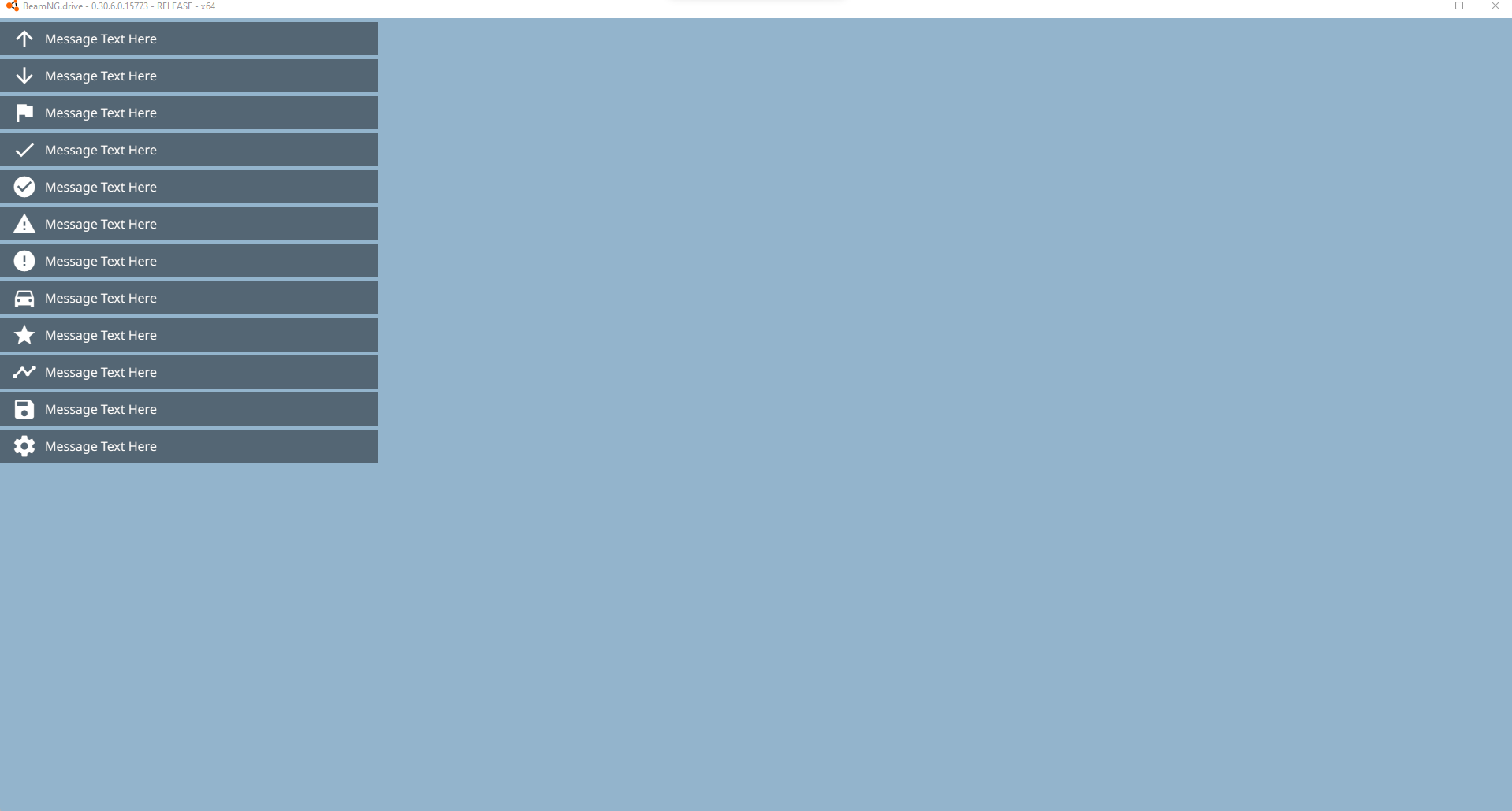 </figure>
|
||
|
||
```lua
|
||
--guihooks.trigger('Message', {msg, ttl, category, icon})
|
||
--ui_message(msg, ttl, category, icon)
|
||
guihooks.trigger('Message', {msg = "Message Text Here", ttl = 5.0, category = "arrow_upward", icon = "arrow_upward"})
|
||
guihooks.trigger('Message', {msg = "Message Text Here", ttl = 5.0, category = "arrow_downward", icon = "arrow_downward"})
|
||
guihooks.trigger('Message', {msg = "Message Text Here", ttl = 5.0, category = "flag", icon = "flag"})
|
||
guihooks.trigger('Message', {msg = "Message Text Here", ttl = 5.0, category = "check", icon = "check"})
|
||
guihooks.trigger('Message', {msg = "Message Text Here", ttl = 5.0, category = "check_circle", icon = "check_circle"})
|
||
guihooks.trigger('Message', {msg = "Message Text Here", ttl = 5.0, category = "warning", icon = "warning"})
|
||
guihooks.trigger('Message', {msg = "Message Text Here", ttl = 5.0, category = "error", icon = "error"})
|
||
guihooks.trigger('Message', {msg = "Message Text Here", ttl = 5.0, category = "directions_car", icon = "directions_car"})
|
||
guihooks.trigger('Message', {msg = "Message Text Here", ttl = 5.0, category = "star", icon = "star"})
|
||
guihooks.trigger('Message', {msg = "Message Text Here", ttl = 5.0, category = "timeline", icon = "timeline"})
|
||
guihooks.trigger('Message', {msg = "Message Text Here", ttl = 5.0, category = "save", icon = "save"})
|
||
guihooks.trigger('Message', {msg = "Message Text Here", ttl = 5.0, category = "settings", icon = "settings"})
|
||
```
|
||
|
||
### 屏幕中央大尺寸或小尺寸闪烁显示
|
||
|
||
<figure class="image image_resized" style="width:75%" markdown=""> 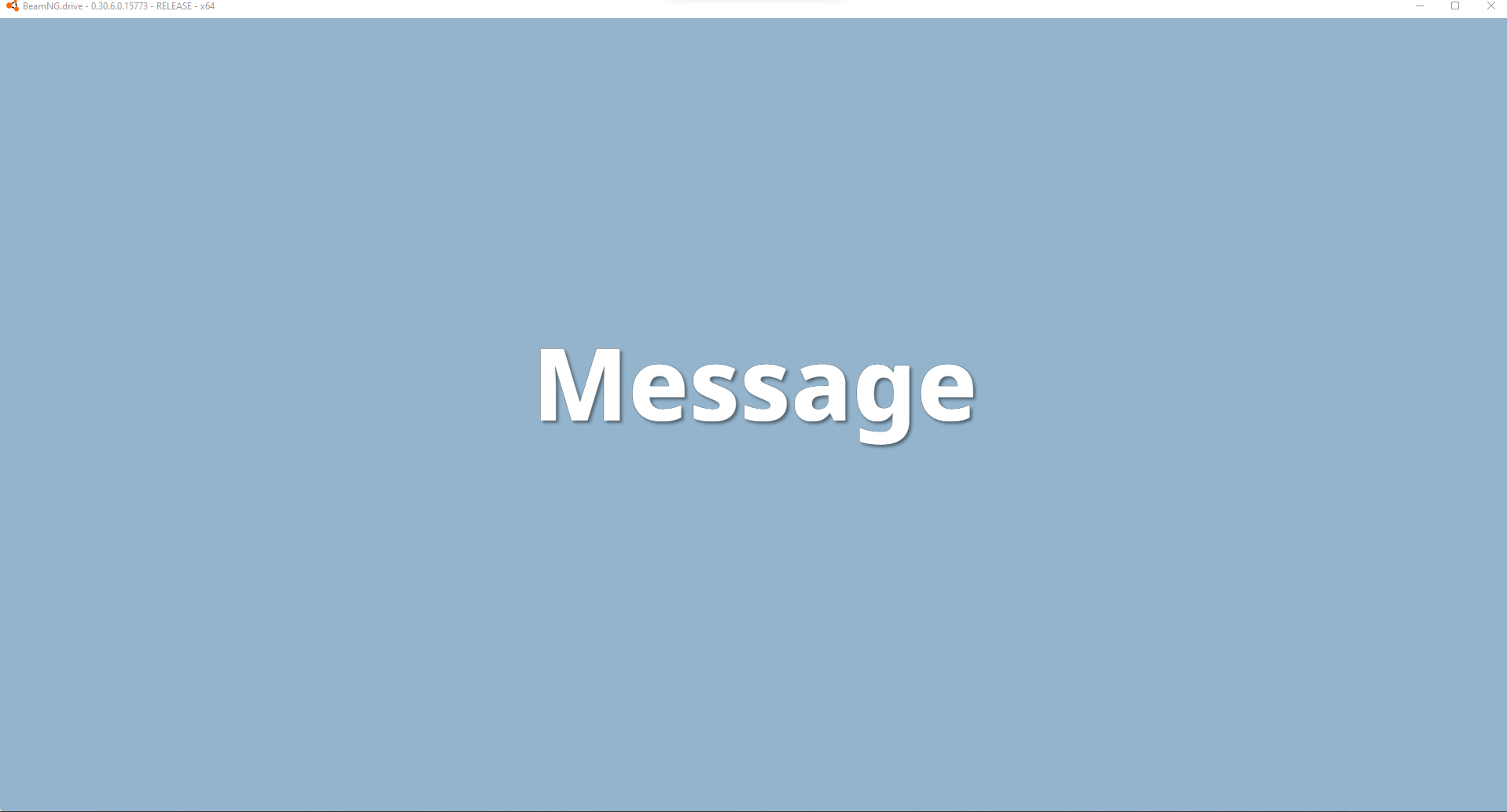 </figure>
|
||
|
||
<figure class="image image_resized" style="width:75%" markdown=""> 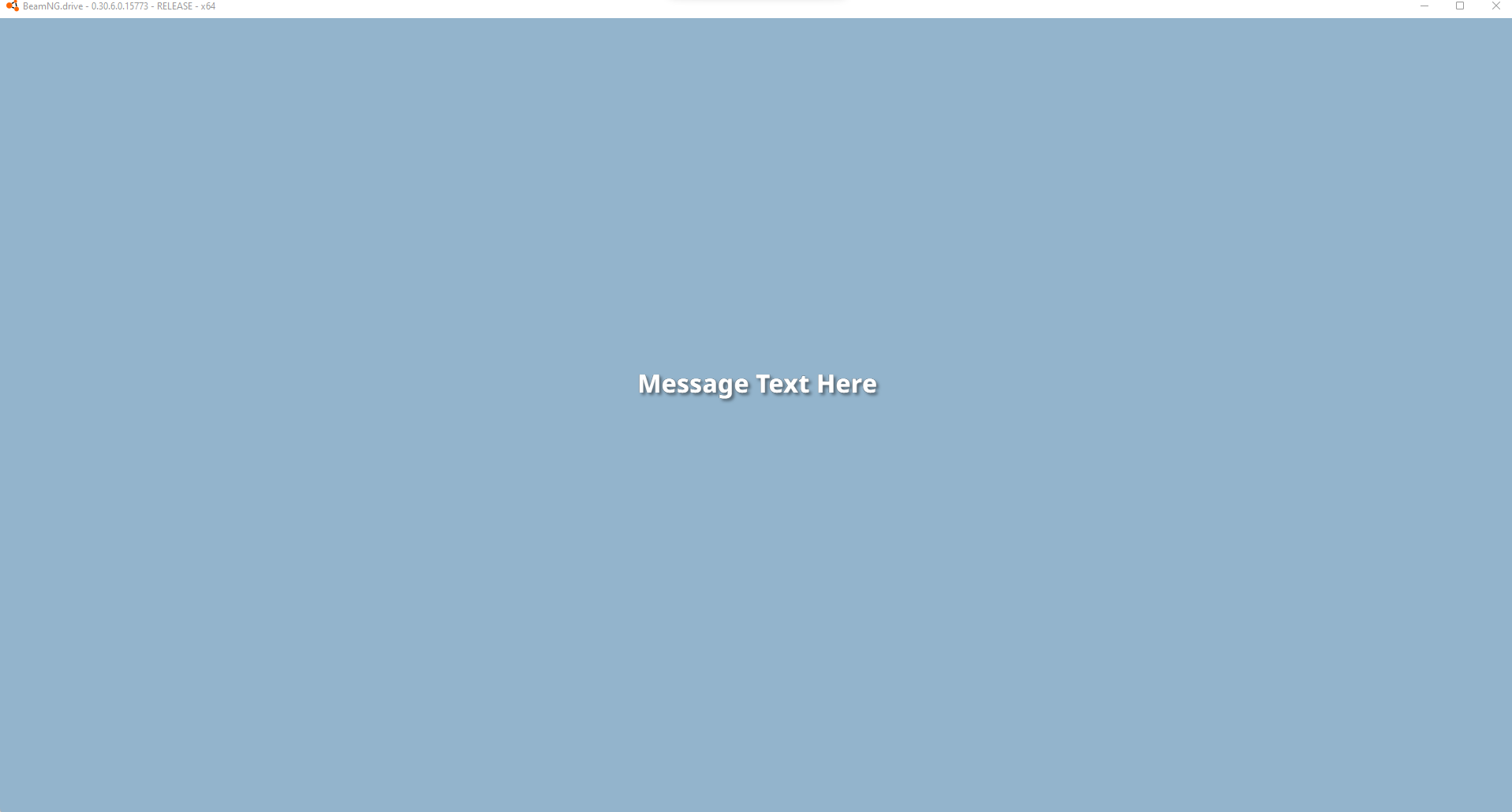 </figure>
|
||
|
||
```lua
|
||
--guihooks.trigger('ScenarioFlashMessage', {{msg, ttl, sound, big}} ) -- requires RaceCountdown ui app
|
||
guihooks.trigger('ScenarioFlashMessage', {{"Message", 5.0, 0, true}} )
|
||
guihooks.trigger('ScenarioFlashMessage', {{"Message Text Here", 5.0, 0, false}} )
|
||
|
||
--countdown example, when all executed at once, the items are queued and will follow eachother after the previous ttl expires
|
||
guihooks.trigger('ScenarioFlashMessage', {{"3", 1.0, "Engine.Audio.playOnce('AudioGui', 'event:UI_Countdown1')", true}})
|
||
guihooks.trigger('ScenarioFlashMessage', {{"2", 1.0, "Engine.Audio.playOnce('AudioGui', 'event:UI_Countdown2')", true}})
|
||
guihooks.trigger('ScenarioFlashMessage', {{"1", 1.0, "Engine.Audio.playOnce('AudioGui', 'event:UI_Countdown3')", true}})
|
||
guihooks.trigger('ScenarioFlashMessage', {{"GO!", 3.0, "Engine.Audio.playOnce('AudioGui', 'event:UI_CountdownGo')", true}})
|
||
|
||
--另一个声音示例
|
||
guihooks.trigger('ScenarioFlashMessage', {{"Teleported!", 3.0, "Engine.Audio.playOnce('AudioGui', 'event:UI_Checkpoint')", false}})
|
||
```
|
||
|
||
### 屏幕中央中等尺寸持久显示
|
||
|
||
这需要安装实时竞赛显示UI 应用。
|
||
|
||
<figure class="image image_resized" style="width:75%" markdown=""> 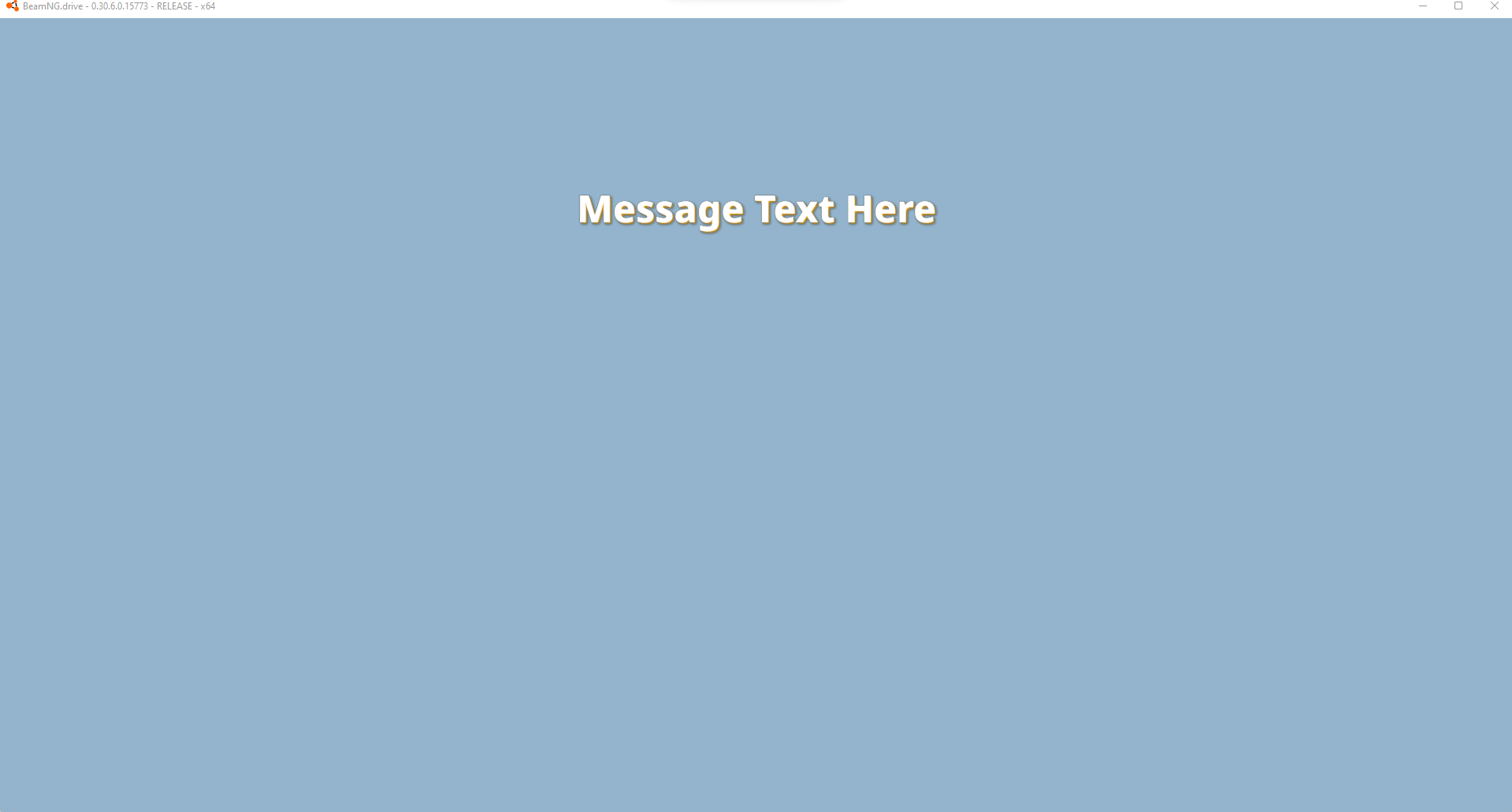 </figure>
|
||
|
||
```lua
|
||
--guihooks.trigger('ScenarioRealtimeDisplay', {msg = msg} ) -- 需要安装 Race Realtime Display UI 应用
|
||
guihooks.trigger('ScenarioRealtimeDisplay', {msg = "在此输入消息文本"} )
|
||
-- 这些消息会持久显示,可以通过发送空字符串来清除
|
||
-- 如果您正在运行实时数据(例如计时器、距离计算等),这是一个非常适合快速更新的接口
|
||
guihooks.trigger('ScenarioRealtimeDisplay', {msg = ""} )
|
||
```
|
||
|
||
### 确认对话框
|
||
|
||
确认对话框是一个带有多达两个按钮的简化弹出窗口。
|
||
|
||
```lua
|
||
-- 打开一个包含标题、正文文本和最多两个按钮的确认对话框(ConfirmationDialog)
|
||
guihooks.trigger("ConfirmationDialogOpen",
|
||
"示例标题",
|
||
"示例正文文本内容",
|
||
"确定",
|
||
"", -- 对应的 gelua 代码,此处为空字符串
|
||
"取消",
|
||
"" -- 对应的 gelua 代码
|
||
)
|
||
|
||
-- 关闭任何具有指定标题的已打开确认对话框
|
||
guihooks.trigger("ConfirmationDialogClose", "示例标题")
|
||
```
|
||
|
||
<figure class="image image_resized" style="width:75%" markdown="">  </figure>
|
||
|
||
按钮的两个字段都必须为字符串类型,按钮才会显示。
|
||
|
||
如果提供了确定按钮,按下 *确定 / 首要操作(OK / Primary action)* 键等同于点击“确定”按钮。
|
||
|
||
如果提供了取消按钮,按下 *菜单(Menu)*键等同于点击取消按钮。
|
||
|
||
支持HTML,例如可以用来添加图片或图标。
|
||
|
||
可以同时显示多个,并将按顺序排列显示。
|
||
|
||
!!! bug
|
||
|
||
```
|
||
如果不提供任何按钮,玩家将无法在不使用控制台的情况下关闭或退出该对话框。
|
||
```
|
||
|
||
!!! bug
|
||
|
||
```
|
||
当 ConfirmationDialog(确认对话框)处于活动状态时,迷你地图UI应用的 SDF 部分仍然保持可见。
|
||
|
||
可以使用 `#!lua guihooks.trigger('ShowApps', false)` 隐藏 UI 应用,作为一种临时解决方案。
|
||
```
|
||
|
||
<figure class="image image_resized" style="width:75%" markdown="">  </figure>
|
||
|
||
### introPopupTutorial
|
||
|
||
introPopupTutorial 是一个高度可定制的弹出窗口,很大程度上是通过嵌入式 HTML 来定义的。通常的做法是从一个独立的 HTML 文件中进行加载,该文件位于:`/gameplay/tutorials/pages/*/content.html`.
|
||
|
||
```lua
|
||
guihooks.trigger("introPopupTutorial", {
|
||
{
|
||
content = readFile("/gameplay/tutorials/pages/template/content.html"):gsub("\r\n",""),
|
||
flavour = "onlyOk"
|
||
}
|
||
})
|
||
|
||
guihooks.trigger("introPopupClose")
|
||
```
|
||
|
||
<figure class="image image_resized" style="width:75%" markdown="">  </figure>
|
||
|
||
`flavour` 控制哪些按钮会被显示。共有四种类型:
|
||
|
||
- `withLogbook`
|
||
- Buttons: Career Logbook, Okay
|
||
- `onlyOk`
|
||
- Buttons: Okay
|
||
- `onlyLogbook`
|
||
- Buttons: Career Logbook
|
||
- `noButtons`
|
||
- 不提供任何按钮
|
||
|
||
!!! 警告
|
||
|
||
```
|
||
如果在页面中使用noButtons类型,且页面内容中没有提供额外的 JavaScript 来关闭该弹出窗口,则会导致游戏出现Softlock。在此类型下,多个页面不会合并到同一个弹出窗口中。因此,不建议使用此类型。
|
||
```
|
||
|
||
如果提供了多个页面,或者该Hook被多次触发,这些页面将合并到同一个弹出窗口中。<br>如果在一个 introPopup 处于活动状态时触发该钩子,或者已经触发了另一种不同类型的 introPopup,则它会在当前窗口关闭后,在一个独立的弹出窗口中显示。
|
||
|
||
### introPopupCareer
|
||
|
||
introPopupCareer是一种易于使用且开放式Open-ended的弹出窗口,如果需要,它还支持嵌入 HTML 内容。
|
||
|
||
Flavours控制显示哪些按钮以及默认的图像长宽比。共有四种类型:
|
||
|
||
- `default`
|
||
- Default image aspect ratio: 16x9
|
||
- Buttons: Later, Okay
|
||
- `welcome`
|
||
- Default image aspect ratio: 16x9
|
||
- Buttons: Career Logbook, Okay
|
||
- `branch-info`
|
||
- Default image aspect ratio: 16x9
|
||
- Buttons: Career Logbook, Okay
|
||
- `garage`
|
||
- Buttons: Later, Okay
|
||
|
||
```lua
|
||
guihooks.trigger("introPopupCareer", {
|
||
{
|
||
title = "Example title",
|
||
text = "Example text",
|
||
image = "/gameplay/tutorials/pages/template/image.jpg",
|
||
ratio = "16x9",
|
||
flavour = "default"
|
||
}
|
||
})
|
||
|
||
guihooks.trigger("introPopupClose")
|
||
```
|
||
|
||
<figure class="image image_resized" style="width:75%" markdown=""> !在 BeamNG.drive 中显示的introPopupCareer代码片段](../../assets/content/introPopupCareer.png) </figure>
|
||
|
||
如果提供了多个页面,或者该Hook被多次触发,这些页面将被合并到同一个弹出窗口中。<br>如果在一个introPopup处于活动状态时触发了该钩子,或者已经触发了另一种不同类型的introPopup,那么它将在当前窗口关闭后,通过一个独立的弹出窗口进行显示。
|
||
|
||
!!! bug
|
||
|
||
```
|
||
背景模糊具有最小高度限制,这会导致内容较少的弹出窗口在其窗口下方出现多余的模糊区域。目前主要有两种解决方法:
|
||
|
||
* 重复输入 `\n`(换行符)并在结尾添加 `#!html <div />`,直到窗口遮住模糊区域。
|
||
* 使用空路径或缺失的 `image` 路径,并调整长宽比(Aspect Ratio),直到窗口遮住模糊区域。
|
||
```
|
||
|
||
### introPopupMission
|
||
|
||
introPopupMission与 introPopupCareer几乎完全相同,但它需要手动定义按钮,而不是直接为按钮选择预设样式。
|
||
|
||
按钮样式组合为*bng-button-*`style`。内置的按钮样式包括:
|
||
|
||
- `main` - 橙色
|
||
- `secondary` - 青色
|
||
- `attention` - 红色
|
||
- `white` - 白色
|
||
- `link` - 半透明
|
||
- `outline` - 橙色轮廓
|
||
|
||
```lua
|
||
guihooks.trigger('introPopupMission', {
|
||
title = "introPopupMission title",
|
||
text = "introPopupMission description",
|
||
image = "/gameplay/tutorials/pages/template/image.jpg",
|
||
ratio = "16x9",
|
||
buttons = {
|
||
{ default=true, class="main", label="main button", clickLua="" },
|
||
{ default=false, class="secondary", label="secondary button", clickLua="" },
|
||
{ default=false, class="attention", label="attention button", clickLua="" },
|
||
{ default=false, class="white", label="white button", clickLua="" },
|
||
{ default=false, class="link", label="link button", clickLua="" },
|
||
{ default=false, class="outline", label="outline button", clickLua="" }
|
||
}
|
||
})
|
||
|
||
guihooks.trigger("introPopupClose")
|
||
```
|
||
|
||
<figure class="image image_resized" style="width:75%" markdown="">  </figure>
|
||
|
||
如果提供了多个页面,或者该Hook被多次触发,这些页面将合并到同一个弹出窗口中。<br>如果在一个introPopup处于活动状态时触发了该钩子,或者已经触发了另一种不同类型的 introPopup,则它会在当前窗口关闭后,通过一个独立的弹出窗口进行显示。
|
||
|
||
!!! bug
|
||
|
||
```
|
||
背景模糊具有最小高度限制,这会导致内容较少的弹出窗口在其窗口下方出现多余的模糊区域。目前主要有两种解决方法:
|
||
|
||
* 重复输入 `\n`(换行符)并在结尾添加 `#!html <div />`,直到窗口拉长并遮住模糊区域。
|
||
* 使用空路径或缺失的 `image`(图像)路径,并调整长宽比(Aspect Ratio),直到窗口覆盖住模糊区域。
|
||
```
|
||
|
||
### 对话窗口
|
||
|
||
todo
|