refactor: moving repository
* refactor

* updates

* add circle

* update circle

* fix circle
This commit is contained in:
 Henrique Dias authored and
 GitHub committed
1 parent
d97f17facb
commit
613a3f2811
153 files changed
+97
-9811
No files matched your search
@@ -1,13 +1,13 @@
|
||||
|
||||
|
||||
# filemanager
|
||||
# filebrowser
|
||||
|
||||
[](https://travis-ci.org/hacdias/filemanager)
|
||||
[](https://goreportcard.com/report/hacdias/filemanager)
|
||||
[](http://godoc.org/github.com/hacdias/filemanager)
|
||||
[](https://github.com/hacdias/filemanager/releases/latest)
|
||||
[](https://travis-ci.org/filebrowser/filebrowser)
|
||||
[](https://goreportcard.com/report/github.com/filebrowser/filebrowser)
|
||||
[](http://godoc.org/github.com/filebrowser/filebrowser)
|
||||
[](https://github.com/filebrowser/filebrowser/releases/latest)
|
||||
|
||||
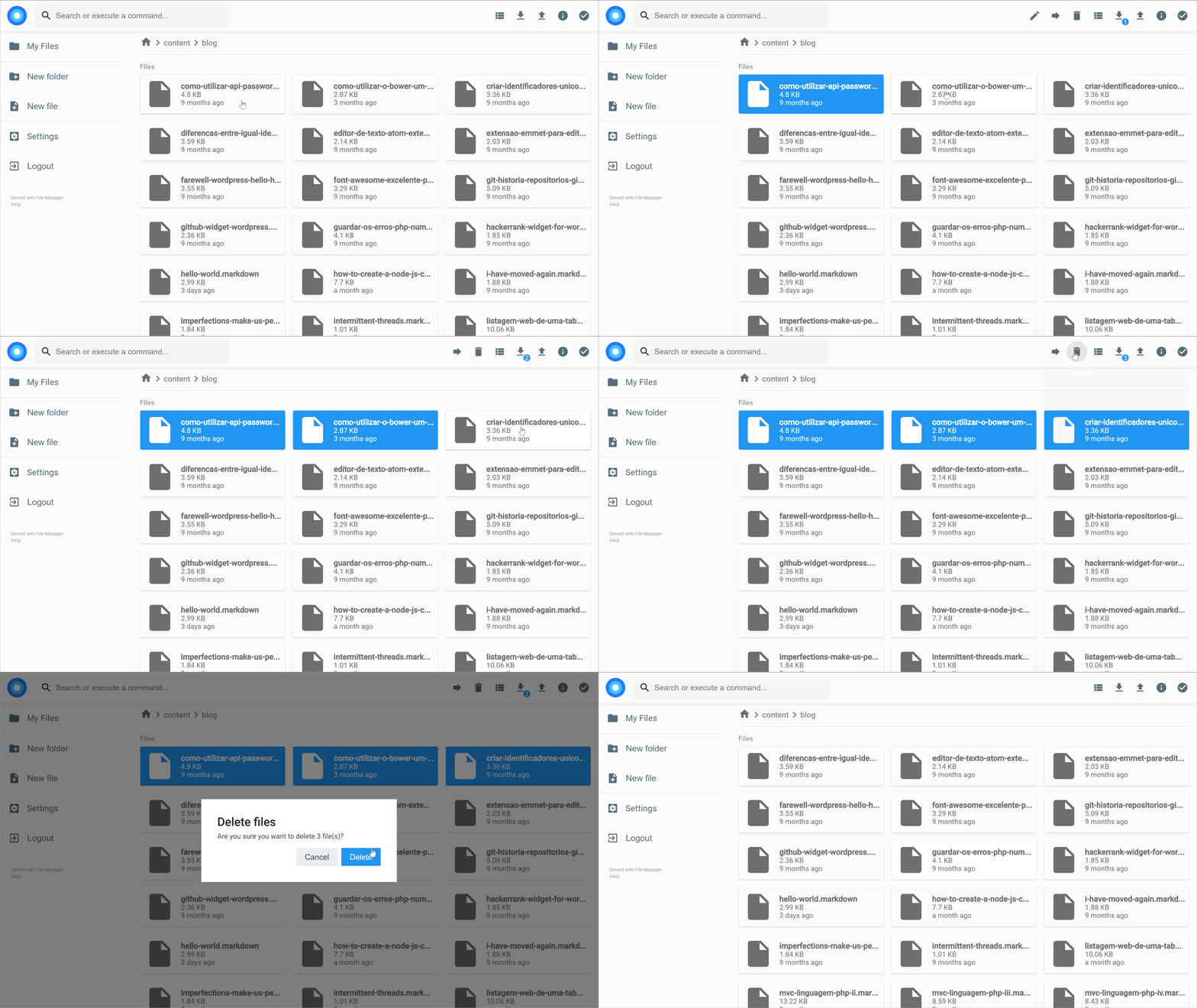
filemanager provides a file managing interface within a specified directory and it can be used to upload, delete, preview, rename and edit your files. It allows the creation of multiple users and each user can have its own directory. It can be used as a standalone app or as a middleware.
|
||||
filebrowser provides a file managing interface within a specified directory and it can be used to upload, delete, preview, rename and edit your files. It allows the creation of multiple users and each user can have its own directory. It can be used as a standalone app or as a middleware.
|
||||
|
||||
# Table of contents
|
||||
|
||||
@@ -20,7 +20,7 @@ filemanager provides a file managing interface within a specified directory and
|
||||
|
||||
# Getting started
|
||||
|
||||
You can find the Getting Started guide on the [documentation](https://henriquedias.com/filemanager/quick-start/).
|
||||
You can find the Getting Started guide on the [documentation](https://filebrowser.github.io/quick-start/).
|
||||
|
||||
# Features
|
||||
|
||||
@@ -50,7 +50,7 @@ We support multiple users and each user can have its own scope and custom styles
|
||||
|
||||
## Search
|
||||
|
||||
FileManager allows you to search through your files and it has some options. By default, your search will be something like this:
|
||||
File Browser allows you to search through your files and it has some options. By default, your search will be something like this:
|
||||
|
||||
```
|
||||
this are keywords
|
||||
@@ -72,4 +72,4 @@ this are keywords case:insensitive
|
||||
|
||||
# Contributing
|
||||
|
||||
The contributing guidelines can be found [here](https://github.com/hacdias/filemanager/blob/master/CONTRIBUTING.md).
|
||||
The contributing guidelines can be found [here](https://github.com/filebrowser/community).
|
||||
Reference in new issue
Block a user